

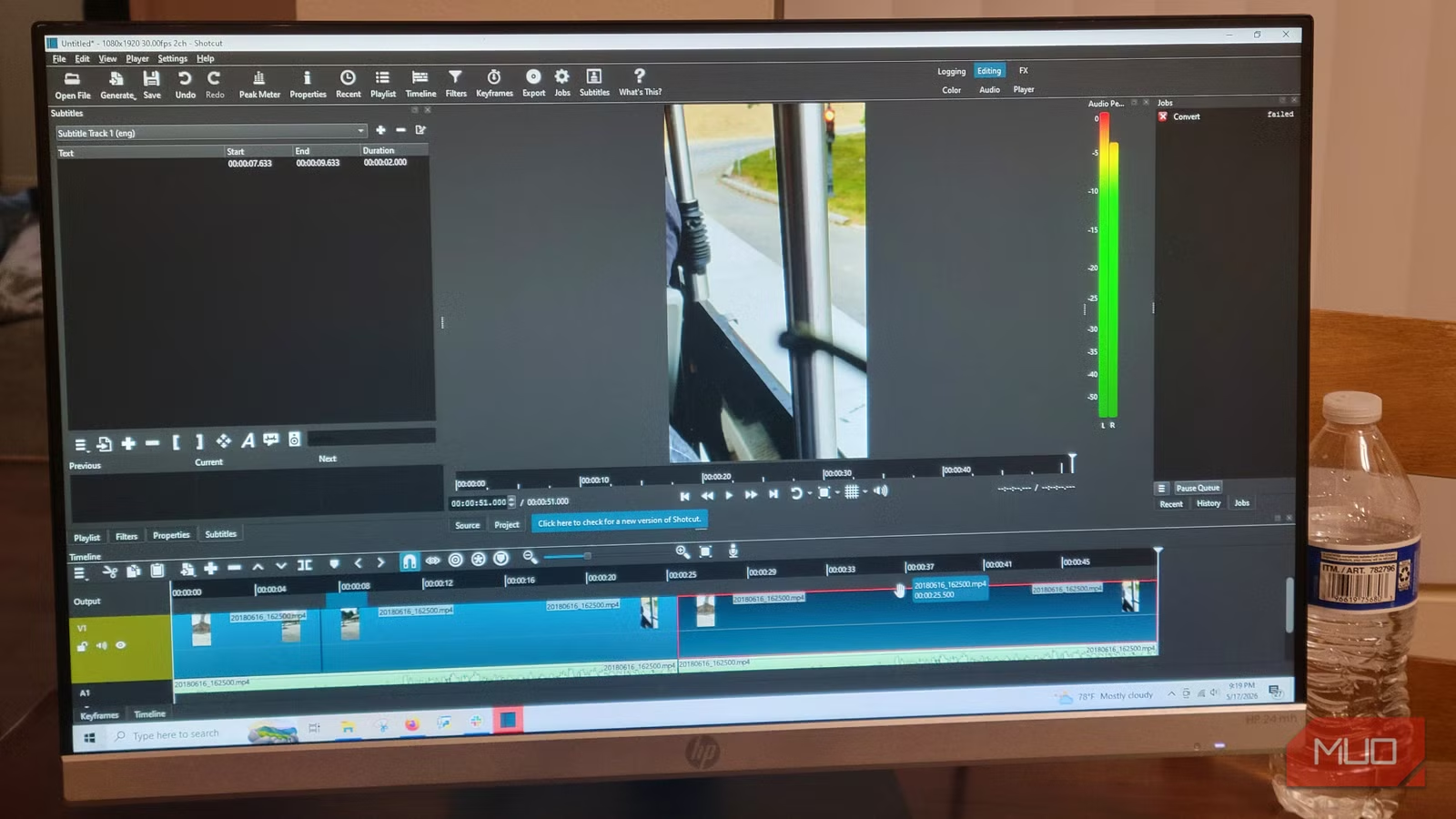
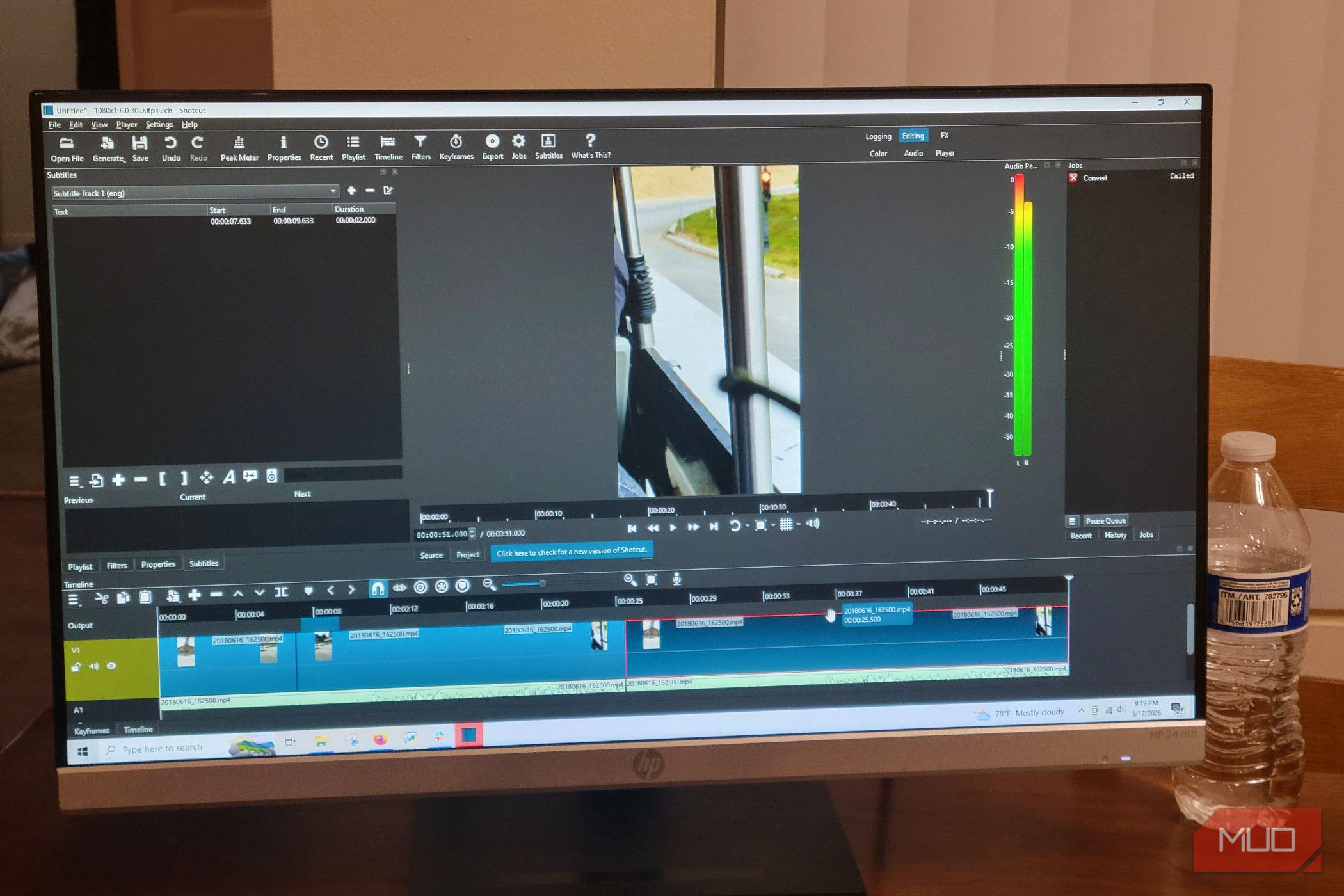
Paying a monthly subscription fee to edit personal videos or family memories is a massive waste of money. Adobe Premiere Pro is the industry standard, but renting it ends up costing hundreds of dollars for basic tools you might only use a few times a year. There is a free, open-source alternative to Adobe that avoids these predatory traps, and it’s not DaVinci.
Related
You Don’t Need to Pirate Software: Here’s How I Find Affordable Alternatives
Software piracy is never the answer.
Subscription video editors cost far too much
I’ve spent hundreds of dollars renting a tool I barely used
Jorge Aguilar / MakeUseOf
Adobe Premiere Pro is the default choice for many people, and at one point, I thought it was worth every penny. If you just want to save family memories, share vacation footage, or make personal videos, paying for an Adobe Creative Cloud subscription looks like the only way to do it.
It didn’t take long for my Adobe subscription to end up costing more than my computer. I didn’t really use it for more than little projects and home movies. I had the most expensive tier, too, which seemed to only rise over time. Luckily, I canceled before they added AI features, which drove the price up even higher for everyone else.
It isn’t hard to imagine that many people pay these high prices for basic tasks like trimming clips, adding simple transitions, and putting in background music. I wouldn’t have believed that free software handles these same tasks perfectly. If you only edit a handful of videos a year, that monthly fee is hard to justify.
Adobe also locks you into a contract with a 50% early-termination fee if you try to cancel mid-year. It is an awful tactic that has no business being used today. You are basically renting your own creative work, and the moment you stop paying, you lose access to your past project files.
I think that’s what makes this subscription model completely wrong for regular creators. Many people who use free mobile or desktop programs to escape toxic subscriptions find out that the market has its own annoying limits.
Applications like CapCut and InShot keep core editing free, but high-resolution exports and professional assets trigger sudden upgrade prompts or put branding on your content. These programs hold your final product hostage, locking high-quality rendering behind a premium tier or stamping a watermark across your family videos.
Shotcut is a great alternative that respects you, unlike the other options. It’s also a great way to make your first movie.
Video editing UI is almost universal
You don’t have to relearn how to edit
Leaving a familiar subscription can be hard because open-source programs often look intimidating at first. However, moving to Shotcut doesn’t mean you need to abandon your old workflow habits. Shotcut comes with dockable and undockable panels that can give you a layout that is identical to Premiere Pro.
You’ll get your central Player window, a Playlist panel for asset management, and a multi-track timeline at the bottom of your screen. I’ve noticed this is pretty common all around. I saw this in Windows Movie Maker, DaVinci, Unreal Engine, and almost every other video editor I’ve used. So you really don’t have to worry about this.
What is interesting is that Shotcut has this layout without the bloat of extra panels you’ll see in Adobe. Premiere Pro adds this dense interface filled with overlapping panels, like Effect Controls, a separate Effects browser, the Lumetri Color panel, and the Essential Graphics panel.
I’ve used that for years and never bothered to learn most of the panels because they were almost all unnecessary. Shotcut lets you adjust settings through its Filters and Properties panels. Since Shotcut isn’t weighed down by legacy code for corporate teams, the interface stays clean and modular. This way, you can pin or unpin panels depending on your task without moving your whole workspace around.
The timeline, the most important part, works the same way. You get multiple video and audio tracks, precise trimming, ripple deleting, and overwriting. One thing that I love is that instead of needing to go through different menus to drag an effect onto a cut, Shotcut uses an overlap method where you drag one clip over another on the same track to make cross-fades and visual transitions.
The app also automatically creates low-resolution proxy files, so you can edit heavy 4K projects without lag before rendering the original full-quality files.
You won’t sacrifice quality
Open-source tools can handle 4K just fine
Jorge Aguilar / MakeUseOf
A lot of people assume open-source software can’t handle heavy video production. Shotcut is a great example of why this isn’t true. Shotcut is built on top of the Media Lovin’ Toolkit framework and plugs directly into FFmpeg.
This means it natively supports hundreds of video formats and codecs without time-consuming ingest or transcoding phases. When it comes to the heavy lifting of 4K video editing, Shotcut uses hardware-accelerated decoding and encoding, including NVENC for NVIDIA, VAAPI for Linux, and QSV for Intel, which reduces export times and takes the load off your processor.
Rendering 4K 60fps footage takes seconds instead of minutes if you don’t have a budget PC, thanks to these hardware encoders. If your computer is older or struggling, Shotcut has an excellent proxy system. It automatically creates lightweight 540p files to keep your timeline smooth, then swaps the original 4K clips back in for the final export.
I have used this for the home movies I keep making, and I can tell you I had plenty of issues with Premiere Pro that I no longer have.
You don’t need features like Auto-Reframe in Premiere Pro. These AI tools may be useful for professional marketing agencies managing massive amounts of daily content, but not for the average user. These expensive features are just an excuse to make the software more expensive.
By cramming this extra bloat into the main software, Adobe locks you into a mandatory Creative Cloud subscription that costs way too much.
Stop renting from Adobe, start owning with Shotcut
Shotcut isn’t a perfect replacement for every single Hollywood feature. However, if you don’t need AI or bloatware, Shotcut handles the heavy lifting without issue. It matches the standard industry layout, supports hardware acceleration for fast 4K exports, and gives you full control over your work.
Developer
Shotcut
Pricing model
Free
Shotcut is a free, open-source video editing program that lets you create and edit videos without any paid upgrades or watermarks. It works on Windows, Mac, and Linux computers.
