


Look on any Home Assistant forum, and you’re likely to find a ton of posts from people showing off their intricately detailed dashboards. While many of these dashboards look incredible, packed with controls and graphs, they’re not something that I really want. There’s only one dashboard that I enjoy using.
I’m not a fan of smart home dashboards
They look great, but often aren’t massively useful
Credit: u/lmbatman2 | Reddit
The smart home dashboards that people post on forums look very impressive. Many of them have controls for devices as well as live camera feeds and graphs showing smart home information. My problem isn’t how the dashboards are designed; it’s the purpose that they’re serving.
Using a wall-mounted dashboard to control your smart home devices has never felt that smart to me. You can only use it when you’re standing right next to it; if you’re in a different room, or even just in another part of the room, it’s mostly useless. You have to get up and go to where the dashboard is in order to use it, which makes it a little better than a standard light switch.
While it can be useful to control the devices in your entire home from one location, a wall-mounted dashboard has never been something I’ve ever wanted to use. I’m a firm believer that true automation is better than relying on physical controls.
Dimensions (exterior)
4.41″L x 4.41″W x 1.26″H
Weight
12 Ounces
Home Assistant Green is a pre-built hub directly from the Home Assistant team. It’s a plug-and-play solution that comes with everything you need to set up Home Assistant in your home without needing to install the software yourself.
Dashboards can do more than just control your devices
They’re a great way to display information
Home Assistant dashboards don’t just have to be about controlling your smart home, however. They can be a great way to display information, too.
For example, I have a weather dashboard that I designed to look like a retro weather report. I can use this dashboard to see the weather conditions for my location at a glance. One tap on my phone brings up the dashboard, so I don’t need to walk over to a wall-mounted tablet to see it.
I have another dashboard that shows me the current charge of all the batteries in my battery-powered smart home devices, with cards that change color as the battery levels become more critical. With a single glance, I can immediately see if there are any batteries that need replacing soon.
Related
I Only Use My Echo Hub for One Thing (and It’s Not Controlling My Smart Home)
Amazon’s smart home control panel is a good idea in theory, but not in practice.
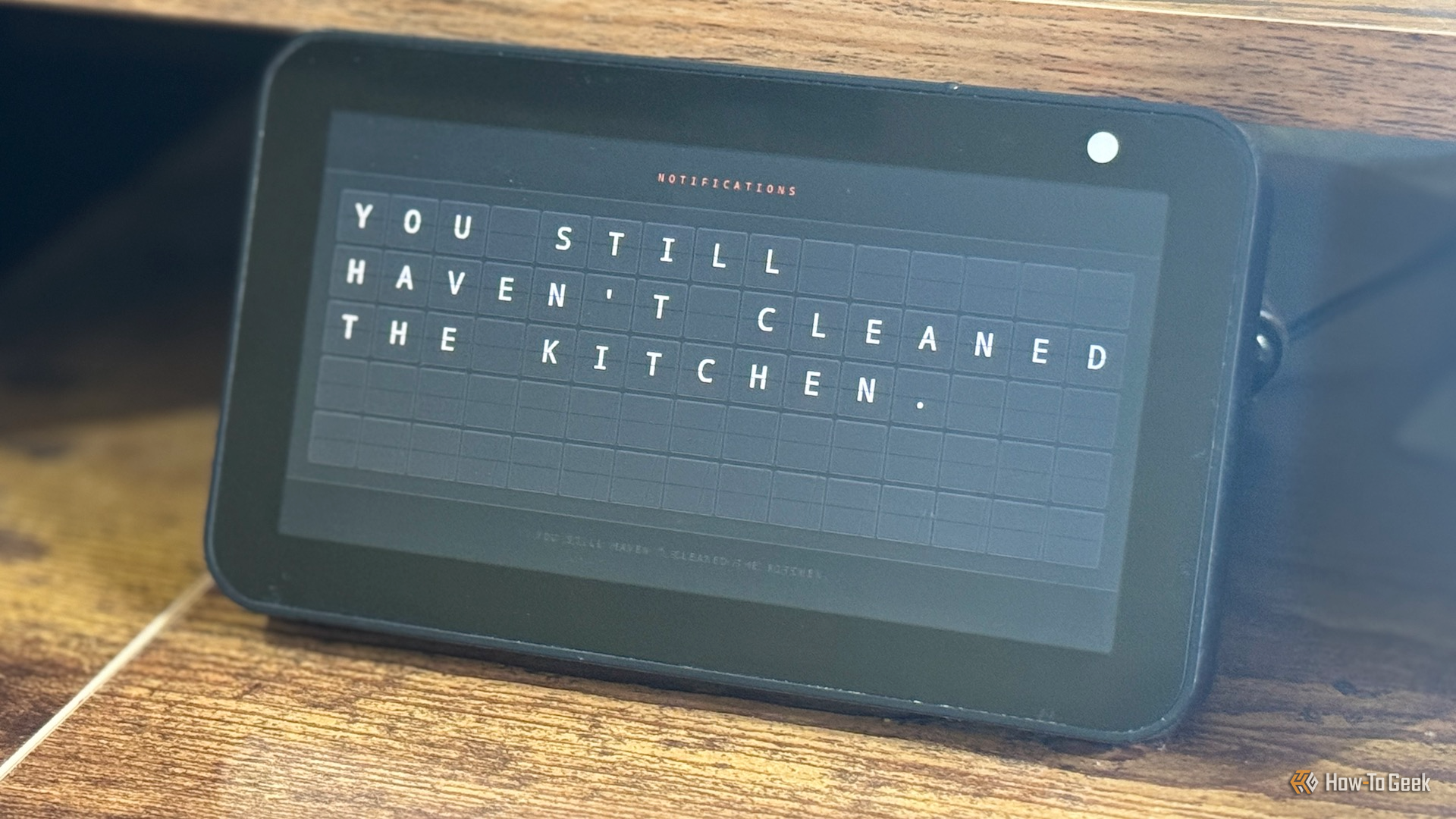
A split-flap board is both visual and audible
I can hear when a notification arrives
Credit: Adam Davidson/How-To Geek
My smart home regularly sends notifications to my phone to provide useful information. If someone is detected by the video doorbell, a notification is sent to my phone. I also get notifications on my phone if a battery is getting too low or if it’s time to take my medication.
These Home Assistant notifications are useful, but they require that I open my phone to see them. When I’m working at my desk, I don’t always see notifications right away. I wanted a way to display notifications visually so that I could see them while I was working, and while Home Assistant can send notifications to my Mac, I decided to make something a little more fun.
I saw a post on Reddit where someone had created a split-flap app for smart TVs that could display notifications in the split-flap style used by old-school departure boards. They were charging an insane amount for it, and other posters rightly pointed out that you could vibe code your own version easily enough.
I decided to do exactly that. It took about five minutes to create using Claude, with most of the time spent reducing how long it took for the full message to appear and changing the rate of the sound effect. When I send a notification to my phone, I can make the same message appear on the dashboard; the letters flap into place, and a realistic split-flap sound effect plays as the letters flip.
You don’t need to vibe code your own version if you don’t want to. There are now several Lovelace cards available for Home Assistant that can do the job, such as the Split-Flap Card.
My Echo Show 5 is finally useful again
It’s the perfect display for my needs
The final step was to get the dashboard to display whenever I got a notification. I have a second-generation Echo Show 5 in my home office, and I was able to jailbreak it so that I could run a custom launcher. I was then able to install the Home Assistant app and Fully Kiosk Browser, both of which allowed me to display Home Assistant dashboards on the Echo’s screen.
Now, when I get a notification, the dashboard is displayed, and a sound effect starts to play, so I’m alerted to the fact that a notification is arriving. The message appears via the split-flap animation, and I instantly get the information that I need. My Echo Show is finally useful again.
Sometimes a simple dashboard is all you need
One of the problems I have with some of the dashboards I see online is that there’s so much stuff on them that you can’t take any of it in. Sometimes all you need is a simple dashboard that does one simple thing. My split-flap dashboard is the one dashboard I’m happy to use every day.
