


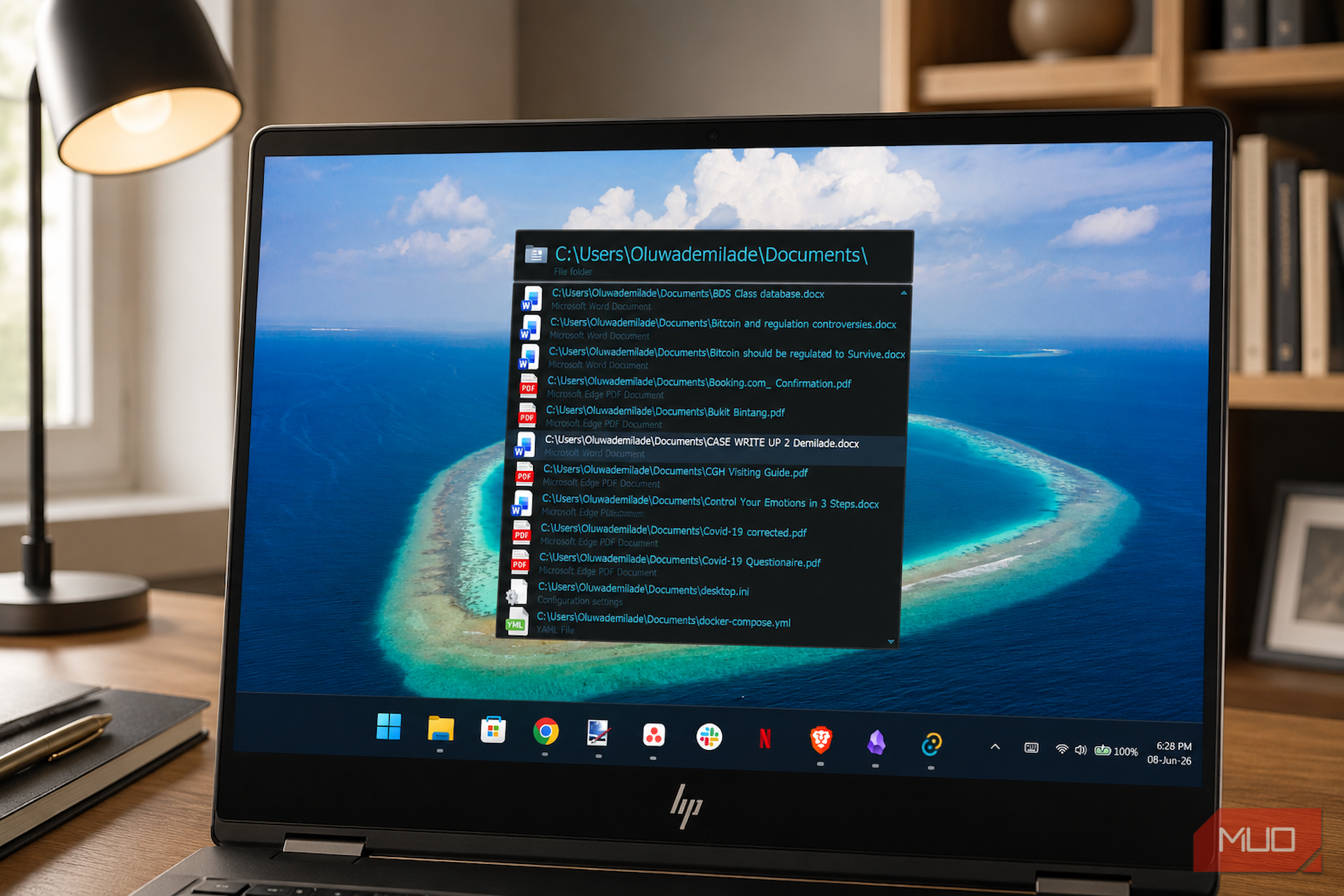
The Windows Start menu is supposed to be the default gateway to your PC, but it is rarely the fastest route. For many of us, launching an app, opening a folder, or searching the web still involves the same little detour: press the Windows key, type a name, then scan through a crowded interface that mixes local results with web suggestions and other distractions. Even if you have already taken steps to customize your system and finally removed Bing from the Windows Start menu, the interface can still feel sluggish.
That space between knowing exactly what you want and actually getting to it is where Executor fits in. It is a free, keyboard-driven launcher for Windows that keeps your hands on the keys and your focus on the screen.
Related
Windows 11 has a new Start menu — here’s how to unlock it
Windows 11 quietly fixed Start. You just have to unlock it.
Executor is, at its core, a keyword system. You press a global hotkey, type a short alias you’ve defined yourself, and Executor executes it. That execution can be almost anything: launching an application, opening a folder, running a system command, firing a custom web search, or chaining several of those actions together at once.
The simplest example is a web search. I can create a keyword like “g” for Google, then type “g when is the World Cup starting?” and send the query straight to Google without opening a browser first. The same idea works for YouTube with the “y” keyword, which passes the text directly into a YouTube search URL. It gets more useful when the keywords point to places on my own PC. A keyword like “work” can open a project folder instantly, so I no longer have to dig through File Explorer to get back to the same directory. You can also create a keyword like standup that uses Executor’s || multi-action separator to open my calendar, task board, and communication app together. What used to be three separate clicks becomes one word and a keypress.
The built-in system commands are just as direct. Typing ?sleep, ?shutdown, or ?hibernate does exactly what it says, without making me hunt through menus. Executor can also intercept the Windows key itself, which changes the overall feel of using Windows. I can set a single press to open Executor and a double-press to open the Start menu, or keep the Start menu on a single press and call Executor with a separate shortcut. The first setup is the more interesting one to me because it turns the Windows key from a Start menu button into a launchpad for whatever I actually want to do.
The current version, as of this writing (v2.3.7, released on June 7, 2026), also reflects a project that has been developing quickly. Recent additions include auto-detected calculations that no longer need a prefix character, an Input Assist pop-up that suggests relevant keywords when I press Ctrl+Space mid-input, a built-in clipboard manager with RegEx transform support, and optional extras.exc import pack with commands like flushdns, diskspace, uptime, godmode, and wt for opening Windows Terminal directly at a folder path. Those are the kinds of tasks I would usually handle through the command prompt, a Control Panel shortcut, or the Settings page. In Executor, they become a phrase I can remember and fire off from the keyboard.
It looks like 2004, and that is only half joking
Being honest about Executor means acknowledging what it costs before it pays off
Executor is not a plug-and-play modern launcher, and I noticed that from the start. The first hurdle is the installation experience. Because Martin Bresson’s code-signing certificate has expired, Windows SmartScreen flags the installer as coming from an unknown publisher, and Windows Defender may treat the executable with suspicion on some systems. Renewing the certificate under current industry requirements would cost hundreds of dollars a year, which is a hard ask for a free, MIT-licensed project maintained by one person. The software is open to inspection, so the warning did not put me off, but it is definitely the kind of first impression that may unsettle a new user.
The second hurdle is the settings panel. Executor is powerful, but it does not hide that power behind a polished, modern interface. Its configuration options are extensive, with dedicated tabs for indexing behavior, skin and appearance, input and autocomplete, list behavior, browser integration, clipboard handling, and a miscellaneous category that is still full. The interface itself carries the aesthetic of software built when XP was current. The keyword editor and settings dialogs look exactly like that, and no amount of skin customization fully modernizes them.
That said, I did find the newer “scale” skin type much easier to live with. It looks cleaner, supports High-DPI displays, and the online skin editor on Executor’s website gives you enough control to make the main launcher window feel reasonably current. The deeper configuration panels still look dated, but the part I interact with every day can be made neat enough to stop bothering me.
If you want a modern, polished launcher out of the box, other tools might serve you better. You could choose to replace the Windows Start menu with an open-source launcher like Flow Launcher, which has a vibrant plugin ecosystem. You could also consider using PowerToys Run to replace your Start menu, since it is already built into Microsoft’s utility suite. For a clean, cross-platform aesthetic, the Windows 11 launcher you should try is Ueli. Alternatively, you can use Listary for File Explorer integration, launch your apps instantly with Wox, or try Keypirinha if you prefer text-based configuration files.
Executor is fast, lightweight, and far more controllable than modern web-tech launchers, which tend to introduce extra memory overhead. Once I set up my own keywords and built the muscle memory, I largely stopped thinking in terms of menus altogether. The Start menu is still there if I need it, but really, I barely reach for it anymore.
OS
Windows
Developer
Otto Allmendinger
Price model
Freeware
Executor is a lightning-fast application launcher that lets you open programs, files, websites, and perform commands from a single keyboard-driven interface. Its aliases, keyword shortcuts, and plugin support make the Windows Start menu feel unnecessary.
