


We all have those moments when we open our browser to tackle an important project, only to find ourselves scrolling through social media or watching video after video, thirty minutes later. The cognitive dissonance is frustrating because you know exactly what you should be doing, but the pull of those distractions is irresistible. I used to blame myself for it, but over time, it became clear that our browsers are built to invite wandering.
That changed when I installed LeechBlock NG. The name sounds a little hostile, I’ll admit, but really, it’s been the kindest, most effective guardian of my time I’ve found so far. It belongs to a category of essential browser extensions that changed how I use the internet.
OS
Firefox, Chrome, Edge, and other Chromium-based browsers
Developer
James N. Anderson
Price model
Free
Block distracting websites and reclaim your focus with LeechBlock NG. Set flexible schedules and limits to stay productive and in control of your time.
LeechBlock NG makes focus the default in your browser
Turn your browser from a distraction portal into an actual work tool
At its core, LeechBlock NG is a website blocker that prevents you from accessing specific sites during times you designate. But unlike crude blocking tools that operate with an all-or-nothing approach, LeechBlock NG understands that context matters.
When you first install the extension, you create what are called “block sets.” Each block set is essentially a collection of websites grouped together with a specific blocking schedule. You might have one block set for social media platforms, another for news sites, and a third for video streaming services. The extension lets you create up to 30 block sets, which may sound excessive until you realize how many distractions vie for your attention throughout the day.
Setting up your first block is simple: list the domains you want to restrict — one per line — and define when they should be off-limits. You can block sites during fixed time periods (say, 9 AM to 5 PM on weekdays), set a daily time allowance (maybe 15 minutes total), or combine both. That last option has been particularly valuable for me. I allow myself 10 minutes of social media browsing per hour, but only between 9 AM and 6 PM. This way, I can take quick mental breaks without falling down the infinite scroll rabbit hole.
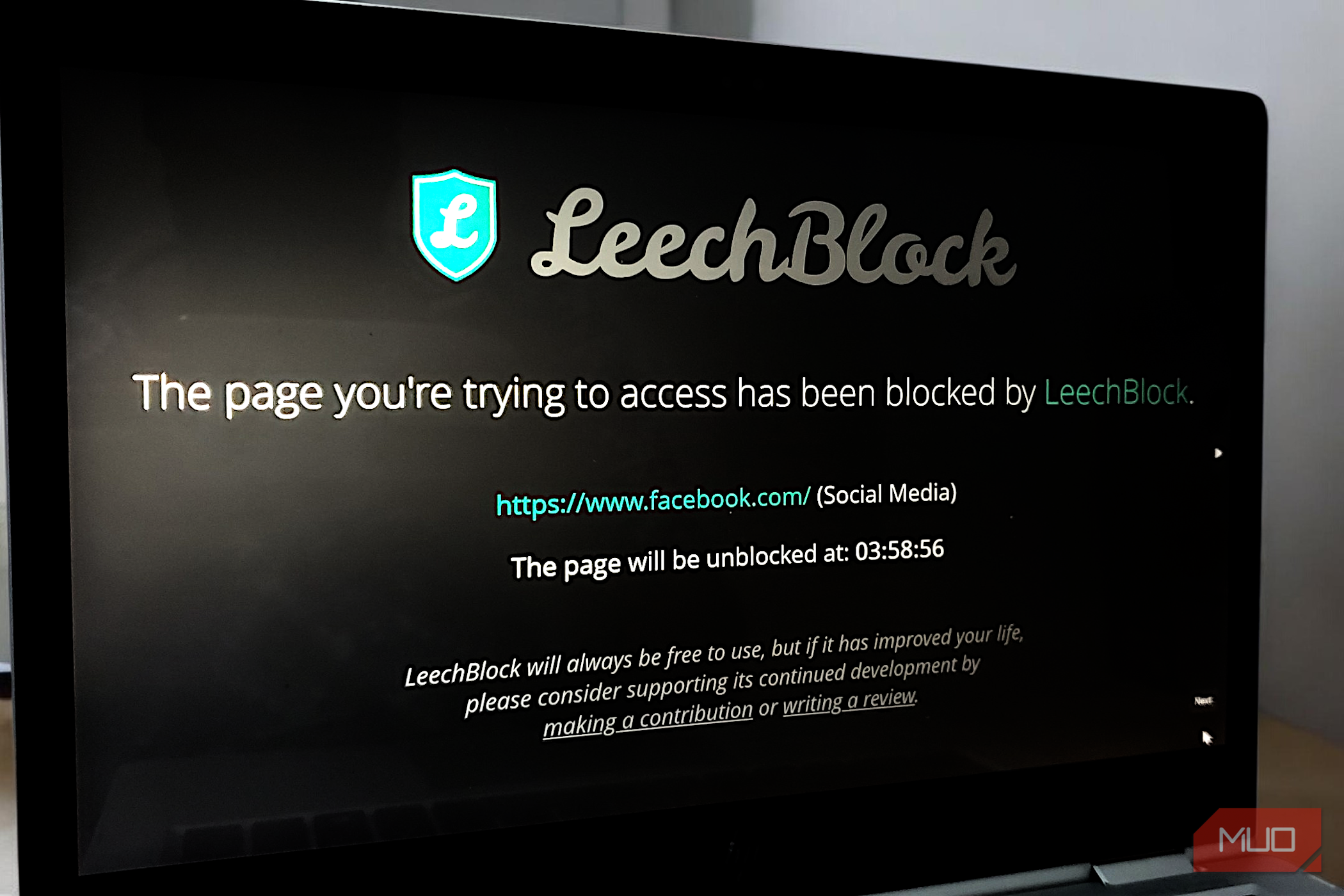
The extension also handles blocked attempts pretty well. When you try to visit a restricted site, you’re met with a clean blocking page, notifying you that the site is currently blocked. It’s a much more effective way to block time-wasting websites because it doesn’t display guilt-tripping messages or patronizing reminders, as many similar extensions do. If you are a Chrome user, you might find this tool a more comprehensive alternative to the popular StayFocusd extension for saying goodbye to distractions, especially if you need multiple independent schedules for different types of content.
You can customize block sets and schedules to match your workflow
Not everyone’s productivity kryptonite looks the same — and LeechBlock knows it
I work from home three days a week and have very different distraction patterns on those days compared to when I’m in the office. LeechBlock NG handles that nuance really well.
You can select which days of the week each block set applies to, meaning my “Work From Home Distractions” block set only activates on Mondays, Wednesdays, and Fridays. On office days, I have a lighter blocking schedule since the presence of coworkers provides its own form of accountability. That level of control keeps the extension from feeling heavy-handed. It steps in when I need firm guardrails and stays out of the way when I don’t.
The wildcard feature also deserves a nod. Instead of listing every single subdomain of a site, you can use wildcards like *.reddit.com to block the entire domain and all its variations. But the clever part is that you can also create exceptions. If there’s a specific subreddit that’s actually work-related, you can whitelist just that section with a plus sign, like +reddit.com/r/programming. This means you’re not locked out of potentially useful resources while still blocking the time-wasting ones.
Related
The 12 Best Chrome Extensions for Avoiding Online Distractions
Web surfing brings massive online distractions. Chrome can help you avoid them with the help of a few useful extensions.
Recent updates have added even more flexibility. The keyword blocking feature lets you block or allow pages based on specific words in the URL or page title. I use this to block any page with “~breaking_news” in the title during my morning focus blocks, since I tend to get sucked into current events coverage when I should be writing.
There’s also a lockdown feature that I find incredibly useful when facing a looming deadline. With one click, you can immediately block specific site sets for a duration you specify — 30 minutes, 2 hours, or whatever you need. It functions as a deliberate, last-resort switch for protecting focus when it matters most.
Smart safeguards keep you from sabotaging your own productivity
Because the only person who can undo your productivity system is you
Here’s the uncomfortable truth most productivity setups tiptoe around: you’re the weakest link in the chain. When procrastination takes the wheel, you can talk yourself into almost anything. LeechBlock NG seems to understand this, which is why so many of its features are designed to put just enough friction between you and your worst impulses.
The password protection option under General settings is a good example of what I’m referring to. You can lock the extension’s settings behind a password, so that you can’t just disable a block in a moment of weakness. It’s best you use a long but memorable password, something cumbersome enough that typing it out gives your better judgment time to kick in. You might create an unbreakable password you won’t forget by using a favorite movie quote or a nursery rhyme as a base. I use a passphrase (iamnotsupposedtobedoingthisbuthereIam-veryweakwithmyresolve) that takes about 10 seconds to type correctly, and those ten seconds have talked me out of more bad decisions than I’d like to admit.
Even better, you can prevent access to the extension’s options page during times when sites are actively blocked. This closes the obvious loophole of just turning off LeechBlock whenever it inconveniences you. If it’s 10 AM and YouTube is blocked until noon, you physically cannot access the settings to change that restriction. It’s self-imposed accountability at its finest.
Related
I Quit Wasting Hours on My Phone—These 4 Habits Made It Easy
A mindful phone habit experiment to reclaim time.
Of course, life isn’t always that rigid. Sometimes you actually need a blocked site for a valid reason, like a work video hiding on YouTube. To that end, LeechBlock has an override system. You decide how many overrides you’re allowed per hour, day, or week. I give myself two per day, which covers real needs without letting me dismantle the whole system.
There’s also a delay option if you don’t want to go full lockout. Instead of blocking a site outright, you can force a short countdown before it loads. Thirty seconds doesn’t sound like much, but that pause is often enough to make you stop and think, “Do I really need to check Twitter right now?” More often than not, the answer is no.
Give yourself permission to need a little help staying on track
LeechBlock NG isn’t trying to babysit you or pass judgment on how you use the web. Rather, it acts more like a mirror, reflecting your own intentions back at you and adding just enough resistance to keep old habits from taking over. Somehow, it turns the idea of “self-control online” from an abstract struggle into something you can actually live with day to day. For me, that’s been enough to earn it a permanent spot in my browser.
