


When people ask me for a streaming device recommendation, I almost always suggest a Roku (because not everyone needs a streaming device with 256 CPU cores). This is because Roku devices are reliable, easy to use, not expensive, and most importantly, they work with every streaming service you could ever want. And there are even multiple uses for old Roku devices.
But what happens when your Roku is not working properly, and you need to troubleshoot your connection? Well, it turns out that Roku has built-in secret menus, only accessible by tapping a combination of keys on your remote, that gives you advanced diagnostics and tools to help you maximize the performance of your Roku. Here’s how to access some of those menus.
Related
Don’t Skip These Roku TV and Streaming Stick Settings
Boost the performance of your Roku device with these simple settings tweaks.
If you know the right buttons to press
Credit: Brandon Miniman / MakeUseOf
In order to open any of these hidden menus, you simply need to enter the key combinations with your remote from the home screen of your Roku.
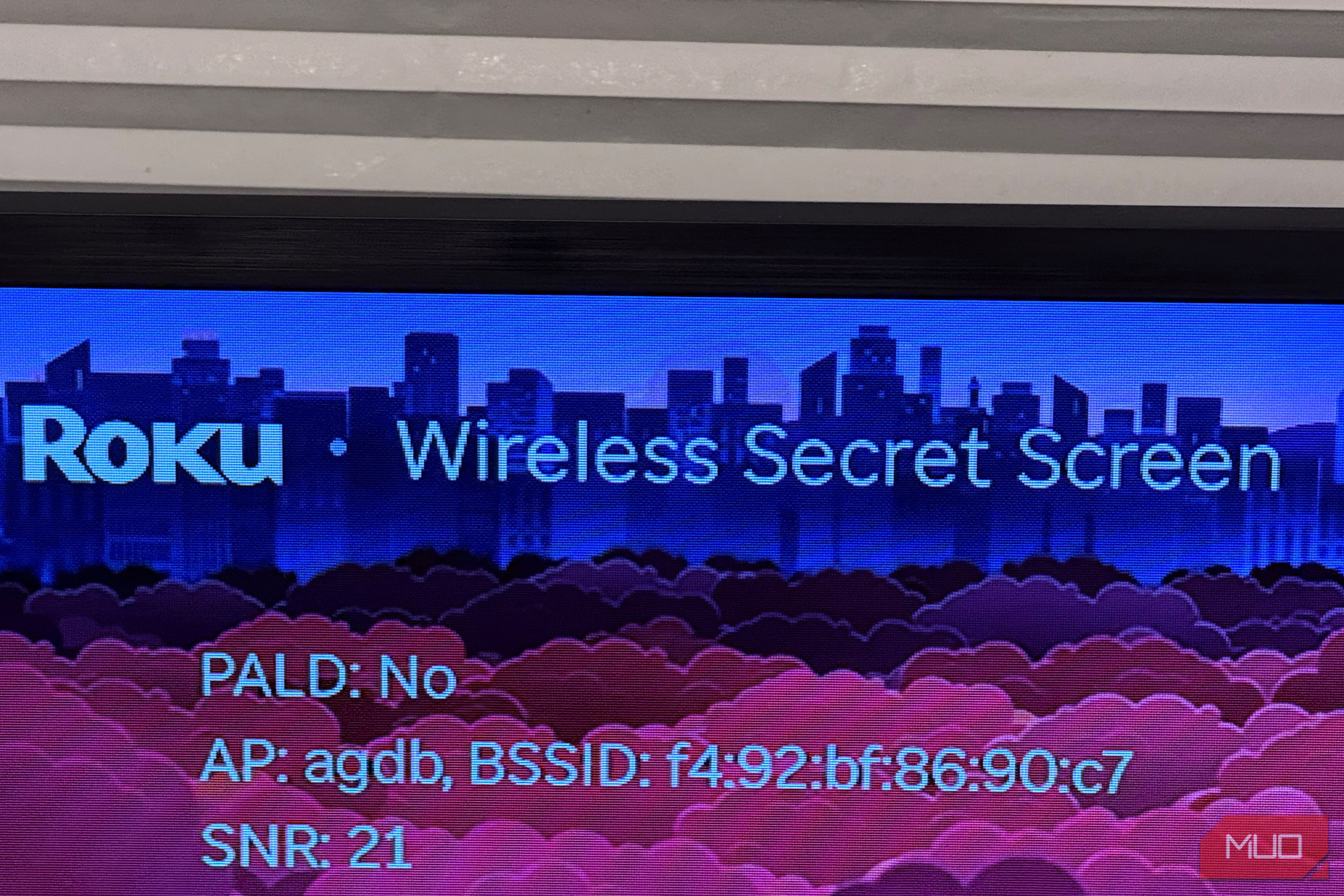
Press [Home (×5), Up, Down, Up, Down, Up]
Credit: Brandon Miniman / MakeUseOf
This is the ultimate wireless diagnostic tool if you’re having issues with buffering or performance of your Roku, though serious streaming know that ethernet connections are ideal for streaming, but unless you own a Roku Ultra, you have to rely on Wi-Fi, which is fine but it’s helpful to know in detail the strength of the wireless signal because if you’re having issues with your Roku.
You can take steps such as moving your router closer to your device, you can remove physical obstructions, or you can switch Wi-Fi channels for a better connection.
I pulled up the secret wireless menu on my Roku streaming stick in my daughter’s bedroom, which overall has decent performance with minimal buffering. There is a lot of info here, but here’s a look at the most important things to look at.
Here is what I learned:
SNR: 22 dB: Signal to noise ratio. This shows the strength of the wireless signal versus background interference. Higher is better. Under 20 is bad and is where streaming starts to suffer and where you might visibly see content buffer often, or even streams stop. At 20-40 dB you have a solid connection, and above 40 you have a very strong connection.
My reading of 22 dB indicates a decent but not ideal connection, which I might want to fix by taking some of the above steps to improve the connectivity of my router.
RSSI: -58 dBm: signal strength. Closer to zero is best. Anything that is -50 to -70 is ok, but below -70 the connection starts to have issues like with buffering. A low number indicates the placement of your router is probably not ideal and that you need to bring your Roku and router closer together.
At -58 dBm in my case, the connection isn’t strong but strong enough to offer smooth video playback.
PER: 14.09%: packet error rate on transmit. This is an important indicator of how many frames are being dropped and corrupted before reaching your device.
My PER of 14% is problematic and suggests that 1 out of every 7 frames my Roku is sending is failing and getting retried. You want a PER as close to 0%, or you might get into issues with image quality or buffering.
This secret wireless menu updates in real time, so you can keep it open and make changes to your wireless or by moving your router to see the impact of your changes in real time. For example, just by moving my TV (which is on a table) closer to the center of the room and by elevating my router on a table, I was able to improve my RSSI from -58 DBm to -40DBm. Will this make a difference? Maybe a small one, but it only took me a few minutes to give my Roku a significant signal boost.
This secret wireless menu updates in real time, so you can keep it open and make changes to your wireless or by moving your router to see the impact of your changes in real time.
Press [Home (×5), Fast Forward (×3), Rewind (×2)]
Credit: Brandon Miniman / MakeUseOf
This menu has several useful tools for your Roku.
Soft factory reset: This is a great one to use periodically, like rebooting your PC. It clears caches and temporary files, plus re-establishes the network connection without wiping your accounts or settings. The one below is, factory reset, will bring your Roku back to a factory state where you’ll have to log in to all of your accounts again. Only use this if you’re selling or transferring your Roku to someone else.
Update software: Roku is fantastic about doing frequent software updates, but sometimes they’re a bit slow to roll out. Using the Update Software toggle will force your Roku to check for a software update, which can often get you the update several days earlier.
Power lifetime: This is an interesting tidbit that shows you how many hours the Roku has been used. Useful if you’re buying a used Roku and want to see how heavily it was used.
Roku is built for simplicity
Credit: Brandon Miniman / MakeUseOf
The best part of using a Roku is that you probably will never have to access these settings because Roku device “just work” most of the time. But if you have a Roku that is not streaming as smoothly as it should, or you’re seeing too much buffering, using these tools to improve your wireless performance can help a lot.
