

For the most part, I always used Google apps individually: Gmail for email, Maps for navigation, Keep for notes, Calendar for organization, and Gemini for AI assistance. However, one of the great things about the Google ecosystem is how well its apps work together. Over the past year or so, I’ve found that by combining their powers, I save time and have a smoother workflow.
Some of these integrations were fairly obvious, but others were hiding in plain sight. When viewed as a whole, the benefits are considerable, from turning random thoughts into scheduled tasks to using AI inside productivity tools. When combined, these everyday apps not only feel much more useful but also add some much-needed organization to my life.
Related
5 Gemini and Google Workspace hacks that save me hours each week
If you aren’t using Gemini in your favorite Workspace apps, you’re missing out on major productivity gains.
Gemini + Gmail + Google Docs
AI-assisted writing without constantly switching apps
Jack Mitchell/MUO
Google’s Gemini AI assistant has become a powerful string to Google’s bow, and it works together with Gmail and Docs to dramatically reduce tedious tasks.
For example, you can use Gemini directly inside Gmail to summarize long email threads, draft replies, or extract actionable information from conversations. This eliminates the need to dig through dozens of messages. Instead, you can ask Gemini to identify deadlines, summarize decisions, or draft a professional response in seconds.
This integration is all the more useful when combined with Google Docs. Docs has been my longtime partner for all written work, with countless benefits. With Gmail integration, I can move rough ideas from Gmail into Docs, then use Gemini to expand bullet points into outlines, rewrite awkward sections, or adjust the tone to suit the audience.
OS
Android, iOS, macOS, Windows
Developer
Price model
Free, Subscription
Google Gemini is an AI assistant that can understand and generate text, images, code, and more. It’s designed to help people find information, solve problems, and create things more easily.
Google Keep + Google Calendar
Turning your thoughts into an actual schedule
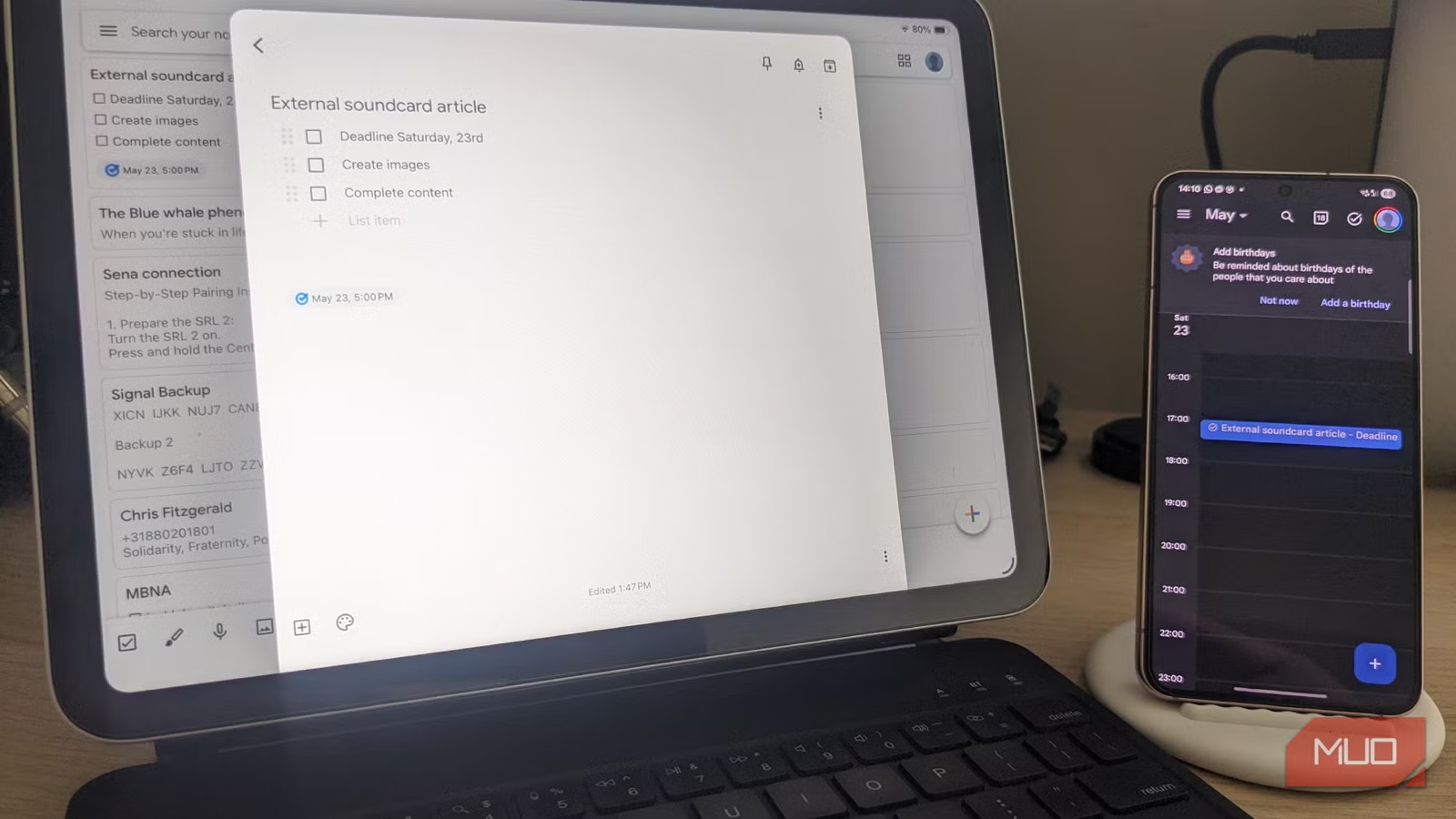
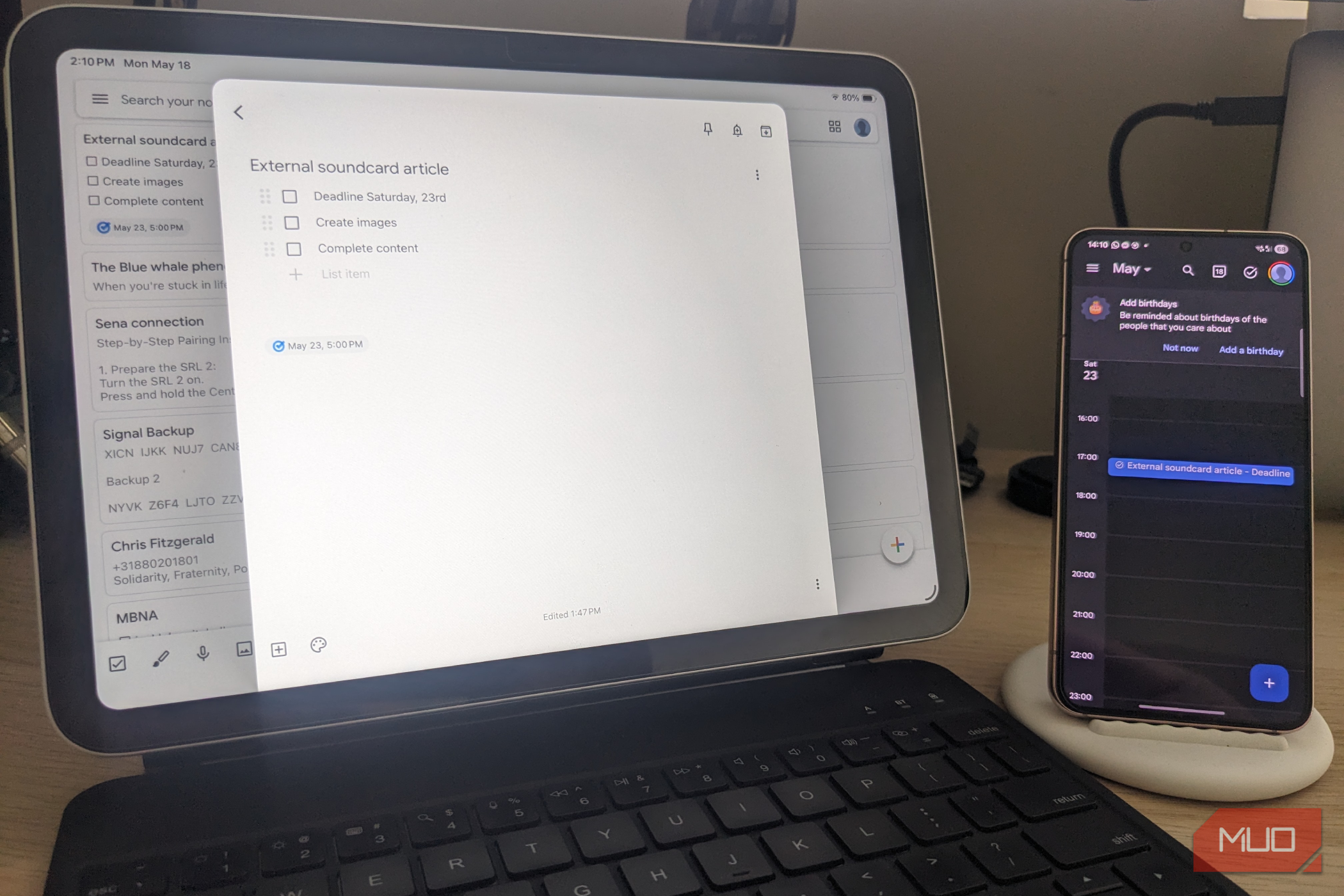
For years, Google Keep was simply a jotter pad, albeit a particularly useful one that I could access across devices, including from the sidebar in Google Drive. I use it for everything from article ideas and reminders to shopping lists and random tasks. I have since learned the benefits of converting these notes into scheduled actions inside Calendar.
For example, if I jot down “finish external soundcard article” in Keep, I can instantly attach reminders and deadlines, and set time-based notifications. Once synced into Calendar, these vague intentions become commitments that demand action. Outside of work, this integration works well for personal organization, such as grocery list reminders and travel notes specific to a given day.
OS
Android
Price model
Free
Google Keep is a note-taking app that’s available on all devices and works great with Google apps and services.
Google Maps + Gemini
Navigation that feels conversational and intelligent
Jack Mitchell/MUO
I recently felt compelled to write a detailed review of the Gemini-Google Maps integration, as it has become a real game-changer for me. Instead of manually searching through menus or reviews, Gemini can help interpret information directly inside Maps and deliver a concise report in seconds.
I use this feature to find restaurants that match highly specific criteria, summarize reviews, suggest stops along a route, and even recommend places based on my mood or busy times of day. However, what really stands out to me is travel planning. I can ask Gemini to suggest entire routes over a few days, then narrow them down to include hotels, sightseeing, restaurants, and essential travel details.
OS
Android, iOS
Developer
Google Maps is a web-based mapping service that provides detailed geographic information, imagery, and real-time navigation for driving, walking, cycling, and public transit.
Google Photos + Google Lens
Searching your memories like a search engine
Google Lens is a much-underrated app overall, possibly because it’s an integration rather than a standalone program, skulking quietly in the corner while we are busy doing other things. However, when combined with Google Photos, it can turn an already powerful tool into an interactive powerhouse. I’ve used Lens to pull text from screenshots, identify products, translate signs while traveling, and even recover information buried in old photos.
Searching phrases like “blue scooter,” “receipt,” or “audio settings” often works surprisingly well, compared to Photos’ own search functionality. I can ask questions about items like old buildings I hadn’t considered when I took the photo, and receive detailed suggestions and answers. This combination has turned Google Photos into so much more than a gallery app. It is a searchable archive of your life that is equally useful across documents and projects.
OS
iOS, Android
Price model
Free
App Type
Gallery and photo editor
Google Photos is a gallery app, photo editor, and cloud storage solution. It’s an easy way to back up your photo or video collection, make edits using generative AI, or share albums with others. You get up to 15GB of storage completely free.
Google Drive + Android + Chrome
A continuous workflow that follows you everywhere
Jack Mitchell/MUO
I use Android and iOS devices interchangeably, but when it comes to cross-device workflows, Google Drive, Google Chrome, and Android devices offer some distinct advantages. One of these is continuity. I can create a file on my phone, open it on the desktop moments later, and then continue editing it in Chrome without manually transferring anything. This is especially useful for me as a writer, as I get inspiration at all hours, but it applies to anyone who often works on the fly.
Drive’s automatic syncing also makes collaboration far easier. Screenshots taken on Android appear instantly in shared folders, PDFs can be annotated from multiple devices, and Chrome’s useful tab syncing helps maintain workflow continuity throughout the day. This way of unifying your work environment helps with organization, supports creativity, and adds convenience, which we could all use more of.
OS
Android, iOS, macOS, Windows
Developer
Price model
Free, Subscription
Google Drive is a safe, free cloud storage service that lets you easily save, share, and work on your files and photos from any computer or phone.
Stop treating Google apps as standalone entities and see how you can benefit
It has become very apparent to me that Google’s ecosystem is better when its strengths are combined. While apps like Keep, Maps, Docs, and Photos are already excellent individually, when paired together, they become far more useful, especially with Gemini increasingly integrated into the experience.
These integrations transform the user experience. Notes become schedules, emails become documents, photos become searchable databases, and navigation becomes conversational. If you already use Google’s services every day, it’s well worth experimenting with these combinations to see how they fit into your workflow and make your life easier.
