


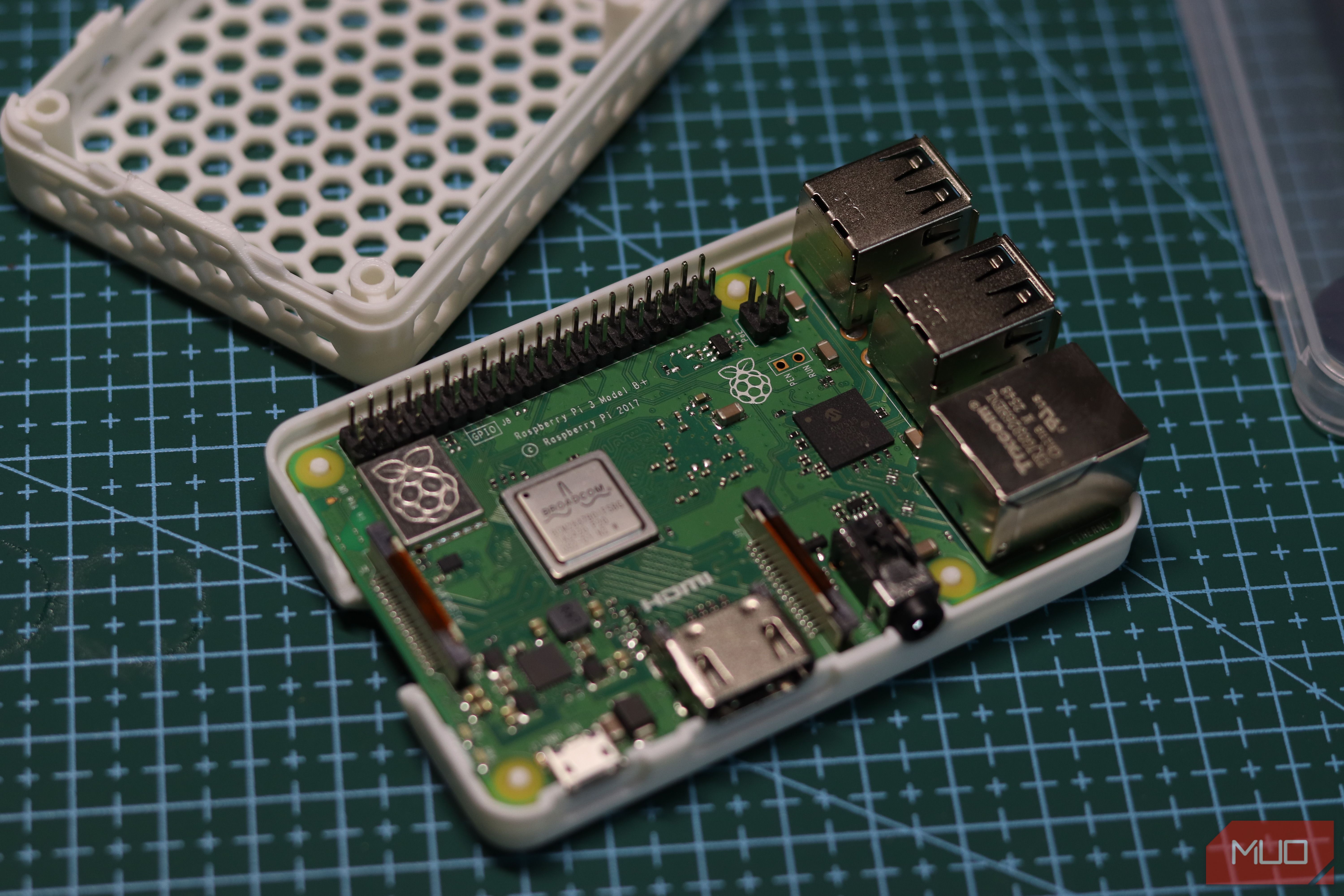
Raspberry Pis may not be the best option for a starter Linux project anymore, but they’re still one of the best and most popular single-board computers you can buy. The problem, however, is that they’ve gone from being hobbyist impulse buys to serious investments you need to consider. At the same time, the older Pis might seem too underpowered by comparison.
But that doesn’t mean they’ll turn into paperweights. That old Raspberry Pi 3 you’ve got collecting dust is still plenty useful. And if you’re fed up with cloud storage providers constantly nudging you to buy a paid plan, that Raspberry Pi might be the way out.
Related
Nextcloud didn’t expect competition like this
A file server so lightweight and clever, it makes Nextcloud look overengineered.
The Raspberry Pi 3B+ is still enough
Why an older Pi makes a surprisingly capable Nextcloud server for personal use
Nextcloud is one of the best choices you have for a self-hosted cloud, and thanks to Nextcloudpi, it’s incredibly easy to install on just about any Raspberry Pi you have. Nextcloudpi is a pre-configured installer built exactly for Raspberry Pi hardware. It bundles Nextcloud with a web-based management portal, automatic HTTPS, and USB storage out of the box, which means you skip a lot of the Apache, PHP, and MariaDB configuration that the manual route requires.
Now, a Pi 4 or newer is the better option for an application like this, but if you’ve got an older Pi 3, you can still get a lot done if you manage your expectations. The board runs a 1.4GHz quad-core ARM Cortex-A53 with 1GB of LPDDR2 memory. The more painful constraint, however, is the USB bus. Specifically, the Ethernet and USB storage share the same USB 2.0 channel, which puts a hard ceiling on combined throughput. You won’t be saturating a gigabit network and a fast USB drive simultaneously with this one. Still, I run three self-hosted apps on this $35 Raspberry Pi, and they run just fine.
Nextcloud also won’t feel as snappy as a modern SaaS product on this hardware. But it’s more than adequate for syncing photos, documents, and the occasional video file.
Another issue you need to watch out for while working with an older Pi like the Pi 3B+ is that the latest Raspberry Pi OS version uses Debian 13 Trixie, which is currently unsupported by Nextcloudpi. It’s best if you flash legacy Raspberry Pi OS (based on Debian 12 Bookworm), preferably the lite version, on your microSD card before starting.
Brand
Raspberry Pi
Memory
1 GB
Raspberry Pi 3B+ is a compact single-board computer featuring a quad-core ARM processor, Gigabit Ethernet, dual-band Wi-Fi, and Bluetooth, making it ideal for DIY, IoT, and home server projects.
The hardest part is typing one command
Installing Nextcloud on your Raspberry Pi takes minutes, not hours
With Bookworm running, the entire Nextcloudpi installation comes down to a single command. SSH into your pi and run:
curl -sSL https://raw.githubusercontent.com/nextcloud/nextcloudpi/master/install.sh | sudo bash
Before it does anything, the installer will warn you that it’s going to disable SSH login for the root user, reset the root password, and give you a 30-second countdown to abort the installation. If you’re logged in as a regular user (as you should be), this won’t affect your access. The script then handles Apache, PHP, MariaDB, and the Nextcloud application’s installation.
The entire process can take around 15 to 20 minutes on the Pi 3B+, and even longer if you’ve got a slow internet connection. When it finishes, open a browser, head to your Pi’s local IP address, and you’ll see a Nextcloudpi page prompting you to begin activation.
The activation screen gives you two sets of credentials. It’s important that you save the passwords given here because you won’t be able to see them again after dismissing the page. The top set is for the Nextcloudpi admin panel running at your http://your.pi.local.ip:4443. This is where you manage the server itself, including aspects like USB storage, SSL certificates, caching, and more.
The bottom set has the same username, but a different password, and is set to sign into your Nextcloud instance present at http://nextcloudpi.local. This is the actual cloud interface — the one you’ll log into your phone and what handles your files.
OS
Raspberry Pi (Linux)
Developer
Jorge Sanz
Price model
Free, Open-source
Nextcloudpi is a free, open-source appliance that packages Nextcloud with a preconfigured web server, database, and management tools, making it easy to deploy a personal cloud on a Raspberry Pi or other low-power hardware.
A little setup goes a long way
Storage, users, backups, and the tweaks that make Nextcloud reliable every day
Once you’re in the ncp-web interface, one of the first things to do is to move the data directory off the SD card and onto an external USB drive. SD cards are slow and wear out fast under constant read/write cycles as they’re simply not built for this kind of workload. A USB drive gives you far more reliable and longer-lasting storage.
When external storage is sorted, enable APCu for local memory caching and Redis for file locking. Both are available directly through ncp-web’s configuration panel. These two changes alone make the web interface significantly less sluggish. If you want to go a step further, disabling Nextcloud apps like Activity, Talk, and others can free up extra memory and speed up page loads.
You can also set up remote access to reach your server from outside your home network. There are several ways to do this, but the easiest solution is Tailscale — a WireGuard-based mesh VPN that only takes two commands to set up. Install it on the Pi and on your phone or laptop, and both devices appear on the same private network without any port forwarding hassles required. The Nextcloud mobile app would connect to your Pi just like it would to any other Nextcloud server.
Your files finally belong to you
The freedom of running your own cloud without monthly subscriptions or vendor lock-in
The Pi 3B+ won’t win any speed contests, which means don’t expect instant previews of large RAW photos or smooth 4K video streaming. BUt as a document sync, photo backup, and file sharing server for a household, it’s more than enough.
Related
I replaced Google Drive with a self‑hosted cloud and the freedom is worth it
A self-hosted cloud is very liberating and surprisingly not as hard to set up.
It works remarkably well for hardware that costs almost nothing to run, and your dusty drawer ornament will end up handling more storage tasks than almost any other cloud storage provider does, and all of it stays on the local hardware that you physically own. That trade-off is hard to argue with.
