


I have a bit of a keyboard problem. Every few months, I convince myself that there’s something better out there. And yet, no matter how many good keyboards I try, I keep coming back to Samsung Keyboard. Nothing, and I mean not even Gboard, SwiftKey, Heliboard, Typewise, or Fleksy has managed to replace it for me.
The default option on my Samsung phone isn’t just “good enough.” It offers writing tools and customization features that almost no keyboard apps can match. For me, it’s the most complete keyboard app there is, and I don’t see myself switching anytime soon.
What makes Samsung Keyboard so good
Features that save me so much hassle
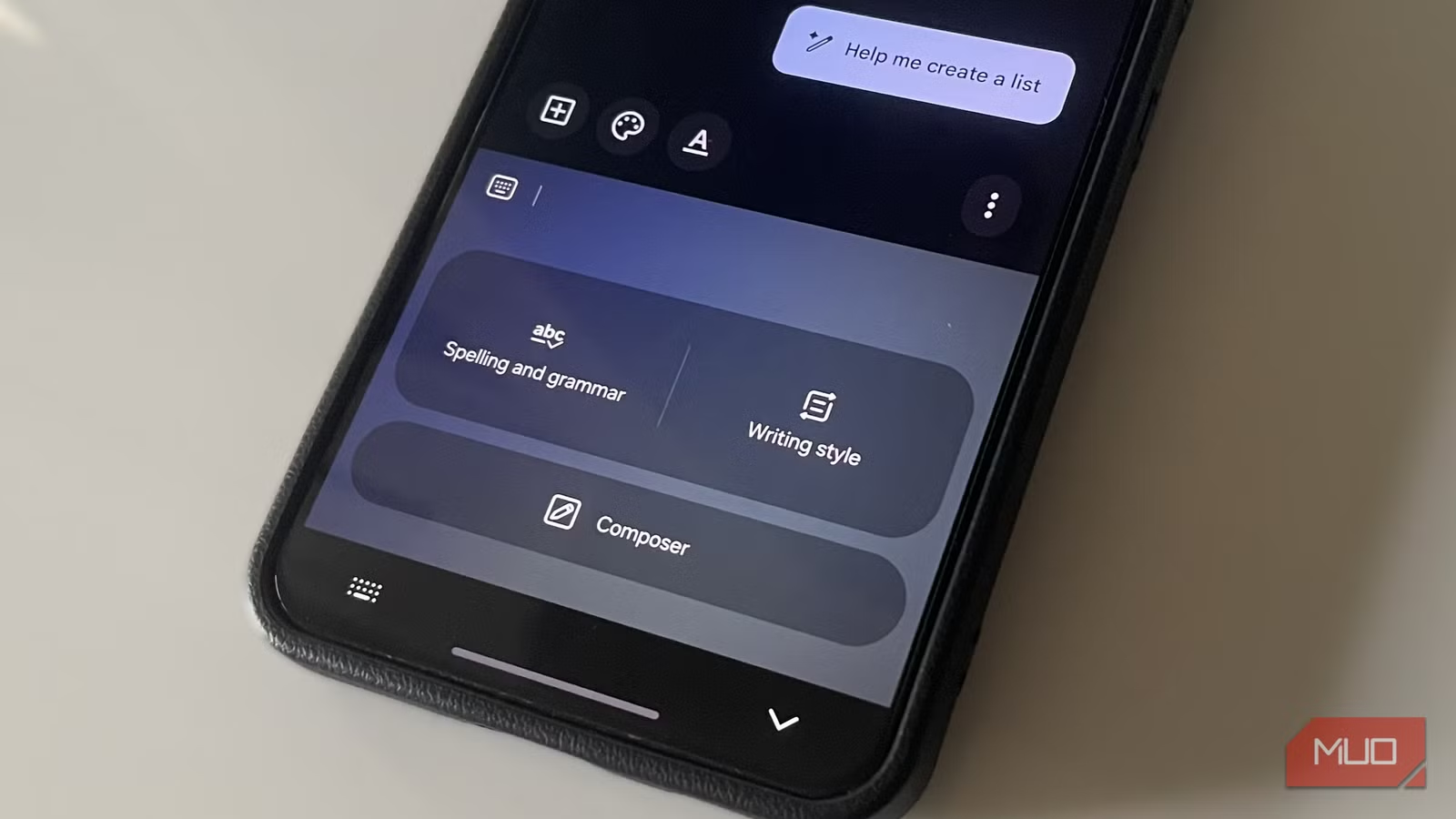
What keeps pulling me back to Samsung Keyboard is some of the features it offers. The first one is Samsung’s Writing Assist, which saves me an absurd amount of time every day. It uses Galaxy AI to fix my messages and email drafts in seconds.
After typing something out, I can use Writing Assist to correct all the spelling and grammar mistakes with a tap. This is handy when I’m messaging my coworkers on Slack and want to avoid silly errors. There are also tone suggestions. If I’ve typed a message to a friend, and it sounds too formal, I can ask Samsung Keyboard to fix it. It rewrites the same message in friendly, social, and casual tones so I can pick the one I want to use.
There’s also the Composer feature, which can generate an entire message from scratch. All I have to do is describe what the message is about, select a tone, and specify whether it’s for email, social media, or a comment. Samsung Keyboard puts together the full message in seconds.
Another reason I struggle to switch to another keyboard is the Samsung Pass. I keep all my passwords, address, and payment methods stored there, and the Samsung Keyboard lets me access all of that from the toolbar. Of course, everything is protected with my fingerprint, which means others can’t access it.
Finally, there’s the Extract Text option. It lets me pull text directly using my phone’s camera. If I have a receipt or a document, and I want to copy the phone number or website address from it, I don’t need to open the Camera app. The Extract Text option opens the camera inside the keyboard, so I can pull the text without taking a photo or using a third-party app.
Customization that other keyboards can’t match
Design it, tweak it, own it
Screenshot by Pankil Shah — No attribution requiredScreenshot by Pankil Shah — No attribution requiredScreenshot by Pankil Shah — No attribution required
If there’s one thing that makes or breaks a keyboard app, it’s the customization experience it offers. Themes and resizing options are nice, but at this point they’re expected. Almost every Android keyboard offers them. But Samsung goes much further.
Dive into Samsung Keyboard settings, and you’ll see the option to switch between different modes, adjust the layout, change font size, and more. But that’s not it. The real fun begins when you download Samsung’s Good Lock app and use its Keys Cafe module. It offers Style your own keyboard option, so you can change colors, add lighting effects, and pick new typing sounds.
My favorite option, though, is Make your own keyboard option. It lets you design the keyboard from scratch. This lets me control everything including layout, key sizes, and styling. I can have a smaller spacebar to fit more buttons, arrange frequently-used keys for easier reach, and custom animations to make typing fun.
Related
6 Built-in Apps I Actually Use On My Samsung Device
Some built-in apps aren’t just bloatware.
I don’t feel like I’m missing anything
No gaps, no trade-offs
Screenshot by Pankil Shah — No attribution requiredScreenshot by Pankil Shah — No attribution requiredScreenshot by Pankil Shah — No attribution required
Beyond all the smart features Samsung Keyboard offers, it also nails the basics. And that’s a big reason why I never feel like I’m sacrificing anything by sticking with it. For instance, it has text shortcuts that let me use short triggers for my email address, office location, and even common replies I send to my friends.
Samsung Keyboard also supports all the useful gestures. I can swipe left or right with two fingers to undo or redo. Sliding my finger across the spacebar lets me move the cursor. And of course, there’s swipe typing, so I can type words without lifting my finger.
The built-in translation feature is another hero. If I’m chatting with someone who speaks another language, I don’t need to change the keyboard language. I can type the message as usual and hit translate to send it in another language.
Besides this, there are all the usual features, like clipboard for saving copied text and images, voice input for hands-free typing, and one-handed mode for easier reach. And since Samsung phones sync Windows clipboard via Phone Link, I can also enjoy cross-device copying and pasting without SwiftKey.
Almost every popular Android keyboard app has a specific strength, and it often sticks to it. But Samsung Keyboard is the closest thing to an all-in-one package I’ve found. It gets the basics right while also offering genuinely useful features. Honestly, it’s a shame that non-Galaxy users can experience any of it.
