


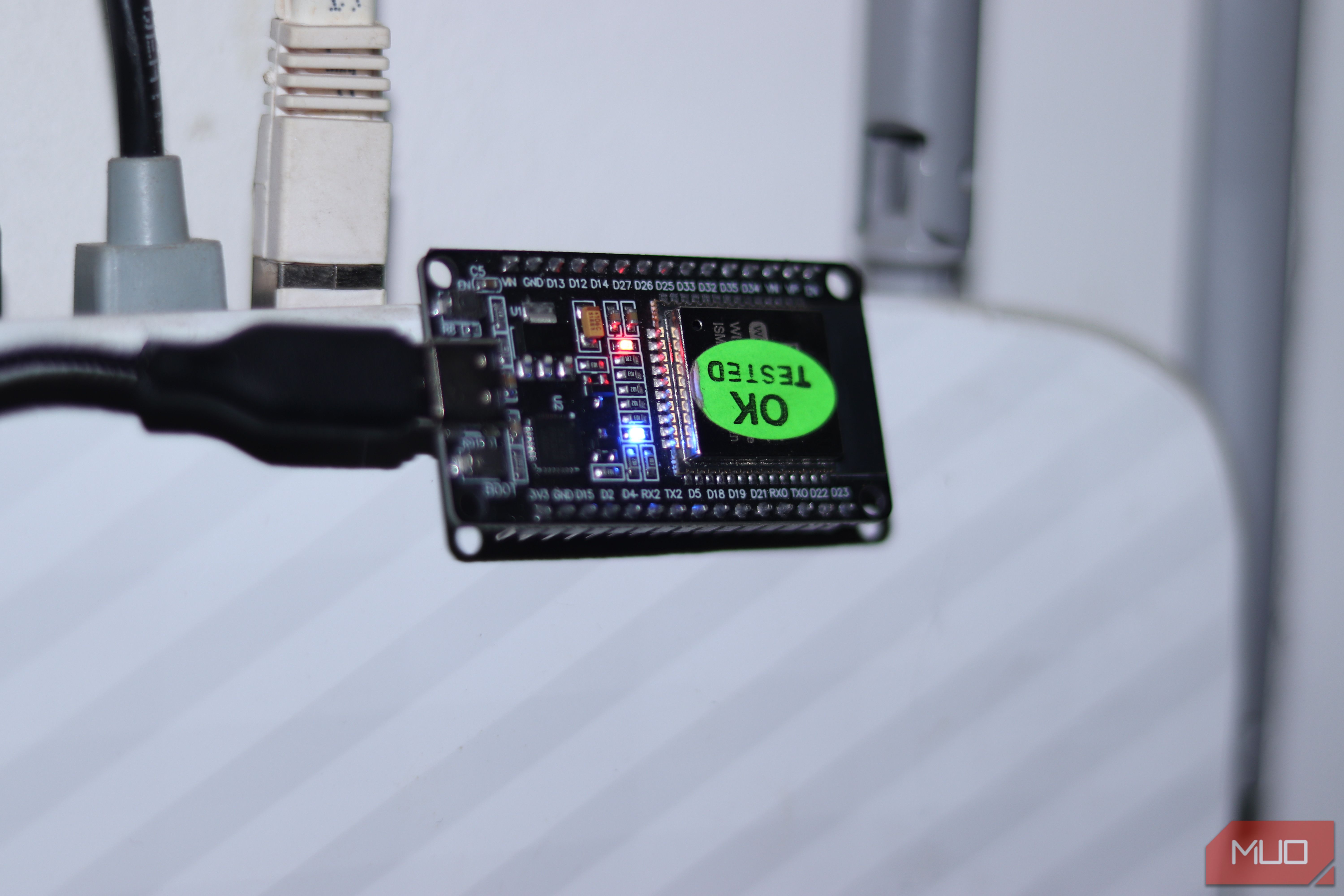
If you’re into microcontrollers, you’ve probably heard of the ESP32. This $5 microcontroller can be easily mistaken for an Arduino with networking capabilities, but it’s so much more than that. Those networking capabilities can let you access your projects remotely, sure, but they also turn the ESP32 into a networking Swiss Army knife that can do a lot of useful things for your home network.
So if you’re not using this board to power motors and read sensors, it turns out it can be a pretty handy travel router. All you need is the right firmware, a power bank, and you’re good to go.
Related
14 Useful Ways to Reuse an Old Router (Don’t Throw It Away!)
Old router cluttering up your drawers? Here’s what to do with an old router and save some money instead of throwing it away!
This $5 chip became my travel router
What the ESP32 is—and why it can pull this off
Yadullah Abidi / MakeUseOf
The ESP32 is a tiny microcontroller made by Espressif Systems. It’s designed for IoT projects like smart home appliances or connected gadgets, and it comes with built-in Bluetooth and Wi-Fi. You can pick one up for as low as $2, depending on the variant, and they’re widely available at just about any electronics store or site.
The board is equipped with a dual-core Tensilica LX6 processor, which can run up to 240 MHz, carries 4 MB flash storage, and supports three Wi-Fi modes: Access Point (AP), Station (STA), and AP+STA combined. That last mode is what makes it handy as a travel router because it allows the ESP32 to connect to a Wi-Fi network while hosting one of its own. This means you can connect to any upstream Wi-Fi network and use it to power another network that’s hosted from your board. This approach can also help you fix Wi-Fi deadzones with just $5 and 15 minutes.
Brand
Espressif
Connectivity Features
Wi-Fi, Bluetooth
ESP32 is a low-cost microcontroller with built-in Wi-Fi and Bluetooth, widely used for IoT projects and DIY electronics.
The firmware does the heavy lifting
Turning a dev board into a functional router
Out of the box, the ESP32 comes with Espressif’s default firmware, which lets you upload code to the board and access its networking capabilities, hardware pins, and so on. What we need, however, is a NAT firmware as we’re only interested in the device’s Wi-Fi capabilities.
The firmware I ended up using is called esp32_nat_router_extended by dchristl which is based on the simpler esp32_nat_router firmware made by Martin Ger. The extended variant comes with extra features like a better web interface and more configurable options. You don’t need to write a single line of code. All you need to do is flash the pre-compiled firmware binaries on the board, and you’re good to go.
Start by downloading the binaries from the official GitHub download page. You’re looking for a file named esp32nat_extended_full_vX.X.X.zip, where X is the latest version number (7.2 at the time of writing). You’ll find a single Bin file inside the ZIP archive, which you need to extract. Once done, download either Espressif’s free Flash Download Tool for Windows or the command-line based esptool.py on any OS. Connect your ESP32 via USB, select the correct COM port, assign the right memory address (0x0), click Start, and wait for the process to finish.
Screenshot by Yadullah Abidi | No Attribution Required.
Once the firmware has successfully flashed and the board reboots, it’ll start broadcasting a Wi-Fi network called ESP32_NAT_Router. Connect your PC or smartphone to the Wi-Fi, open a browser, and head to 192.168.4.1. You should see a configuration page appear.
Under the AP Settings section, type in the SSID and password of the extended Wi-Fi network—the one you’ll connect your devices to. Under STA Settings, type in the SSID and password of the Wi-Fi network you want to extend and click Apply changes. Wait for the board to restart again, and you’re good to go.
It fixes the worst part of public Wi-Fi
One login, multiple devices, zero hassle
Yadullah Abidi / MakeUseOf
There are inherent risks when you’re connecting to public Wi-Fi, but with your new ESP32 travel router, you can avoid some of those. For starters, you have complete MAC address isolation for your devices and complete network-level isolation from everyone else.
What this means is that the hotel, airport, or cafe Wi-Fi network you’re connected to can only see the ESP32, not any of the devices behind it. So if you connect your ESP32 to the airport Wi-Fi, and then connect your laptop or other devices to the ESP32 network, you’re essentially invisible to both the host network’s access point as well as anyone else on it.
This also helps you bypass any device limits a particular Wi-Fi network might have. A lot of public Wi-Fi networks, especially in hotels, limit connections to only a handful of devices. However, since the host network is only seeing your ESP32, all you have to do is deal with the captive portal once, and from that point on, every device you have connects to your own private network without the hotel being any wiser.
The firmware also has a dedicated feature that periodically pings the upstream network and keeps the connection alive. This prevents forced disconnects that are a very common problem on public Wi-Fi networks, especially ones with tons of clients already on them, like hotels or cafes. These networks kick idle devices within a few minutes of inactivity, and having this feature alone can save a lot of frustration when you’ve got a background download running or a VPN tunnel you need to keep active.
It’s not perfect—and that matters
Speed limits, quirks, and what to expect
As good as the benefits of carrying an ESP32 as your travel router sound, it is, after all, a $5 microcontroller and hence, limited by its hardware. The most obvious downside of this you’ll see is the internet speed you’ll get.
The ESP32’s Wi-Fi radio is rated at up to 72 Mbps theoretically, but real-world bandwidth as a NAS router can land anywhere between 5 and 15 Mbps. In my testing, I was able to get anywhere between 7 and 12 Mbps download speeds compared to over 100 Mbps when connected to the router directly on full signal from both the ESP32 and the router.
Screenshot by Yadullah Abidi | No Attribution Required.
Those numbers might not be very impressive, but they’ll work just fine for casual internet use. The ESP32 operates on 2.4 GHz only, which gives it better range than 5 GHz, so you shouldn’t have any concerns with range unless you’re in a particularly large space. The flip side of this is that you won’t be able to connect to faster Wi-Fi networks.
I don’t travel without it now
Why this tiny device earned a permanent spot
The reason why you’d want to carry an ESP32 as a travel router compared to a GL.iNet Slate or a TP-Link travel router isn’t that it’s better than them. It’s not, period. Those devices are faster, more polished, and purpose-built for the job. And at around $60 to $90, they’re not very expensive for the frequent traveller either.
Related
The USB trick that bypasses your smart TV’s 100Mbps Ethernet limit
A tiny hardware limitation is slowing your TV down, but it is easy to get around.
The reason why you’d want to carry one is that it fits in a pocket, runs off any USB power source, costs almost nothing, and does the job well enough that you won’t be stuck dealing with a hotel’s device limitations or worrying about security again. And then of course, $5 is a much easier sum to spend than $60.
