




AI coding agents are a dime a dozen in 2026, but not all of them are worth your time. Different models respond differently to problems, and a model that can create a flawless website in minutes might not be as good at writing bash scripts. Now there are certain projects where I won’t vibe code, but working on smaller electronics projects is the perfect place for these models to shine.
So I put Claude Code, Codex, and Antigravity to the test in a real electronics project — a simple dashboard with an ESP32, an OLED display, and a temperature sensor that can do several things at once. And while all three models can get you a working prototype, you’d not want to blindly pick your coding assistant.
Related
I’ve vibe coded 7 working apps — I wish I knew these 3 things when I started
As I’ve vibe coded and re-coded 7 working projects over the past 3 months, there’s three golden rules that I’ve developed.
A simple dashboard turned into a serious test
Building an ESP32 gadget that mixed APIs, sensors, displays, and Home Assistant
If you’re working with larger codebases or monorepos, Claude Code’s rather limited context window and usage limits can be a problem. I solved Claude Code’s memory problem with a Postgres database, but constantly clicking a tiny icon to see how much of my usage quota is left was frustrating.
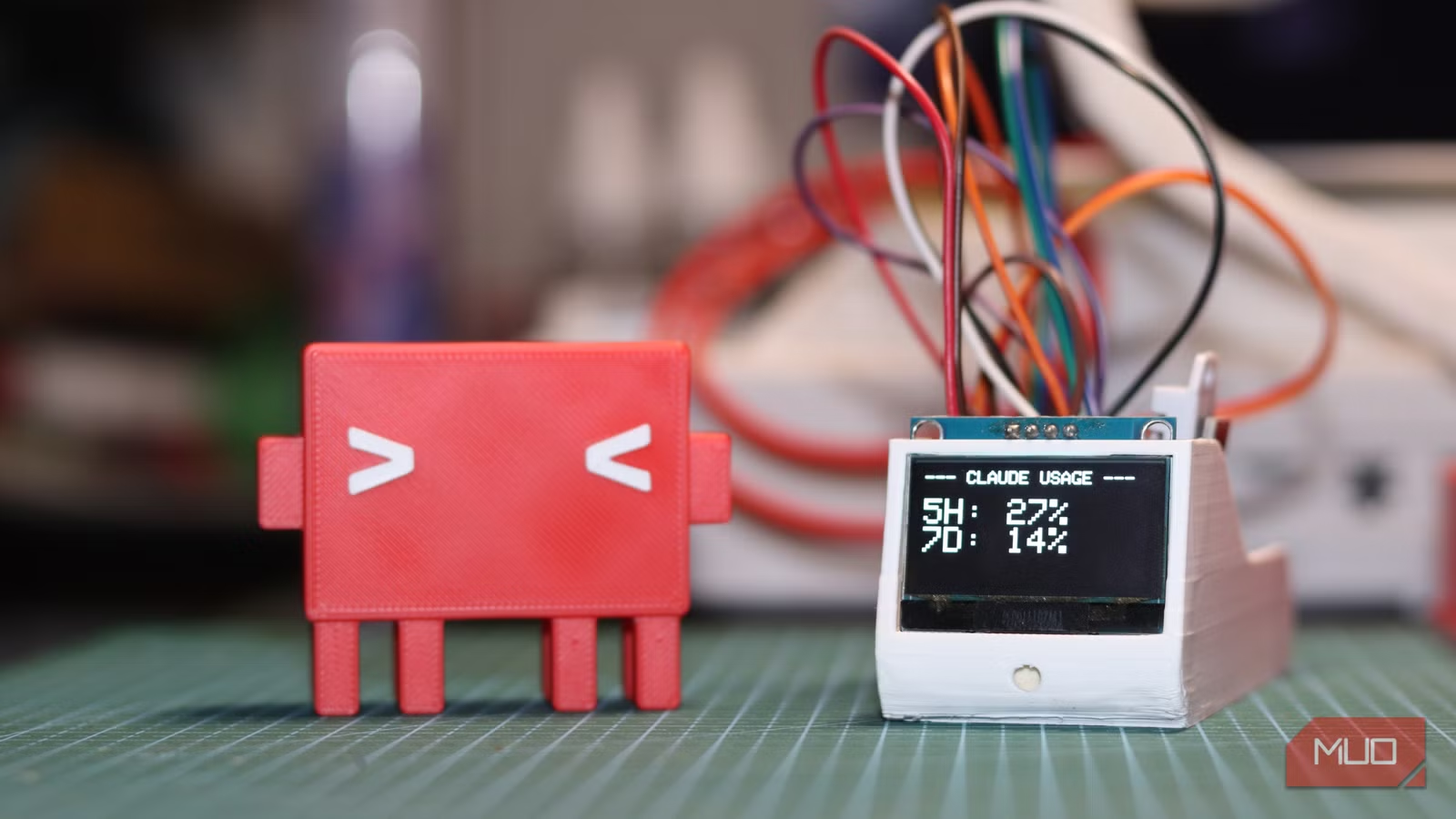
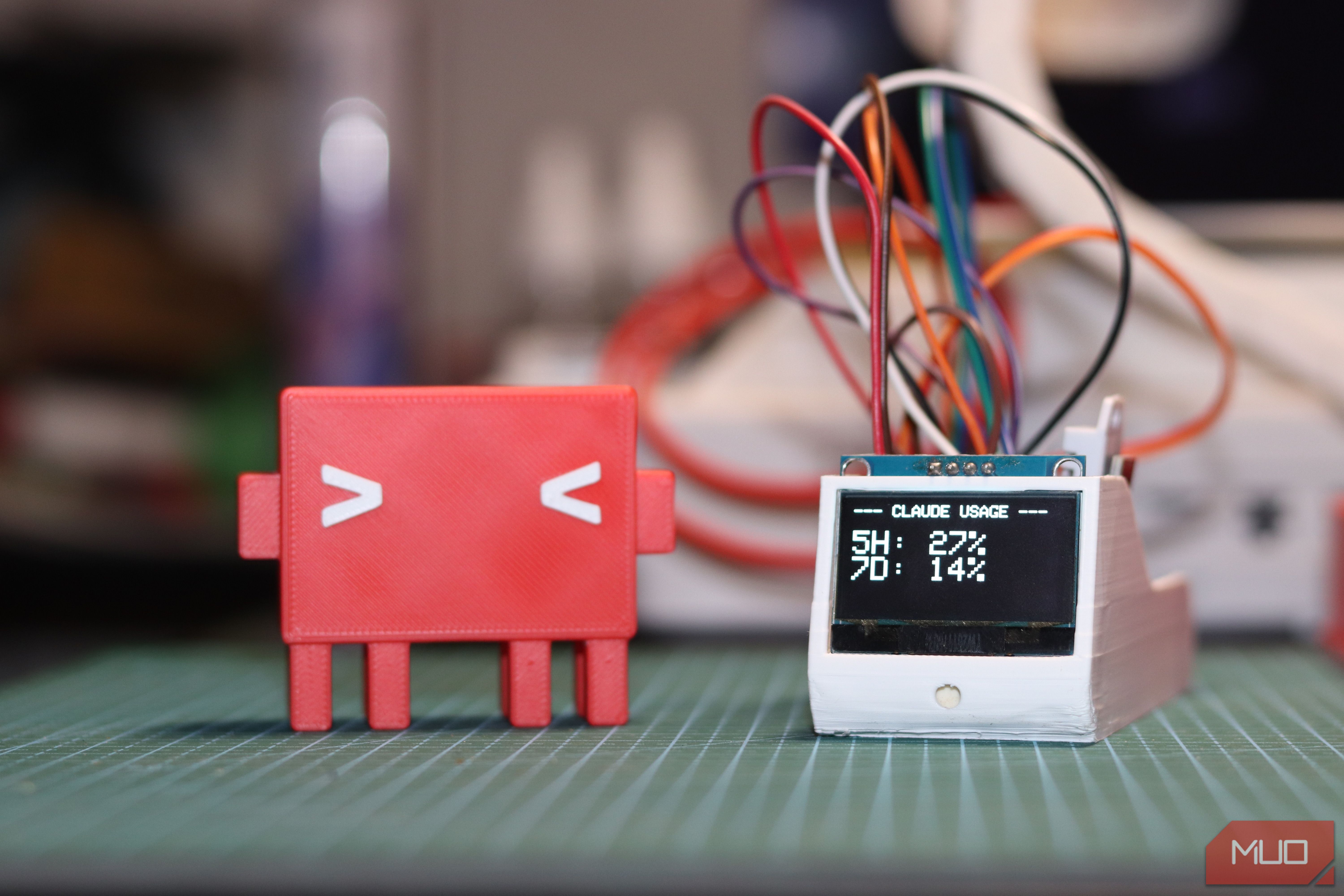
I decided to fix this by creating a small dedicated dashboard that showed my usage limits, so instead of clicking around or typing in commands, all it takes is a glance to see where I’m at. I also decided to add a temperature sensor so the dashboard can also show my office’s ambient temperature and humidity, which I can pipe into my Home Assistant dashboard to set up automations for my air conditioner.
It’s a relatively simple build. All you need is an off-the-shelf ESP32 — no risk of choosing the wrong ESP32 board here — a DHT22 temperature sensor, a generic monocolor OLED screen (I’m using an SH1106 display, but any other display works fine), and a simple push button to cycle through the information on the display. That’s it.
I spent some time in Blender to come up with a quick enclosure for the project, and a quick 3D print later, I had everything I needed. Now it was time for the coding agents to get to work. All three agents were provided the same prompt as follows:
I want to make an ESP32-based dashboard that does three things:
- It should show my Claude plan limit usage
- It should show the temperature and humidity reading from an attached DHT22 sensor and also report it to my Home Assistant instance.
- It should show me the weather and temperature outside in New Delhi. I have an ESP32 Devkit V1 board, a DHT22 sensor, and an SH1106 128×64 monochrome OLED.
There’s also a 4-pin push button that can be used to cycle modes between the three functionalities and update the display accordingly.
The goal was to reach a working prototype meeting all three objectives in as few and as simple prompts as possible. All three agents would take more than one prompt to get the project right, but they took significantly different approaches to get the job done.
Brand
Espressif
Connectivity Features
Wi-Fi, Bluetooth
ESP32 is a low-cost microcontroller with built-in Wi-Fi and Bluetooth, widely used for IoT projects and DIY electronics.
Antigravity moved fast
Impressive speed, but more planning than doing
First up on the list was Google’s Antigravity running Gemini 3.1 Pro on High effort, and it is fast, just not in a way you’d expect. As soon as the model got its prompt, it searched the internet for how to check Anthropic API plan limit usage and presented an implementation plan with some follow-up questions.
I started all three agents at the same time, and while Codex and Claude Code both came up with the first version of a program ready to be flashed to the ESP32, Antigravity insisted on my approving its implementation plan before it wrote a single line of code. After I cleared up its doubts, it came up with yet another implementation plan and clearly stated that it won’t be able to fetch my Claude Pro subscription’s usage limits, as there is no official API from Anthropic that enables this functionality. The temperature data from the sensor would be sent over to Home Assistant via its built-in REST API, which is the easier way to do it unless you’re using something like ESPHome.
Photo by Yadullah Abidi | No Attribution Required.
I then piped in Hermann Björgvin’s Clawdmeter GitHub repo, which is a similar project based on the Waveshare ESP32-S3-Touch-AMOLED-2.16 board, to push it along. It was then that the model was able to figure out that it could use the OAuth access token generated by the Claude CLI and send it to a specific beta API endpoint to fetch the limits. Mind you, Antigravity still hadn’t produced a single line of code so far. If you’re of the opinion that Antigravity isn’t ready to take on Claude Code and Codex, this does nothing but reinforce it.
Once I approved the third and final action plan, it created a PlatformIO project that worked for roughly two minutes to produce a series of files for me to type in my Wi-Fi credentials and OAuth token separately from the main source code, all ready to be flashed on the ESP32. That’s the right approach in terms of security, but for a device that’ll never leave your local network, it’s unnecessarily complex. Not to mention that if you’re a beginner to development boards like the ESP32 and the Arduino IDE, seeing a bunch of files when you’re only expecting one can be overwhelming.
OS
Windows, macOS, Linux
Developer(s)
Engine
Gemini 3.1 Pro / Gemini 3 Flash
Google Antigravity is an agent-first integrated development environment (IDE) designed for autonomous software development. Built on a modified Visual Studio Code foundation, it enables multiple AI agents to independently plan, code, and test applications.
Codex never really understood the assignment
The mistakes that kept it from producing a usable result
OpenAI’s Codex, using GPT 5.5 on High effort, wasted no time and produced two YAML files in about three minutes from receiving the prompt, while going in a completely unexpected direction. It used ESPHome to configure the ESP32 as a sensor that would natively show up in my Home Assistant instance. This would work best if I were working with just the DHT22 sensor to create a dedicated temperature sensor for my office, but for a board handling two other tasks, it wasn’t quite the right approach.
Codex also pointed out that Anthropic had no official API for fetching Claude Pro usage limits. Interestingly, it didn’t let that hurdle stop it. Codex created a Home Assistant input_number called input_number.claude_plan_usage_percent to essentially manually set a number I update myself (or via an automation) to indicate usage. Providing the option to create a real API-backed HA sensor if I had access to Anthropic’s Console organization or admin key. I don’t.
Related
ChatGPT refused to help me vibe code my project and it led me somewhere better
I wanted shortcuts but got a reality check instead.
In my follow-up, I provided the GitHub link to the same Clawdmeter project I gave to Antigravity. It understood the approach, but instead of ditching ESPHome, it doubled down on the same path of using manually set numbers as before and prompted that the next step would be adding a Clawdmeter-style bridge that writes real Claude Code usage into the helper classes it created previously. It did, however, spit out a rather clear wiring diagram for connecting all the components.
Now this approach can work, but it requires a lot of workarounds and suboptimal practices that add complexity for no good reason. It seems as if Codex decided to focus on the temperature sensor part of the instruction (likely because it is better documented) and bent everything else to work in that ecosystem instead of changing the structure to better suit the task at hand.
It would take quite a bit of back and forth to get the prototype working as expected. Honestly, it would’ve been faster for me to write the code myself instead of wasting time down the ESPHome rabbit hole that Codex was so persistent about.
OS
Windows, macOS, Linux
Developer
OpenAI
Price model
Free, paid plans available
Codex is OpenAI’s software engineering agent that can read, write, debug, and modify codebases using natural language instructions to automate development tasks.
Claude Code took its time, but it got the task right
Slower iterations, better reasoning, and code that actually fit the task
Claude Code using Sonnet 4.6 on High effort was the slowest of the three agents right out of the gate. Primarily because I was constantly showing a model overloaded warning — indicating high server load. This is a server-side issue that you can’t do much about, and it’s the first time I’m seeing this in the several months I’ve been using Claude Code, so I decided to let it slide.
After some thinking, Claude produced a single INO file (used by the Arduino IDE) that did all three tasks right from the first version. Unlike Antigravity’s refusal or Codex’s delusion, Claude Code solved the usage limit fetching problem by sending POST /v1/messages with max_tokens:1 to Haiku, returning the headers that show requests and tokens remaining in the current window. It was extremely clear about what the results would and would not show, and my monthly token consumption against my Claude Pro subscription wasn’t included.
Photo by Yadullah Abidi | No Attribution Required.
Same as before, I threw in a link to the Clawdmeter project to help the agent along, and it immediately adapted. Claude Code updated the Arduino sketch with the new headers, spit out a preview of what would be shown, and a single INO file ready to be flashed to the ESP32, along with instructions on where to find the Claude OAuth token.
Similar to Antigravity, Claude Code used Home Assistant’s built-in REST API to send over temperature data from the sensor, but crucially, it also pointed out that the integration won’t persist through Home Assistant server restarts unless the board posts data again before the restart is complete. It suggested using MQTT for a cleaner integration, which would require some additional setup on the Home Assistant front.
Developer
Anthropic PBC
Price model
Free, subscription available
Claude Code is an advanced artificial intelligence coding agent developed by Anthropic. Built on Constitutional AI principles, it excels at complex reasoning, sophisticated writing, and professional-grade coding assistance.
Only one agent crossed the finish line
Which model ultimately delivered a working dashboard and why
For my purpose, Claude Code was the model that produced the best results. It gave me a clean wiring diagram and a single INO file to work with, which reduced project complexity. On a device that’s going to sit on my local network, there’s no reason to add additional files for OAuth tokens or Wi-Fi credentials.
Additionally, since I use Claude more, it already had my board and sensor inventory saved in memory, it knew the local IP address my HA instance lives on, and it wired all of that directly into the code, giving me fewer things to edit before flashing the ESP32. You might treat Clade Code as an agent, but it can be an army with the right context. If you’ve been using Codex or Antigravity for a while, the same might apply to you.
Antigravity was a close second. It tried to do everything, and it tried to do it right, but added unnecessary complexity, and the code had to be manually patched and debugged before it would work. Antigravity also didn’t provide a wiring diagram, meaning I had to look through the code to figure out how to wire up my hardware.
Last but not least, Codex made the right call with ESPHome, but only in the context of the dashboard primarily being a temperature-sensing station. Despite providing guidance on how to fetch usage limits, it continued down the ESPHome path, adding unnecessary complexity and forcing me to set up the whole thing in YAML when it would’ve been much easier to flash the board via Arduino for this kind of task. You can ask the agent to divert it’s approach and create an Arduino sketch that works similarly to the Antigravity and Claude Code approach, but that’s another back-and-forth spent troubleshooting and fixing project architecture.
When speed matters, when accuracy matters, and where each coding agent fits
As I mentioned before, all three approaches would work, but some would require more tinkering than others. One tool isn’t universally better than the others; it’s that embedded firmware exposes the gap between tools that generate code and tools that actually understand the problem. Depending on which tool you most often use and what approach you want to take, your results will vary.
Related
Everything Claude Pro subscribers can do that most people never try
The message cap is the least interesting reason to pay for Pro.
Antigravity is fast and impressive with the right context. Codex falls back to better documented methods, even if they’re wrong for the task at hand. But on a project where different subsystems have to cooperate on constrained hardware, Claude Code’s slower, more deliberate, and overall simpler approach produced the only result I could actually flash to the board and start using right away.


