

A bad internet connection is the fastest way to do anything you do online. Whether it’s gaming or office work, if your internet is dropping every few minutes, you won’t be able to get anything done. And more than the buffering, it’s the uncertainty. Your video call drops, and you’re left wondering whether your router, ISP, or that Ethernet cable you’ve been meaning to replace is at fault.
There are a few router defaults you should fix before blaming your ISP, but they don’t prevent you from having to guess whether your latest outage is the ISP’s fault or self-induced. I used to answer this the old-fashioned way: by walking over to the router — so I decided to fix it with a $10 build that shows everything at my desk.
Related
5 useful things a $5 ESP32 can do for your home network
This tiny chip is doing too much.
A network monitor that costs less than a takeaway
The simple hardware behind a surprisingly useful gadget
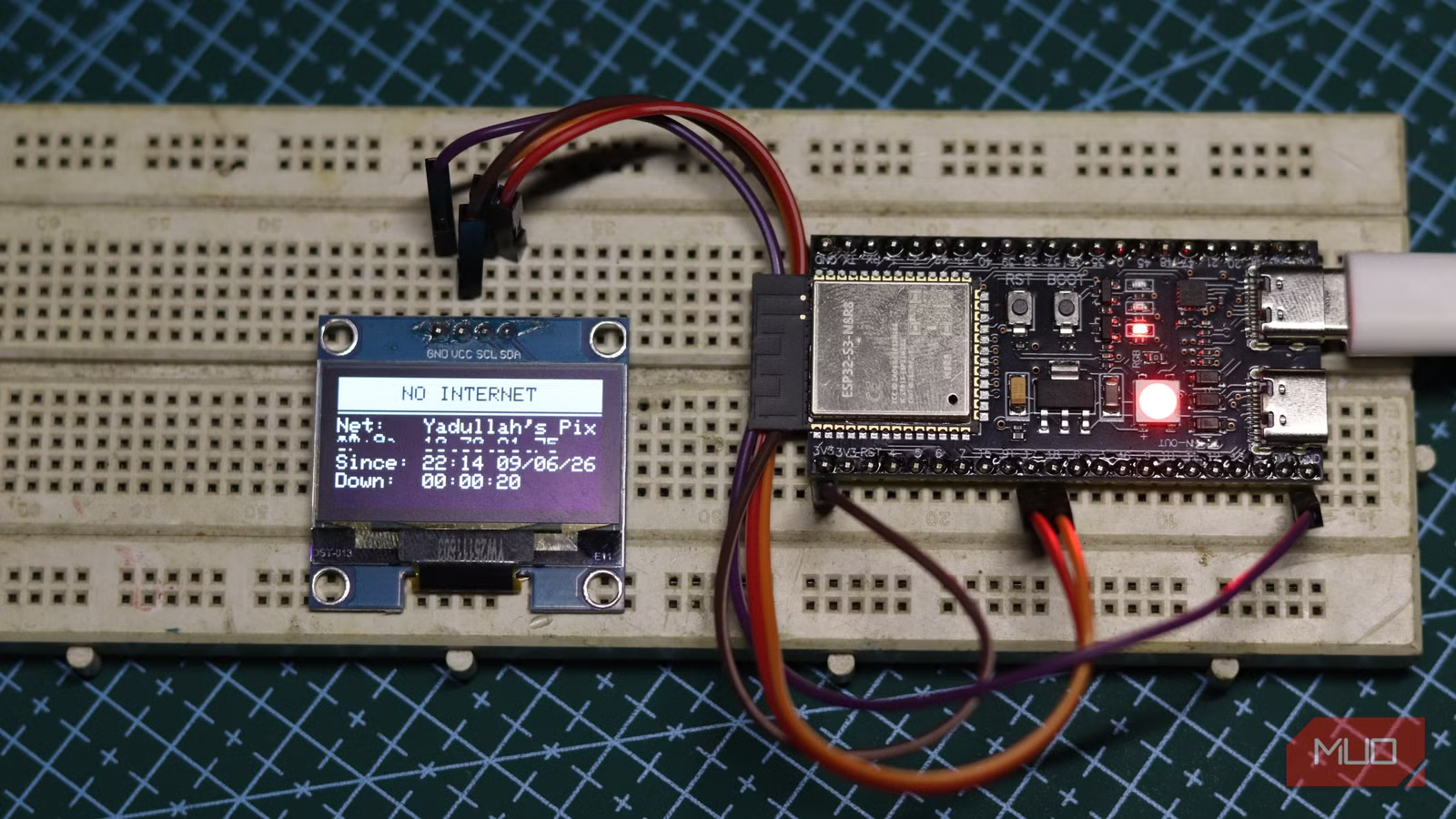
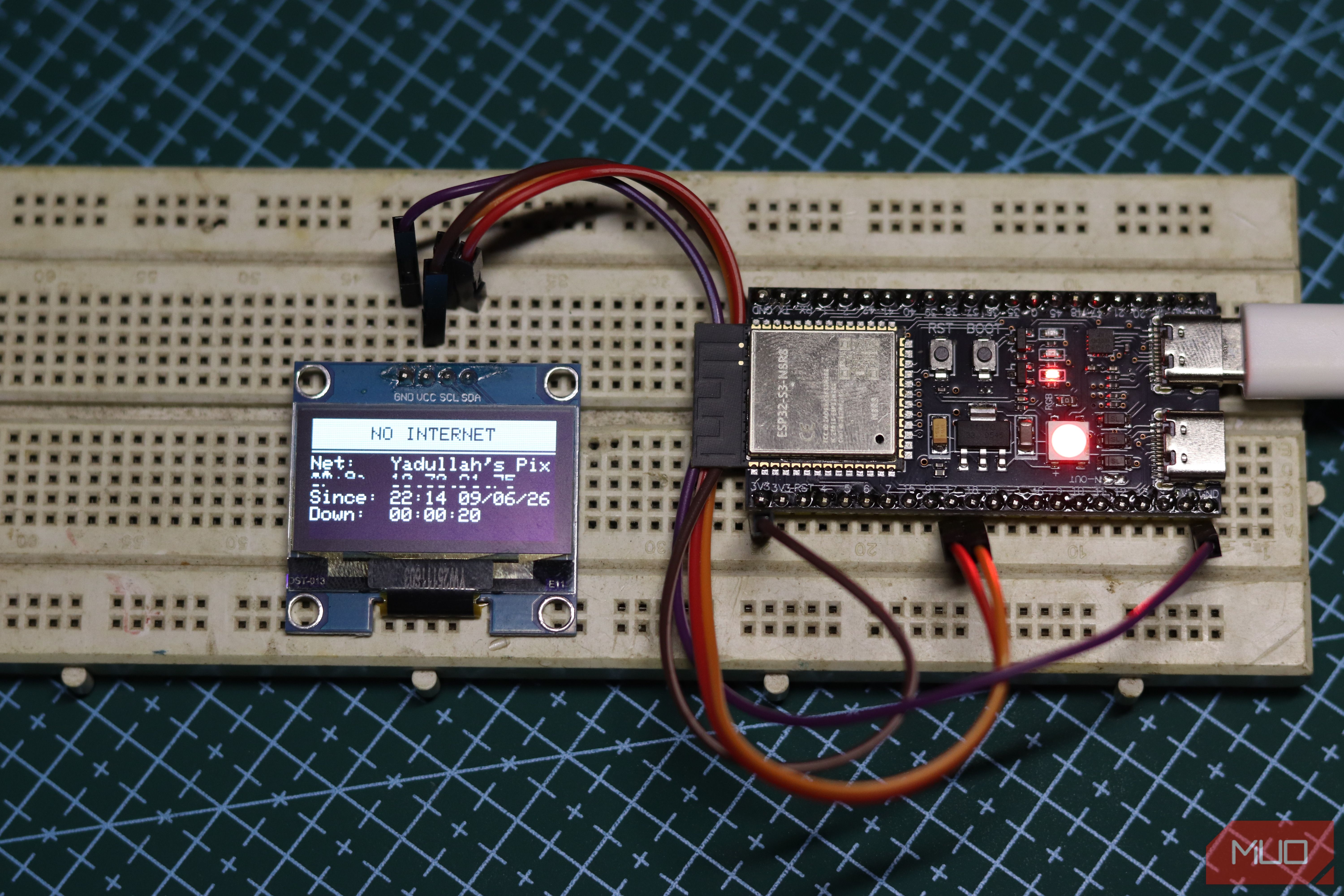
You only really need a Wi-Fi-capable microcontroller and an LED or buzzer if you need an audio cue. The average ESP32 is more than capable for this, so there’s no risk of choosing the wrong ESP32 board. You can even do this on an ESP32 C3 Supermini if you want an even cheaper alternative. I ended up choosing my ESP32-S3, the beefier sibling of the classic ESP32, which comes with a built-in RGB LED, as I didn’t want a buzzer going out in the middle of the night if my internet goes down.
The RGB LED helps because I can use the same (and rather bright) LED to indicate different states. A flashing blue light means the board is connecting to my Wi-Fi, a solid green light means the internet is working, a solid red means it’s offline, and a blinking red means the Wi-Fi network itself isn’t available. I also threw in a 1.3-inch SH1106 OLED display to show information like the SSID, local IP address, Wi-Fi signal strength, and a live uptime or outage duration counter depending on the situation.
Thanks to the RGB LED on my ESP32-S3 board, there are only four connections I need to make. The SH1106 connects over I2C with SDA on GPIO 18 and SCL on GPIO 18, with power going to the ESP32’s 3.3v pin and ground to the board’s ground connection.
Internet monitoring is easier than it sounds
A few pings are enough to tell when something breaks
The software side of the build is surprisingly simple. All you’re doing is pinging an IP address that you know is unlikely to go offline, like Google’s 8.8.8.8 or Cloudflare’s 1.1.1.1. The board pings the IP address, listens for a response, and confirms that internet connectivity exists. The moment three consecutive pings fail, it declares an outage, turns the onboard RGB LED red, and updates the display.
The connectivity check duration and ping command failure threshold can be modified to suit different networks. For example, if your internet connection is mostly reliable and only fails occasionally, you can drop the connectivity check to detect outages sooner. Conversely, if you’re on a spotty connection, you might want to raise the ping command failure threshold to ensure you don’t get false positives.
Once the board connects and syncs time over TNP, the OLED stays useful rather than decorative. The online screen shows a live uptime counter, the current local IP address, the current signal strength (RSSI) in dBm, and the time. When an outage hits, the screen switches to an alert view that shows the exact time the outage was detected and the time elapsed since. There’s also an alert banner flashing on and off every half a second, so combined with the LED color, it’s really hard to miss an outage even if the device isn’t in your direct line of sight.
The build comes together quickly
From components to a working monitor in an afternoon
Screenshot by Yadullah Abidi | No Attribution Required.
Once you’ve got your connections in place, all you need to do is hook up your board to your computer, fire up the Arduino IDE, and upload your sketch as you would to a normal ESP32 board. Make sure you’ve selected the right ESP32 board and port in the program before proceeding.
I also used two libraries from the Arduino library manager: Adafruit SH110X and ESP32Ping by marian-craciunescu. Since the device isn’t going to leave my network, I hardcoded my 2.4 GHz Wi-Fi network’s credentials in the sketch itself. The ESP32-S3 cannot connect to 5GHz networks, but for internet connectivity purposes, the connection medium to the router is irrelevant.
On first boot, the OLED displays a connection screen with the network name, with the RGB LED flashing blue. Once the board gets an IP and syncs the clock, it switches to monitoring mode. The whole boot sequence takes only a few seconds on a typical home network.
OS
Windows, Linux, macOS, Web
Developer
Arduino
Price model
Free
Arduino IDE is a beginner-friendly development environment used to write, compile, and upload code to Arduino boards, ESP32s, and other microcontrollers.
Your router doesn’t tell the whole story
The difference between Wi-Fi, internet, and ISP problems
Your router’s status lights only show you whether the router is powered and whether it thinks it has a WAN connection. That’s not the same as actual internet access. Your router can show everything in order, while your ISP’s DNS server might be having a meltdown, your PPPoE session has been dropped and not re-established, and tons of other issues that can hamper internet connectivity.
Related
My Wi-Fi Drops Every Hour: Here’s What Finally Fixed It
Random Wi-Fi outages absolutely suck—so take some steps to resolve the problem.
The monitor bypasses all of that and tests the network from the perspective of a client, meaning it gets the same treatment as your phone or computer. When it says the internet is down, it’s actually down, and none of your devices will be able to get online.
Since the device pings continuously, you can also have it record logs as to when the internet went down and when it came back up. Timing your outages like this will help you pin down patterns and give clearer reports to your ISP.
