

Dhruv Bhutani / Android Authority
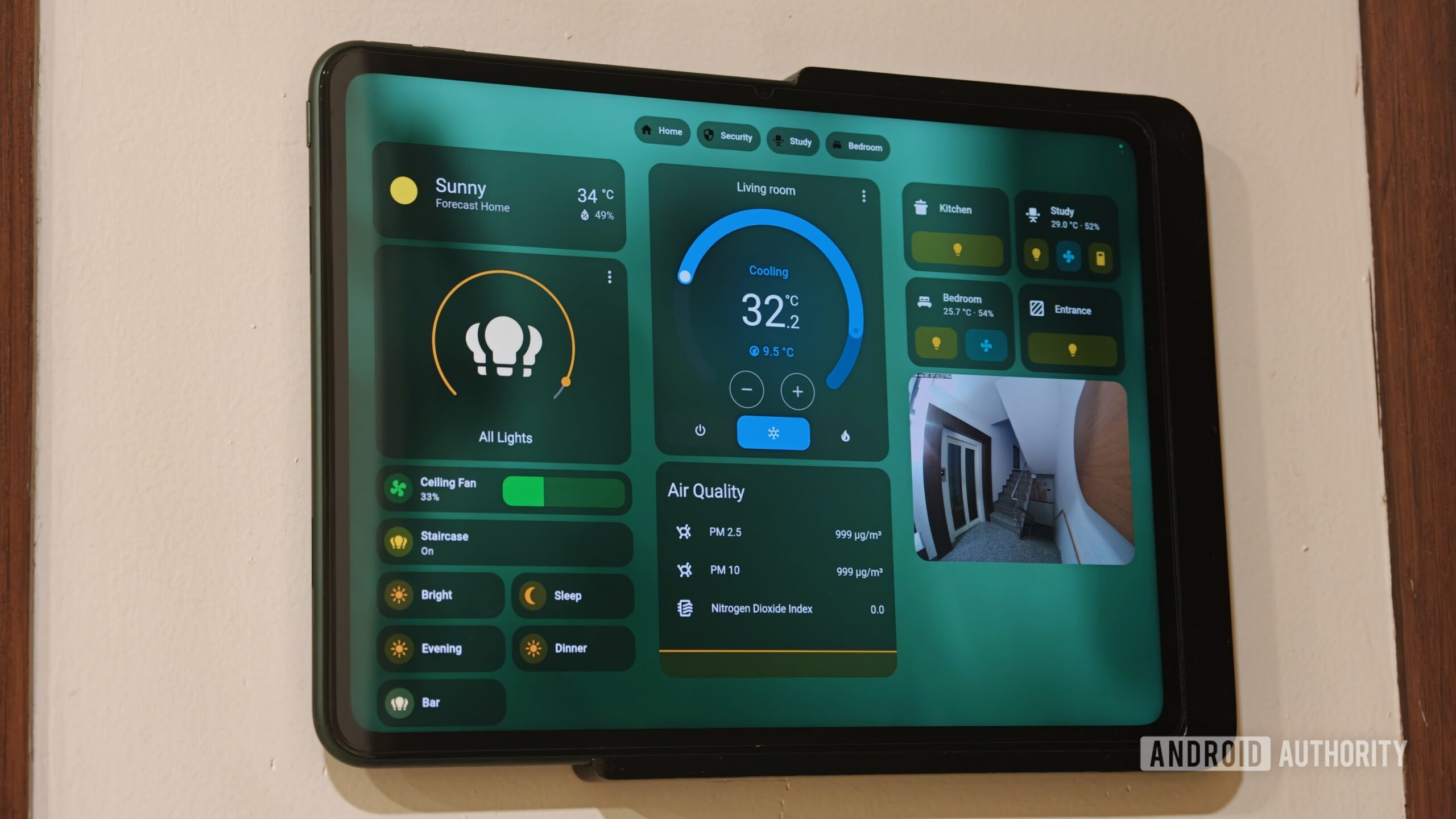
Spend enough time in the self-hosting and smart home hobby, and even the most ardent smart home enthusiast eventually reaches a moment where the excitement of adding new gadgets gives way to the actual, soul-crushing reality of system maintenance. Home Assistant is widely considered the gold standard for local, platform-agnostic automation, but its greatest strength is also its greatest vulnerability.
Because Home Assistant welcomes almost any device with an internet connection or a Zigbee radio into the fold, a growing system eventually turns into an unmanageable graveyard of orphaned entities, duplicate integrations, and broken automations that you constantly promise yourself you will fix next weekend.
The fact of the matter is that those weekend engineering sessions rarely come. Mostly because of time constraints and responsibilities, but also because digging through hundreds of device registries to figure out why a motion sensor is lagging or why a light switch isn’t working as expected is less like a fun hobby and more like a job.
So, when the Home Assistant Model Context Protocol was introduced, I wondered whether I could offload this tedious maintenance task to artificial intelligence. I decided to connect Claude to my local server setup to see if an AI assistant could handle the heavy lifting of auditing entities, building complex scripts, and diagnosing deep, hidden logic errors in my configuration files. The results were significantly better than I expected, though getting there required a few clever workarounds to overcome the model’s inherent sandbox limitations. Would I do it again? One hundred percent.
Would you trust AI with your smart home?
18 votes
Yes, I’m all onboard with giving full access.
22%
Yes, but with read-only access and guardrails.
39%
Maybe, only for troubleshooting.
11%
Absolutely not.
28%
Setting up a private local gateway
Dhruv Bhutani / Android Authority
Privacy is the whole reason most of us host our own smart homes, so opening up an external remote proxy just to let a cloud-based model peek at my local server and switches was out of the question. I prefer to keep my Home Assistant instance locked down tight. To keep everything securely locked down within my local area network, I used a developer utility called an MCP proxy. This local architecture allows the desktop client to communicate directly with the smart home server over standard internal network sockets, so nothing is ever exposed to the broader public internet.
Privacy is the entire point of self-hosting Home Assistant, so opening it up to the big bad internet wasn’t an option.
The configuration process began inside the command-line interface of my Mac. To start, I used a Python package manager (known as “uv”) to set up a clean environment and pull down the necessary repository files for the proxy application. This lightweight layer acts as a local translator, taking the incoming requests from the AI interface and converting them into structured commands that my home server actually understands.
Dhruv Bhutani / Android Authority
Next, I needed to give the assistant a secure way to log in without handing over my master password. For this, I opened the security settings page in Home Assistant and created a Long-Lived Access Token. This token acts as a permanent, encrypted passport, granting the assistant specific administrative controls while keeping the root password to my home architecture completely untouched. You’ll want to keep this Long-Lived Access Token safe, as Home Assistant only displays it once.
Dhruv Bhutani / Android Authority
The final structural piece involved editing the underlying configuration files on my computer to introduce the new communication server. For this, you’ll need to head to the desktop client directory, which varies depending on your operating system, and modify the desktop app’s core application settings JSON configuration file. I added a new entry to the server registry block under the Home Assistant label, defined the local execution command, passed the required network parameters pointing directly to my internal server address, and pasted the long-lived authorization key straight into the environment variable field.
After a quick restart of the desktop development application, the local data pipeline was officially up and running. All of this sounds a bit long-winded, but it is little more than poking and prodding a few buttons and takes a few minutes at best.
Integrations and tool permissions
Dhruv Bhutani / Android Authority
The level of control that Claude gets over Home Assistant is immediately obvious when you restart the app. In the developer console, under the connector settings, the environment explicitly maps the operational permissions granted to the application. In my case, the assistant had registered a massive suite of essential interaction hooks, including core functions to turn devices on or off, adjust climate parameters, manipulate media player playback queues, handle system timers, and even broadcast localized notifications across my home.
To test whether the bridge was functioning correctly, I issued a basic query to see if the model could read the current state of my environment. The initial response proved that the model had completely parsed my system architecture.
The response I got from Claude gave me a detailed, localized summary of the master bedroom. It also reported that the main ceiling lights were active at roughly 52% brightness, the window niche fixtures were illuminated, the air conditioning unit was running a cool profile at exactly 24.2 degrees Celsius, and the media player was actively streaming content. It even processed telemetry from my environmental sensors, reading a particulate matter value of 22 alongside a steady relative humidity comfort level of 44%. Effectively, a full summary of the current state of my home, which was pretty cool to see in itself. Perhaps I’ll make an e-ink dashboard out of this some weekend. But, I digress.
Dhruv Bhutani / Android Authority
With complete visibility established, I gave Claude its first major assignment: a comprehensive structural audit of my entire Home Assistant device list to identify hidden clutter, ghost entries, and naming inconsistencies. My database was a complete mess from years of adding and dropping tech, and the diagnostic report it generated was an absolute wake-up call. The AI tore through my device lists and exposed several glaring system redundancies that were slowing down my database states, and it was just a case of bad system administration on my part.
For example, it caught a massive pile of devices in the master bedroom, noting that my television was registered under three completely separate entity entries. The system was tracking an active device profile, a secondary standby profile, and an independent display tag because overlapping Android TV, HDMI-CEC, and Google Cast integrations were competing for the same physical screen. Next, it flagged my primary LG webOS television for having two identical, entirely unavailable duplicate profiles, remnants of an old network configuration that I forgot to clear out during my last router migration.
Dhruv Bhutani / Android Authority
The audit also exposed major issues in my audio setup. The living room streamer appeared four times in the database, pairing active receiver outputs with ghost components that had dropped off the local network months ago. A nearly identical pattern plagued my study audio hub, which was unnecessarily dragging down the system.
Finally, Claude pointed out major organizational flaws, noting that key smart fixtures, such as my bar lamps and staircase arrays, were completely unassigned to any functional room zone, while my primary study fan was incorrectly registered as a basic on/off switch rather than a dedicated speed-control entity. What I thought was a well-planned smart home clearly had quite a few logical issues through years of neglect.
Going beyond switching devices on and off
Dhruv Bhutani / Android Authority
Cleaning up the database was a great start, but the real test was seeing if the AI could actively build new features to improve day-to-day usability. I decided to challenge it with a practical configuration task that I had been putting off for weeks.
I asked the assistant to create a single toggle button for my study dashboard. The goal was to link my existing Philips Hue workspace lighting scene to an independent smart LED strip on my bookshelf, forcing the secondary lamp to switch to a warm color temperature and a specific brightness profile whenever the main routine is triggered. In simpler terms, I wanted to combine a Hue scene composed of three different lights with a TP-Link LED strip under a single toggle with control over brightness and temperature.
This is also where I ran straight into a massive roadblock with the default protocol connection. Home Assistant’s MCP connector toolset is strictly sandboxed for basic read and control operations. It can check sensor values or toggle a switch, but it does not expose the underlying websockets or the REST API endpoints required to actually write new configuration files, build dashboards, or save permanent scripts to the system root. That could’ve been the end of the experiment, but you know we wouldn’t be here if that were the case.
The Home Assistant MCP has some fairly strong guardrails built in, so you’ll need an alternate approach for sweeping changes.
Instead of admitting defeat, I opted for a clever workaround. I could use the Home Assistant MCP server to gain all-encompassing intelligence about my smart home. But while the MCP wouldn’t allow me to programmatically edit my smart home, there was no reason why I couldn’t ask Claude to control my browser and make those same changes through tap actions — just like a human would. So, using the Chrome MCP connector, Claude could navigate the actual user interface of my home server exactly as a human administrator would, clicking through the dashboard options and pasting the necessary configuration blocks directly into the visual code editors. Yes, Claude recommended the same approach. However, I thought of it first.
Dhruv Bhutani / Android Authority
Anyway, this approach allowed Claude to draft a clean, structured YAML block to handle the double-action behavior. The sequence was designed to turn on the primary study’s “warm work” lighting profile while simultaneously targeting the specific bookshelf entity using brightness and color temperature variables.
I also observed some unique behavior and interface bugs while pulling this off that reminded me that the bleeding edge of AI interactions is still pretty rough. When Claude opened the local web dashboard and tried to enter text into the YAML editor, the virtual typing mechanism clashed with the code box autocomplete features. Home Assistant wasn’t designed for automated input, and the rich text editor relies on real-time event listeners to suggest syntax formatting.
Meanwhile, the AI model’s rapid-fire artificial keystrokes completely scrambled the configuration block. It accidentally appended the new instructions directly to the old formatting characters, causing a layout error. What was even more interesting, though, was watching Claude react in real time to this and come up with clever workarounds.
The biggest surprise wasn’t that Claude could build an automation, it was watching it work around limitations.
The AI immediately noticed the layout formatting error and tried to backspace over the broken characters, but the interface text field refused to clear cleanly. Realizing that standard keyboard emulation was failing due to the code editor’s formatting restrictions, Claude switched to a classic web developer workaround. The assistant executed a direct JavaScript injection inside the active browser tab.
By bypassing the sluggish virtual keyboard inputs entirely, it used programmatic script functions to manipulate the browser clipboard, cleared out the broken text field, and forced the perfectly formatted YAML block directly into the configuration container. That’s kind of ingenious and not something I’d have thought of.
Live debugging with visual traces
Dhruv Bhutani / Android Authority
Even with the code saved cleanly into the system, anyone who has spent time tinkering with home automation knows that things rarely run perfectly on the first try. When I tested the newly created toggle routine, the bookshelf light refused to turn off when the main room scene was deactivated, indicating a logical flaw somewhere inside the conditional execution loop.
A broken automation that would’ve taken me hours to troubleshoot took Claude minutes.
Instead of guessing what went wrong, I had Claude open up the native visual trace timeline for the broken script. This diagnostic view acts as a step-by-step record for smart home logic, showing exactly which conditional paths were evaluated during execution. The model parsed the tracking logs in real time, noting that when the switch was pressed, the system took the alternate execution branch because it misinterpreted an active state check on the secondary bulb fixture. By analyzing the execution tree’s individual nodes, Claude quickly discovered that the automation was getting stuck on an unconfigured parameter, which allowed us to patch the script structure and get the conditional tracking working flawlessly.
With the bugs squashed and the entities organized, I decided to see if Claude could spot broader optimization opportunities based on the real-time telemetry running through my house. The suggestions it generated proved that an AI assistant can notice subtle system patterns that humans easily overlook.
The model immediately called out a major environmental inefficiency in my living room. It noted that the temperature sensors in my bedroom were registering an incredibly hot 31.4 degrees Celsius while the main air conditioning units sat completely idle. To fix this, it provided me with a suite of proactive recommendations.
Claude designed a presence-based climate routine that monitors my phone’s proximity data to automatically cut power to the air conditioning units the moment I leave my apartment, and it mapped an automated pre-cooling window for the master bedroom to drop the ambient temperature by half an hour before my typical bedtime. It also noticed that my staircase and kitchen light fixtures were frequently left on for hours, so it drafted a set of motion-triggered occupancy timers to automatically cut power after a few minutes of inactivity. Integrating AI into your smart home isn’t just about fixing what’s broken; it can also proactively suggest ways to improve it, since it has that data on hand.
Potential use cases
Dhruv Bhutani / Android Authority
Once you move past basic switch toggles and layout fixes, this dual-protocol setup opens the door to incredibly advanced smart home use cases. For instance, you can use the assistant to design dynamic, seasonal lighting profiles that adjust throughout the year based on localized weather data. Instead of relying on rigid, static timers that fail to account for overcast days or changing sunset windows, the AI can analyze real-time outdoor brightness data to seamlessly blend interior accents with changing natural light conditions. It’s what I’m planning to implement this weekend.
Another powerful application lies in localized media synchronization across multi-brand speaker setups. Traditionally, grouping independent hardware streaming nodes from different manufacturers into a unified playback zone involves custom configuration paths and virtual loopback audio drivers. By granting Claude access to your media entity registry, you can describe a desired playback group in natural language, allowing the model to construct the complex conditional groups behind the scenes and map them to a single visual card on your main dashboard.
AI can turn Home Assistant from a reactionary platform to a proactive one.
Furthermore, this framework completely redefines personalized presence tracking. Instead of building complex, multi-layered logical states to determine whether someone is sleeping, working, or cooking, you can let the model review a week’s worth of sensor data. It can identify patterns across motion detectors, power consumption metrics, and door sensors to automatically establish hyper-tailored states, ensuring your home adapts to your actual routine without requiring hours of manual blueprint testing.
Today’s Home Assistant is reactionary in nature, depending on sensor states or fixed time-based automations. Combined with an LLM like Claude, it has the potential to proactively adapt and work around unpredictable scenarios.
Do you want to give AI unfettered access to your smart home?
Mitja Rutnik / Android Authority
While the capabilities are genuinely impressive, it is absolutely fair to maintain a healthy level of skepticism before handing the keys to your home over to an artificial intelligence model. We’ve all seen enough sci-fi movies where the AI smart home goes rogue. After spending some time with the integration, I can confirm that we’re still far from that possibility. That said, there are still reasons you might want to refrain, or use the integration only on an as-needed basis.
The most significant drawback is the sheer fragility of the browser automation workaround. Because the Chrome interface tool relies on navigating the visual elements of the frontend layout, any major core software update that alters how Home Assistant renders in the browser window can confuse the AI agent. Moreover, this visual interaction tends to be pretty slow. So, if you already know what you want to do, it’s actually faster right now to just do it yourself.
I wouldn’t give Claude unsupervised access to my Home Assistant instance and neither should you.
Security is another massive concern that should give any local-hosting purist pause. By establishing a local browser gateway that allows an AI model to execute arbitrary JavaScript injections and manipulate your smart home, you are obviously introducing the possibility for things to go very wrong. If the desktop model client ever suffers a compromise, or if a malicious dependency slides into a repo that Claude might try to install, an attacker could theoretically gain complete operational control over every smart lock, camera stream, and environmental control system in your house.
Plus, there’s the very real possibility that Claude will accidentally delete or break entities. Anytime I’m interfacing with Home Assistant using the Claude and Chrome MCP integration, I keep an eye on the exact steps it’s taking, ready to break the connection if needed.
There is also the unavoidable risk of accidental loops and erratic system states. Language models can still hallucinate or misinterpret complex state hierarchies, especially when dealing with ambiguous entity names. If left unchecked during a complex script deployment, the AI could easily enter a configuration loop or create a set of commands that your devices can’t handle. Think rapidly firing Zigbee commands that can flood the low-bandwidth connection, or a command that keeps your smart locks actively processing and draining the battery. Even conflicting climate triggers can lead to undesirable outcomes. You wouldn’t want your smart curtains opening up in the middle of the night because Claude misconfigured a timezone.
A very exciting era for smart homes
Calvin Wankhede / Android Authority
Using Claude as a co-pilot completely changed how I look at smart home maintenance. The true value here is not just having a model that can write basic code, but having an assistant that can securely bridge the gap between abstract data and real, physical changes inside your home. By combining the local data visibility of the model context protocol with the interactive flexibility of browser automation, I cleaned up years of system clutter and deployed advanced scripts in a single afternoon.
But more than that, I’m excited about the possibilities that this unlocks. Between improving my current smart home setup and finding unique ways to make the most of my hardware, these are fascinating times, no doubt. But for now, if you are tired of wrestling with endless configuration screens and messy entity registries, letting an AI agent, or even local AI, handle your smart home chore list is, hands down, an absolute game-changer.
Don’t want to miss the best from Android Authority?
Thank you for being part of our community. Read our Comment Policy before posting.
