


My Lenovo IdeaCentre all-in-one PC has been the center of attention in my kitchen for nearly a decade with a vivid 27-inch touch screen, Nvidia graphics and – thanks to a recent Wi-Fi upgrade – great download speeds. Unfortunately, it gave up the ghost last month, leaving me to squint at my phone to check social media action, browse headlines and empty my inbox.
In need of a fast replacement, I wanted an iMac. Two things stopped me though: the iMac’s 24-inch display is too small for my eyes, and there’s no touch-screen available. Over the years, touch scrolling and tapping have become second nature for me, particularly while shopping online where my fingers do the buying. Apple limits finger friendly navigation to the iPad Pro, which at 13-inches would feel even more visually restrictive.
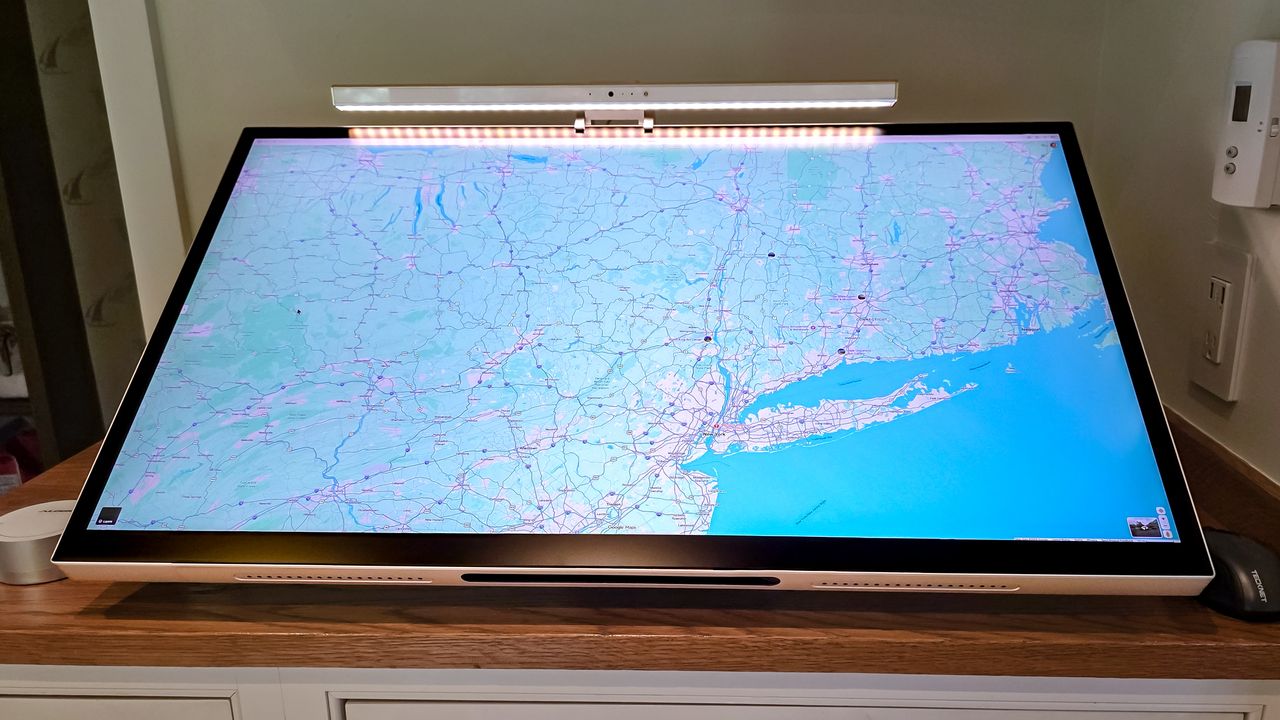
With Apple ignoring my two must-haves, I decided to make my own Mac-based touch-screen computer. I call it Brian’s Touch Mac or BTM. It starts with a five-year old Mac Mini paired with ALogic’s Aspekt Touch 32 or technically the Aspekt Touch 32” 4K UHD Docking Monitor with Touchscreen and 145W USB Charging 4K UHD Docking Monitor with Touchscreen and 145W USB Charging. Despite its long-winded name, it’s a screen gem that’s only slightly wider than my dearly departed Lenovo AIO.
Article continues below
You may like
The display is about as flexible as it gets with HDMI and DisplayPort inputs, an audio jack as well as a USB hub with three USB-C and two USB Type A ports. They can deliver up to 145 watts of power for quickly charging phones, tablets and external batteries – something my Lenovo AIO could only dream of.
Its 3840 x 2160 resolution is a step down from the iMac’s 4480 x 2520-pixel display, but the Aspekt 32 screen delivers 400 nits of brightness while covering 95 percent of the DCI-P3 color spectrum with a Delta E reading below 2. That means that you’ll be hard pressed to tell the difference between the display’s color and reality.
Stand by me
(Image credit: Tom’s Guide)
While BTM won’t have the slick packaging of a purpose-built all-in-one computer, where the computer’s guts disappear into the display’s stand or case, it comes close. Available in dull silver or gray aluminum, the Alogic Omni Fold Stand has a slot for newer Mac Minis to live in. My older Mini didn’t fit, so I strapped it to the stand’s articulated arm and tossed flash drives and remote controls in the holder.
It’s easy to adjust the screen up and down as well as tilting it. It can be set low on the desktop for drawing or upright for typing, watching videos and gaming.
While my fingers will do most of the work, ALogic’s Clarity pen is a nice touch. Its 4,096 levels of pressure, tilt sensor and digital eraser make it perfect for anything from sketching a map to drawing cartoons. It even magnetically sticks under the screen.
(Image credit: Tom’s Guide)
There’s one more piece of the BTM’s puzzle, ALogic’s Illuminate USB-C Light Bar with 4K Autofocus Webcam. Thoughtfully designed, its wireless hockey puck controller flashes a reassuring smile and allows brightness adjustments with warm or neutral lighting. There’s a magnetic lens cover for the camera shy. Like the stylus, the Web cam/light needs to be periodically USB-charged.
Making an all-in-one
Start to finish, the build took about 30 minutes to get it all working. Time well spent, here’s how I did it.
What to read next
(Image credit: Tom’s Guide)
After opening all the boxes, I screwed the stand together and put the Illuminate Web cam on top. I used my Bluetooth keyboard and mouse with the Mac Mini.
Unfortunately, the computer holder is for the newer squatter Mini models, so I strapped my Mini to the stand with Velcro. No problem, everything matches. The included high-speed USB-C cable brings graphics to the display and touch commands to the Mini. I used my own shorter cable to neaten things up.
(Image credit: Tom’s Guide)
Finally, I loaded ALogic’s UPDD touch drivers and updated the Mac’s Privacy and Accessibility options.
After adjusting the Mini’s resolution settings, I started working the touchscreen with my fingers and the stylus. Its daily workout includes going through emails, playing games, reading the day’s news and taking Zoom calls. My favorite is the ability to pause and restart a video by tapping anywhere on the screen.
It’s not only faster than its predecessor and has a bigger, sharper and brighter screen but BTM is a conversation starter with comments like, “I didn’t know Apple made a touch all in one”. Well, they don’t, at least not for now, making my touch Mini a unique item that responds to touch to move around on webpages, resize things and launch items with a tap or two. In fact, it’s everything I wanted and exactly where Apple’s iMac falls short.
The final touch
(Image credit: Tom’s Guide)
The Aspekt 32’s pair of back-firing 5-watt speakers easily surpasses the Lenovo AIO’s feeble audio. The sound quality is more than enough for listening to the BBC World Service news, playing Spotify tunes and the kitschy retro Easy Delivery Co. Plus game.
None of the project computers I’ve made over the years have been this easy or satisfying. I used my five-year-old M1-powered Mac Mini that’s worth about $300, although a better bet might be a new Mac mini M4 that fits the stand’s holder. Add $1,980 for the display and Omni Fold Stand and $190 for the Illuminate Web cam. Meanwhile, the $120 Clarity stylus is a nice add on.
At about $2,600, it’s a bit extravagant at more than twice the price of the $1,300 entry-level iMac. That said, BTM all in one not only has a much bigger screen, but it responds to my touch. To me, that’s priceless.
Follow Tom’s Guide on Google News and add us as a preferred source to get our up-to-date news, analysis, and reviews in your feeds. Subscribe to Tom’s Guide on YouTube and follow us on TikTok.
