

Files sizes are constantly growing, and that’s a problem for devices without expandable or upgradeable storage. Flagship smartphones lack the microSD card slot required for physical expandable storage, pushing users to delete files or rely on cloud storage. Apple and Samsung increased the base storage capacity of its flagships to 256GB with the iPhone 17 and Galaxy S26 series, respectively, but many phones still use 128GB or less.
While they’re not a perfect replacement for the microSD card slot, the USB-C port and MagSafe or Qi2 connectivity combine to create an expandable storage alternative. With the right external SSD enclosure, you can add up to 2TB of fast storage to your smartphone. I took the 128GB Google Pixel 10 Pro and instantly doubled its storage with a magnetic SSD, and I haven’t looked back.
Related
I switched to a USB-C hub with a touchscreen and it’s a game-changer for device monitoring
I never thought I need a touchscreen on my USB hubs until I tried one — now it’s hard to go back.
My phone’s 128GB storage capacity wasn’t enough
I couldn’t store all my music, movies, photos, and videos on-device
Credit: Brady Snyder / MakeUseOf
It’s 2026, and 128GB of smartphone storage isn’t enough. We’ve all spent years building up photo and video libraries, and storing them all on our phones requires much more space. Apps and their data can account for large amounts of storage, too. For me, it was a lossless music collection that pushed me to expand my phone’s storage capacity. My song library alone exceeds the 128GB capacity of the Pixel 10 Pro review unit I’ve been testing.
Your phone’s storage capacity doesn’t reflect the device’s actual usable space, either. The 128GB Pixel 10 Pro I’m using has 11GB allocated to Android 17 and another 16GB consumed by temporary system files. This phone isn’t even a year old, and I haven’t used it as my daily driver consistently. The amount of storage eaten up by system files grows as you use your phone longer, and that results in less usable space for you.
I’ve used a handful of phones with microSD card slots, most recently the TCL NXTPAPER 60 XE and the Motorola Moto G Stylus. Unfortunately, you won’t find them anywhere near the latest flagships. Using the USB-C port to expand storage with a flash drive or SSD is the next best thing. Dockcase sent me a magnetic SSD enclosure to test with a screen and an M.2 SSD slot, and it might be the best way to add more storage to modern phones.
This MagSafe SSD enclosure adds up to 2TB to my phone
It has a screen, passthrough 100W USB-C charging, and power loss protection
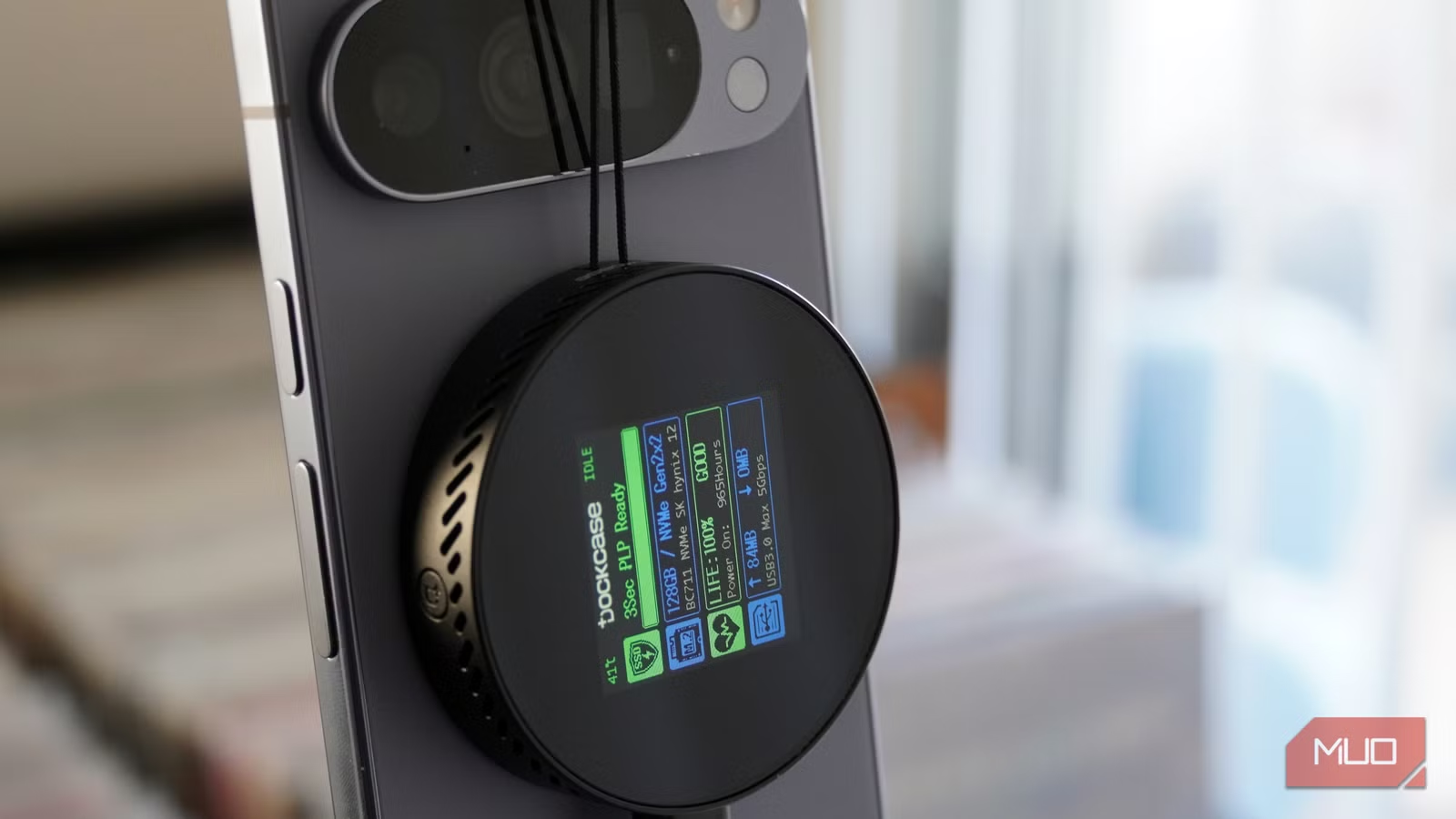
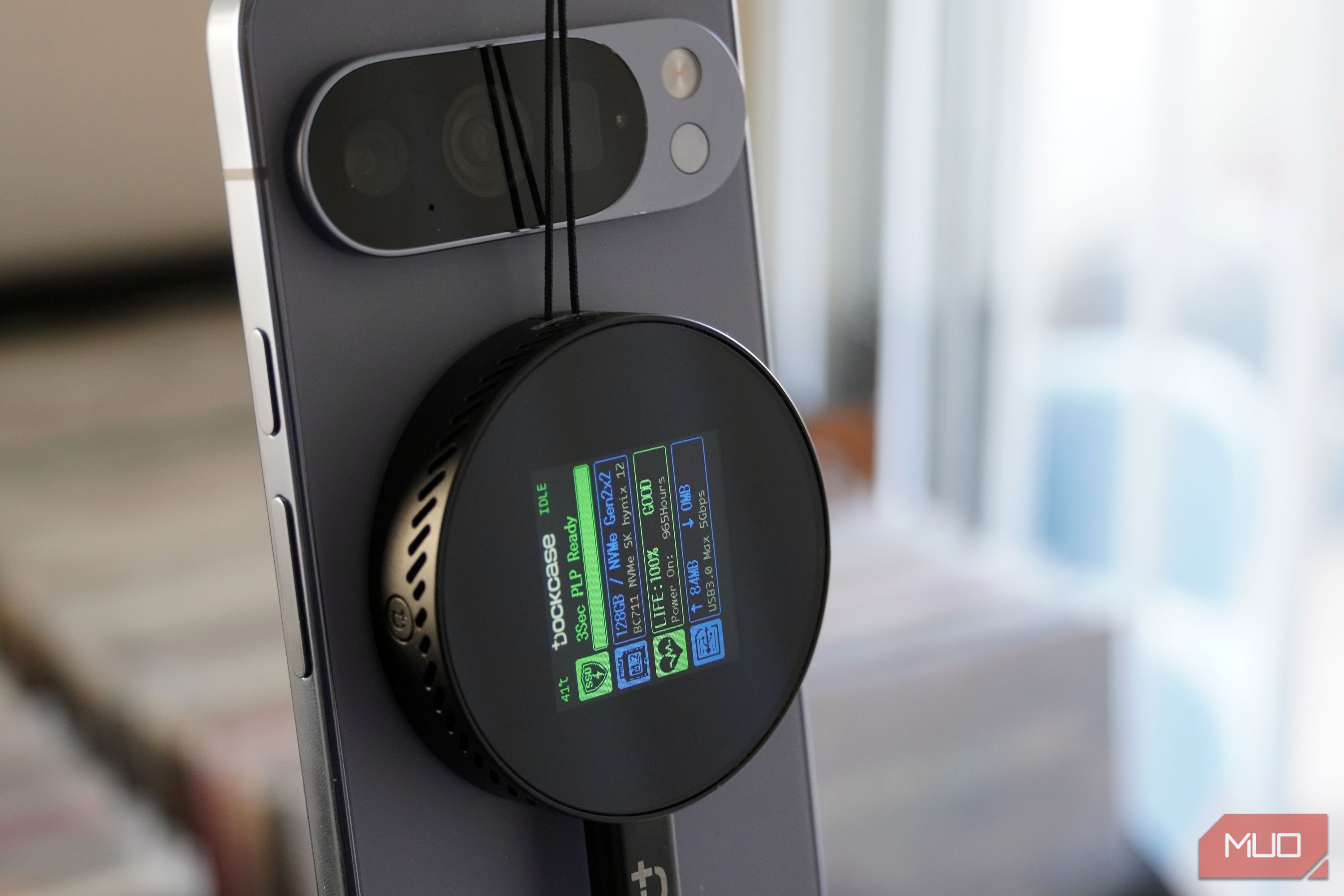
The entire experience is simpler than you might think. The enclosure is a puck-shaped device with strong magnets on the back for connecting to a MagSafe or Qi2 phone or case. Google’s Pixel 10 series includes the Qi2 magnets required to make connection seamless, but an enclosure like this one also works with iPhones or MagSafe-compatible cases. From there, you have a USB 3.2 Gen 2 Type-C port and a short braided cable that plugs into the USB-C port on your phone.
That links the external SSD enclosure to your phone using a 10Gbps fast connection. Plug it in with an SSD inside, and the screen on the back of the enclosure lights up. It shows the power loss protection status, storage size, NVMe version, SSD health, and real-time transfer speeds. Hold down the button on the top side of the enclosure, and you can see more detailed SSD information and diagnostic data.
This enclosure sports some of the strongest magnets I’ve used on a MagSafe/Qi2 accessory. I can dangle the entire combo using the SSD enclosure’s tether cord and the two devices won’t detach. Since the SSD enclosure has a second USB-C port for 100W passthrough charging, you aren’t losing a port when this accessory is connected to your phone. The entire experience feels stock — your SSD storage appears in the files app on Android or iOS without any third-party apps required.
Of course, snapping an SSD enclosure on the back of your phone isn’t an everyday solution. It’s more for specific use cases, like video recording. You can record straight to an external SSD over USB using camera apps on your phone, which is handy for shooting in RAW or similar formats that would overwhelm your on-device storage. It could also be used to house extra music, movies, TV shows, or games you only need in certain situations, such as a long flight.
MagSafe lets you attach and detach the SSD as needed
This SSD enclosure works best when you need access to your full media library
Credit: Brady Snyder / MakeUseOf
There aren’t many great options for expanding the physical storage of your smartphone without a microSD card slot. A small USB-C flash drive is a decent option, but it won’t be fast and will consume your only Type-C port. There were clunky cases with integrated storage, but they mostly died out as the added bulk wasn’t worth it. That leaves external SSDs or USB-C hubs with faster transfer speeds and additional USB-C ports as the only sensible alternatives.
That’s what I like about magnetic SSD enclosures in particular. They’re easy to snap on or off as needed, and this one from Dockcase adds an extra USB-C port and a screen for good measure. The main question is whether the cost makes it worth your while. It’s $50 for the enclosure, plus whatever your internal M.2 2242/2230 SSD costs. Considering the price of storage these days, a 1TB or 2TB drive could make this setup costly.
I suspect the average user would rather rely on cloud storage than invest in a MagSafe-compatible SSD like this one. There’s absolutely nothing wrong with that — it’s more economical, especially in the short term. However, casual users desperate to add physical storage or power users with a specific use case might find this accessory to be worth the cost.
Storage capacity
Up to 2TB
Hardware Interface
USB 3.2 Type-C
Compatible Devices
2242/2230 NVMe PCIe
Transfer rate
10Gbps
The Dockcase MagSafe SSD enclosure is a premium way of turning an M.2 internal 2242/2230 NVMe SSD into expandable USB storage. The enclosure has a screen that monitors SSD health, read and write speeds, and power loss protection status. It has a host USB-C port and a secondary USB-C port for 100W power delivery passthrough.
