

Working in a developer environment shouldn’t feel like talking to a chatbot. When Google released Antigravity 2.0, it replaced the entire workspace with a chat-first window that hides your file tree, strips out the terminal panels, and boots you straight into an agent dashboard most developers never asked for. This is not the interface I ditched VS Code for, and it bothers me.
The new 2.0 UI looks like a chatbot
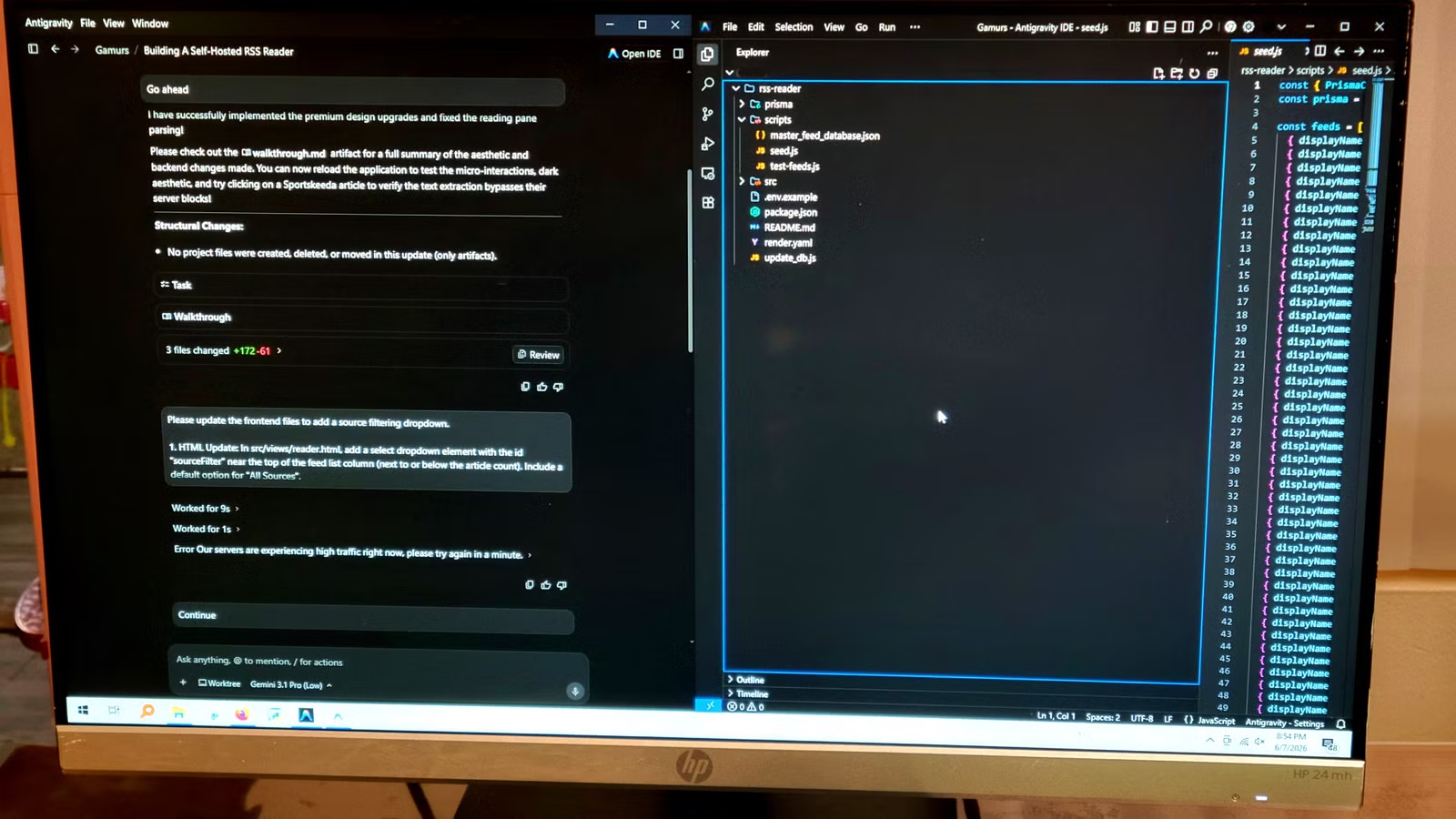
The 2.0 update replaced the old workspace
Credit: Jorge Aguilar / HowToGeek
The Google Antigravity 2.0 update messed up the developer workspace in a way most developers didn’t ask for. It replaced the familiar IDE with a standalone multi-agent desktop app that shoves a minimalist chatbot panel front and center while burying your workspace files. Antigravity is past the hype and now doesn’t care about looking like a chatbot.
You no longer have the visual code editor, the file tree, and the terminal panels. Instead, you get what Google calls an Agent View which is really just a chatbot interface like every other AI UI. If you were expecting your usual setup, the automatic transition feels less like an upgrade and more like a lockout.
Getting back to the traditional sidebar view isn’t as simple as flipping a setting, unfortunately. You have to work in a way that is very annoying. The new version is not just a regular update. Antigravity 2.0 is actually a huge change and a whole new version.
To be fair, this still beats Claude at coding, but the look is too hard to get used to. The good news is you don’t need to fully uninstall anything. Keep in mind that doing anything to change this goes into the territory of modifying things you may not want to modify.
This is inherently dangerous because you are messing with files from Google instead of your own. However, if you do this correctly, you won’t need to worry.
How to get your IDE back
It looks like a browser chat window, but it doesn’t have to stay that way
If you’d rather have your actual workspace back, the fix is simpler than it sounds. Google still offers the classic Antigravity IDE as a standalone download, separate from the 2.0 application. Head to the official Google Antigravity website, find the Antigravity IDE download, and install it. Once it’s installed, open your settings immediately and set Auto Update or Update Mode to None so it doesn’t upgrade itself back to the chat interface.
The thing that is hard to understand at first that makes so much sense later is that both applications may be completely separate programs but they still read and write to the same files on your hard drive. If you open your project folder in the classic IDE and point Antigravity 2.0 at that same folder, any code the agent writes in 2.0 shows up live in your IDE window.
It works exactly like having the same file open in two different editors at once. The chat history and agent memory stay separate, but your actual project files stay perfectly in sync.
This means you get your file tree, terminal panels, and code editor back while still having the 2.0 agent dashboard available for heavier automation and background tasks whenever you need it.
So you’re basically using two at once, but because they’re both in the same folder, you see the updates and the IDEs work on the same project. So it feels like an upgrade sometimes, because you still get 2.0’s amazing work, but you still get to work on the IDE like before.
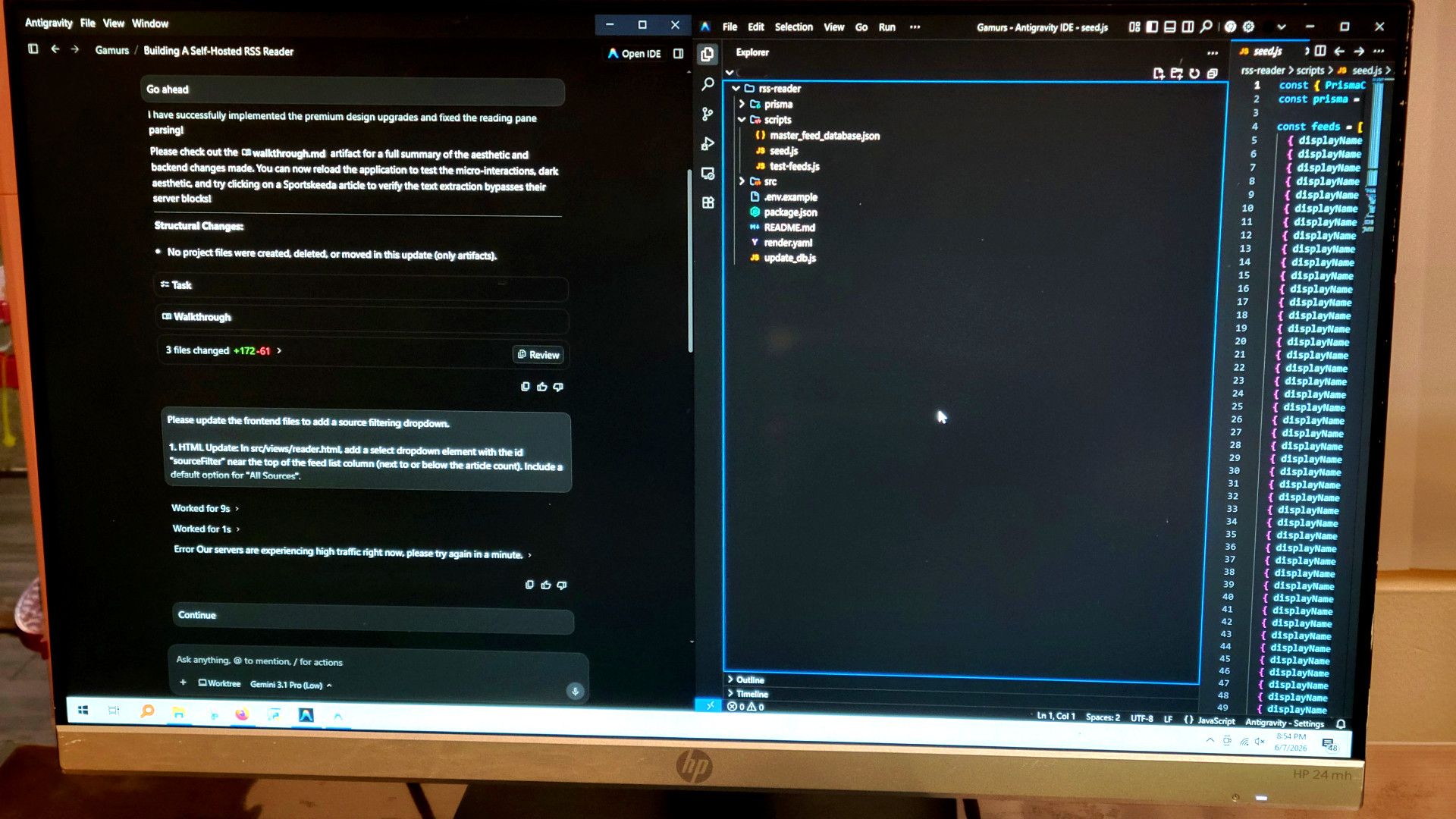
This was made for the layman, not the developer
The 2.0 update is more friendly to inexperienced developers
Credit: Jorge Aguilar / HowToGeek
The core problem with the Antigravity 2.0 update is how it changes the way you work. A minimalist chatbot-style interface might work fine for beginners who’d otherwise get overwhelmed, but experienced developers need their standard tools in front of them.
A chat-based layout isn’t really working with you; it’s doing the work for you and not leaving much room to inspect. Instead of writing logic, developers end up acting as passive code reviewers, auditing large blocks of machine-generated code that can miss project-specific context.
This interface is useful for some things, but not for professionals who just want to make programs. That bloat eats up screen space that would otherwise go to active coding, side-by-side file comparisons, and real-time terminal output. Without all the rest, it’s basically just Gemini in its own app.
Dropping back to the classic IDE view is a good idea for anyone fed up with those limitations. The traditional layout gives you back your screen space and UI, letting you code in a more active way.
This won’t last forever
The classic IDE is still available for now, but Google has announced it plans to transition it into a fully agent-powered IDE in an upcoming release. Keeping automatic updates off buys you time, but you’ll eventually fall behind on security patches and new features. Running both applications side by side is probably the most future-proof setup for now, letting you stay in your familiar environment while getting used to what 2.0 can actually do.
