


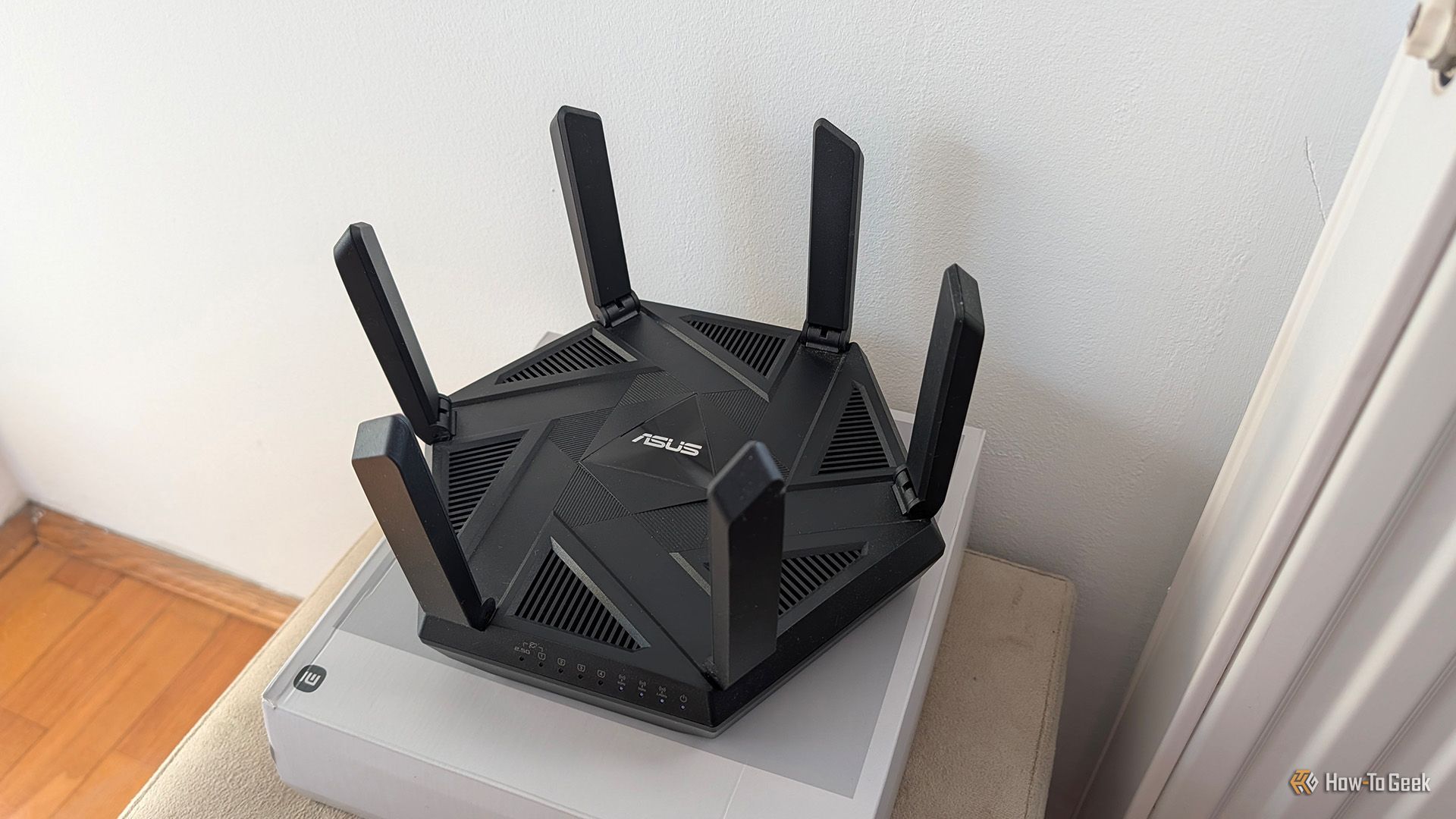
At its core, a router simply directs network traffic between devices and networks. In other words, it doesn’t need internet access to be useful. If you’ve got a spare router around, you can put it to good use in a number of ways, even if you never connect it to the internet.
You can enable Wi-Fi on the router, allowing devices to connect to it, while keeping the entire setup off the internet, making it inherently more secure. While certainly a niche use case, this setup can be handy if you want to, for instance, use a NAS or a network printer but don’t want them connected to the internet.
Use it for local file sharing
Or connect a NAS to it and have a local storage or media server
Credit: Jerome Thomas / How-To Geek
If the router in question has a USB port and supports SMB (Server Message Block) file sharing, which is a feature many modern routers offer, you can turn the old router into a budget NAS. Just plug a storage drive into its USB port, and you’ll be able to access the files stored on it from any device connected to the router.
Sure, the speeds won’t be great, and you’ll be limited to a single drive (unless your router supports USB hubs, though chances are it doesn’t), but hey, having a NAS is better than not having one.
You can also connect a dedicated NAS to the router and access files on it without allowing the NAS itself to connect to the internet, which can be useful if you, for instance, store sensitive work-related files on it that shouldn’t be accessible from outside your local network. Similarly, you can create a local media server that only serves media to devices connected to the router, whether via Wi-Fi or Ethernet.
Quiz8 Questions · Test Your Knowledge
Creative ways to repurpose an old router
Trivia challenge
Think your old router is just e-waste? Think again — see how much you know about giving routers a second life.
NetworkingDIYSoftwareHardwareSecurity
Begin
Which open-source firmware is most commonly used to unlock advanced features on a repurposed router?
AFreeNASBOpenWrtCRaspbianDpfSense
Correct! OpenWrt is a Linux-based firmware that replaces a router’s stock software, unlocking features like advanced traffic shaping, VPN hosting, and package installation. It supports a huge range of router hardware and has a thriving community of developers.
Not quite. The answer is OpenWrt, a powerful open-source Linux firmware that transforms compatible routers into highly customizable networking devices. FreeNAS and pfSense are great tools but run on full PCs, while Raspbian is for Raspberry Pi boards.
Continue
What is a common repurpose for an old router that helps eliminate Wi-Fi dead zones in a large home?
ANetwork-attached storage serverBWireless access pointCDNS sinkholeDPacket sniffer
Correct! An old router can be configured as a wireless access point, extending your existing network’s Wi-Fi coverage to areas your main router can’t reach. You simply connect it via Ethernet to your primary router and disable its DHCP server so it doesn’t conflict.
Not quite. The answer is wireless access point. By connecting an old router to your main router via a cable and tweaking a few settings, you can extend Wi-Fi coverage throughout your home without buying dedicated mesh hardware.
Continue
A repurposed router running Pi-hole or similar software can be used to block what type of unwanted content across an entire network?
AEncrypted HTTPS trafficBAds and tracking domainsCPeer-to-peer file transfersDVPN tunnels
Correct! By running a DNS-based ad blocker like Pi-hole on or alongside a repurposed router, you can block ads and tracking domains for every device on your network simultaneously. This means even smart TVs and phones that don’t support browser extensions benefit from ad blocking.
Not quite. The answer is ads and tracking domains. DNS-level blocking tools like Pi-hole intercept requests to known ad-serving and tracker domains before they even load, protecting your whole network without needing software on each individual device.
Continue
Which of the following can an old router with USB ports be repurposed as, by attaching an external hard drive?
AA 4K media transcoderBA basic NAS (network-attached storage) deviceCA cloud gaming serverDA Bluetooth audio receiver
Correct! Many routers with USB ports can share an attached hard drive over the local network, effectively turning the router into a basic NAS device. This lets multiple users on the same network access, store, and stream files from one central location.
Not quite. The answer is a basic NAS device. Plugging a USB hard drive into a compatible router lets you create a shared network storage location for backups, media, and files — a surprisingly handy trick that costs almost nothing if you already own the hardware.
Continue
What networking function allows a repurposed router to connect two physically separate local networks together over the internet securely?
ADHCP relayBMAC address filteringCVPN serverDQoS scheduling
Correct! A router flashed with firmware like OpenWrt or DD-WRT can be configured as a VPN server, allowing remote devices or entire remote networks to connect securely as if they were on the same local network. This is great for accessing home resources while traveling.
Not quite. The answer is VPN server. Setting up a router as a VPN server creates an encrypted tunnel between the internet and your home network, meaning you can securely access local devices, files, and services from anywhere in the world.
Continue
An old router can be repurposed as a network switch. What is the primary purpose of a network switch?
AAssigning IP addresses to devices automaticallyBConnecting multiple wired devices on the same local networkCFiltering internet traffic based on content rulesDBroadcasting a Wi-Fi signal to wireless devices
Correct! A network switch forwards data packets between wired devices on the same local network, letting you connect more Ethernet-based devices than your main router has ports for. Turning an old router into a switch just requires disabling its DHCP server and connecting it via one of its LAN ports.
Not quite. The answer is connecting multiple wired devices on the same local network. A switch expands the number of Ethernet ports available on your network, which is perfect for home offices or entertainment centers with lots of wired devices.
Continue
Which creative repurpose turns a router into a device that detects and logs all gadgets connecting to your home network?
APrint serverBNetwork monitorCSmart home hubDMedia center
Correct! With the right firmware or software, a repurposed router can act as a network monitor, logging connected devices, tracking bandwidth usage, and alerting you to unfamiliar gadgets joining your network. Tools like ntopng or built-in OpenWrt packages make this surprisingly powerful.
Not quite. The answer is network monitor. Running monitoring software on an old router gives you a detailed view of everything happening on your home network — from which devices are online to how much data each one is consuming — which is great for security and troubleshooting.
Continue
Repurposing a router as a dedicated guest network device offers which key security benefit?
AIt doubles the internet speed for all usersBIt isolates visitor devices from your main private networkCIt encrypts all traffic with military-grade AES-512DIt automatically blocks all incoming connections from outside the country
Correct! Dedicating an old router to a guest network keeps visitor devices completely isolated from your main network, meaning guests can’t accidentally — or intentionally — access your personal computers, smart home devices, or shared storage. Network isolation is one of the simplest and most effective home security practices.
Not quite. The answer is isolating visitor devices from your main private network. By running a separate router for guests, you create a clean boundary between trusted and untrusted devices, protecting sensitive data and personal gadgets even if a guest’s device is compromised.
See My Score
Challenge Complete
Your Score
/ 8
Thanks for playing!
Try Again
Connect your IoT devices to it
Use the router to keep your IoT devices off the internet while still being able to control them remotely
Another useful thing you can do with a second router that’s not connected to the internet is connect all your smart devices to its Wi-Fi network, allowing you to control them locally while preventing them from connecting to the internet. This can be handy considering that many smart devices aren’t particularly secure.
Connecting your smart devices to such a router can also be useful if your primary router doesn’t support VLANs. By connecting all your IoT devices to the secondary router, you’ll still be able to use them locally while reducing the number of devices using the primary router’s DHCP server.
If you want to control your smart home devices remotely while keeping them off the internet, you can connect them to the secondary router and then connect the device hosting Home Assistant to that same network. The Home Assistant server itself can also be connected to your primary router for internet access, allowing remote access through a service such as Nabu Casa while keeping the IoT devices isolated from the internet.
Brand
TP-Link
Wi-Fi Bands
2.4GHz, 5GHz
The TP-Link BE3600 gives you next-gen Wi-Fi 7 performance at a budget price, delivering fast, reliable coverage with multi-gig ports and a powerful quad-core CPU. With strong antennas, EasyMesh support, and modern features like MLO and HomeShield, it’s an easy future-proof upgrade for any home.
Attach a printer to it
Get a network-attached printer everyone can access
Credit: Andrew Martonik / How-To Geek
A router can be a cheap and cheerful way to create a network-attached printer that every device on the network can access, as long as the router supports printer sharing, even when the router isn’t connected to the internet. Just connect the printer to the router’s USB port and you’ll be able to print from any device connected to the router’s network.
If you want devices on your main network to access the printer as well, switch the secondary router to bridge mode and connect it to the primary router via Ethernet. This way, you can also turn the spare router into an access point to expand your Wi-Fi coverage if needed, though you’ll lose the added security benefits of keeping the printer isolated from the internet. That said, you can keep the printer off the internet through a firewall rule, for example.
Related
6 Privacy-Respecting Smart Home Brands That Won’t Sell You Out
Not every smart home brand requires access to your personal data.
Use it for LAN parties
If you need more ethernet ports, just plug a network switch into it
Credit: Patrick Campanale / How-To Geek
Last but not least, a secondary router that isn’t connected to the internet can be a great way to enjoy LAN multiplayer. You can host LAN parties with as many people as you’d like; if you need more Ethernet ports, just get a network switch or two and connect them to the router.
Aside from LAN parties, you can also play games that support LAN multiplayer this way. They don’t require an internet connection, so all you need is a local network. You can also host local game servers this way. For instance, you can create a local Minecraft server and enjoy multiplayer gaming without an internet connection.
Don’t forget to set up the router before you start using it
Before you start connecting devices to the router, make sure to access its web interface (just connect to it via Wi-Fi or Ethernet and enter its default IP address into your browser’s address bar) and set it up.
I recommend changing the Wi-Fi network name and password, as well as configuring file-sharing or printer-sharing options if you plan to use the router for file sharing or connect a printer to it. You may also want to factory reset the router first to restore its default settings, especially if you’ve used it before.
As you can see, a router doesn’t need an internet connection to be useful. Whether you use it for local storage, IoT devices, a printer, or LAN gaming, there are plenty of ways to put a router to good use without connecting it to the internet.
