

C. Scott Brown / Android Authority
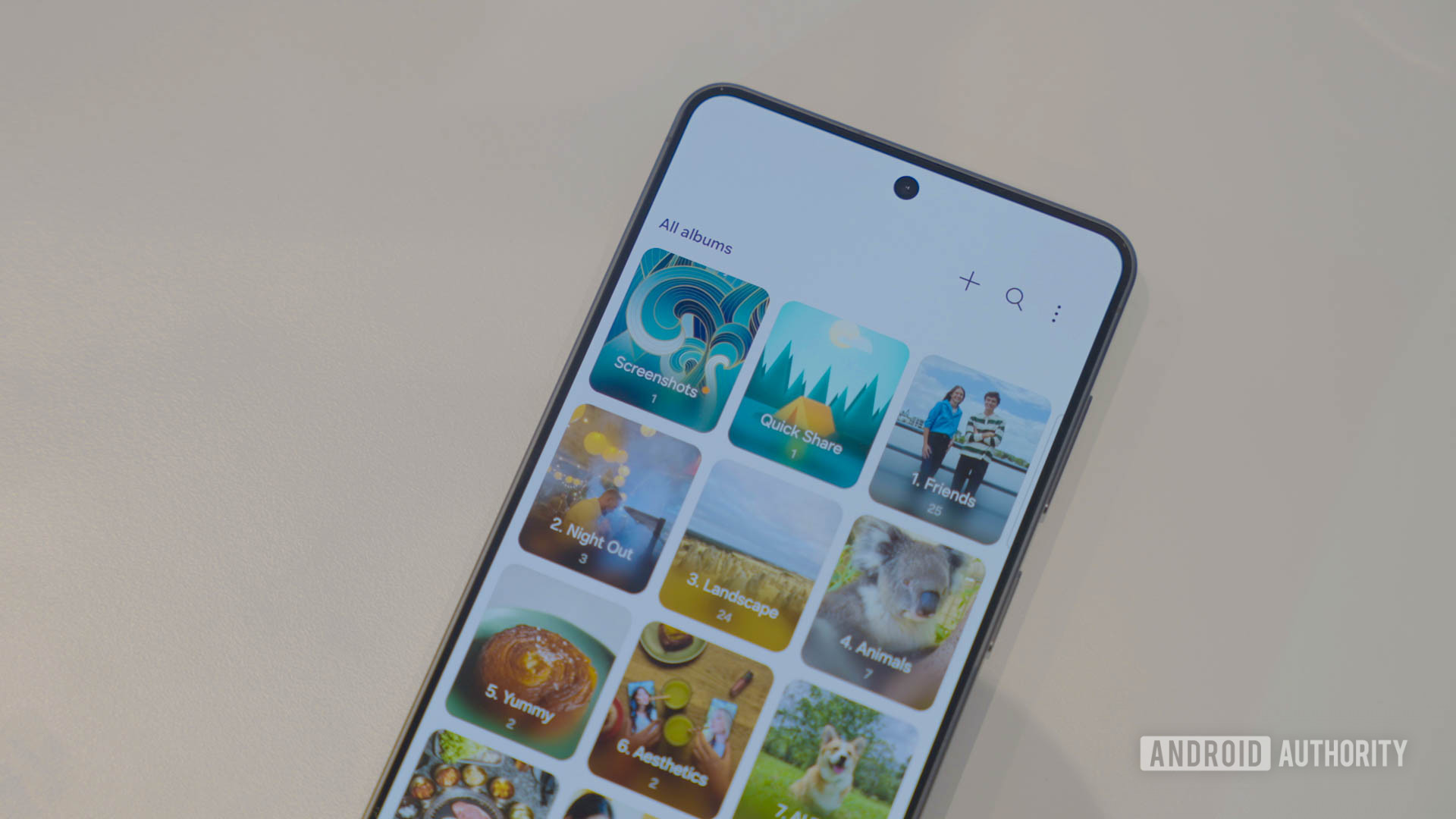
Last month, we learned that Samsung Gallery will no longer support OneDrive syncing, with support fully ending by September 30. While the feature is still technically usable, Samsung has removed the syncing feature from newer versions of the app.
For those who heavily relied on the sync feature, now is a great time to see what else is out there. One natural route is to consider a photo backup app that also has gallery features. For those who prefer a more traditional gallery app, there’s also a workaround that will let you still have cloud backup capabilities.
With all that out of the way, here are the seven gallery or photo apps I recommend over Samsung Gallery.
Google Photos
C. Scott Brown / Android Authority
Samsung Gallery was always designed with local media in mind, though in the past, you could still easily back things up to the cloud using OneDrive. In contrast, Google Photos is primarily focused on cloud storage and ensuring all your photos can be viewed from virtually any device. That means its UI isn’t quite as tailored for the pure gallery experience.
That said, this doesn’t mean Google Photos isn’t a capable Gallery app. Both tools offer a decent amount of editing tools, including AI features like the ability to erase objects. You’ll also find that both apps let you do basics like adjusting brightness, saturation, and more. Where Samsung stands out is that it also adds features like watermarking, drawing tools, and stickers to the mix.
Google Photos is easy to recommend as a replacement if you are looking for a more basic feature set and consider cloud syncing a priority. To make the most of Photos, you’ll likely want a Google One subscription, as the free tier only gets you a maximum of 15GB of space across Google services.
Amazon Photos
Andy Walker / Android Authority
Amazon Photos was already a decent gallery and backup app, but last month it received a major update with a much-improved UI. The older photo grid has been replaced by a curated carousel of memories, and you can now search for images using natural language, such as asking to see photos from a specific holiday or family event.
If you’re a Prime member, you’ll appreciate that Amazon Photos includes unlimited full-resolution photo storage, alongside 5GB of video storage with the option to buy more. Those on the free tier get 5GB total, shared across photos and video.
You’ll be missing Galaxy AI editing tools and a few other Samsung-specific features, but whether that’s a worthwhile trade-off depends on your needs. You can always keep both apps and use Samsung Gallery for viewing and basic editing while Amazon Photos handles storage.
Piktures
Andy Walker / Android Authority
Piktures is one of my favorite third-party options that isn’t from a major platform like Google or Amazon. For one, it has a powerful yet easy-to-navigate UI built around simple cards that are vaguely reminiscent of the Windows Metro design.
It also packs in some handy features you won’t find elsewhere on this list, including USB drive support and integration with Google Photos, OneDrive, Nextcloud, and a range of other cloud platforms. Whatever you already use for cloud storage, odds are Piktures supports it.
There’s even a Secret Space feature that isolates sensitive photos behind encryption, giving you extra peace of mind about what might end up in the cloud.
The main downside is that Piktures is ad-supported, which may bother those used to Samsung Gallery’s cleaner experience. The ads can be removed with a one-time payment if that’s a dealbreaker.
The official OneDrive app gives you even more options
Sanuj Bhatia / Android Authority
If you want a photo app with built-in cloud syncing, the three above are the main Android options worth recommending. That said, we need to talk about OneDrive.
Microsoft OneDrive includes a basic photo backup system directly within the app. It’s limited on the advanced photo features side, but it means you can keep using Samsung Gallery, with OneDrive handling backups instead of everything living under one roof.
For those who were never completely sold on Samsung Gallery, this is also a good opportunity to explore some of the other options. The rest of the apps here are feature-rich gallery apps without built-in cloud storage, but any of them pair well with OneDrive or a similar service.
Focus Go
Andy Walker / Android Authority
Focus Go is a lightweight tool and a great fit for minimalists who aren’t after robust editing or extra features. You get a clean, simple layout that organizes images by folder, making it easy to manage files and clear out shots you don’t want to keep. There are still a few power user touches, like fingerprint lock and the ability to render images in HDR.
Aves Gallery
Andy Walker / Android Authority
Aves Gallery is a solid pick if you want something that goes a bit deeper than a typical gallery app. It includes a stats page that breaks down your photography habits, including file type counts, shooting locations, and timestamps. Aves also makes searching easy by combining user-added tags with existing metadata, and you can pin a specific folder as the home screen for quicker access to directories you use often.
Fossify Gallery
Andy Walker / Android Authority
You might remember Simple Gallery, once one of the most popular open-source gallery apps around. After it shifted toward a premium model, Fossify Gallery emerged as a fork of the original, carrying over many of its best features. The UI looks straightforward at first glance, but underneath it offers a wide range of customization options suited to just about any level of photographer.
Google Gallery
Joe Maring / Android Authority
If you like Google’s ecosystem but find Google Photos’ cloud-first approach isn’t for you, Google Gallery is another option. It’s been around in some form since 2019, offering a minimal, no-frills experience similar in spirit to Focus Go. Google Gallery may not be the most feature-rich app on this list, but it supports Android 8 and higher, which gives it an edge for users on older devices that newer apps may no longer support.
Don’t want to miss the best from Android Authority?
Thank you for being part of our community. Read our Comment Policy before posting.
