

Dhruv Bhutani / Android Authority
Building a proper smart home can often feel like a never-ending battle against fragmented apps and unreliable cloud connections. For a long time, I relied on Google Home and Amazon Echo speakers to manage my smart bulbs and plugs, but the experience was always delayed and clumsy.
That changed when I finally migrated my entire house to Home Assistant, a locally controlled smart home platform that puts privacy and customization first. While the software runs on a small server on my desk, the real magic that pulls it all together is something very different.
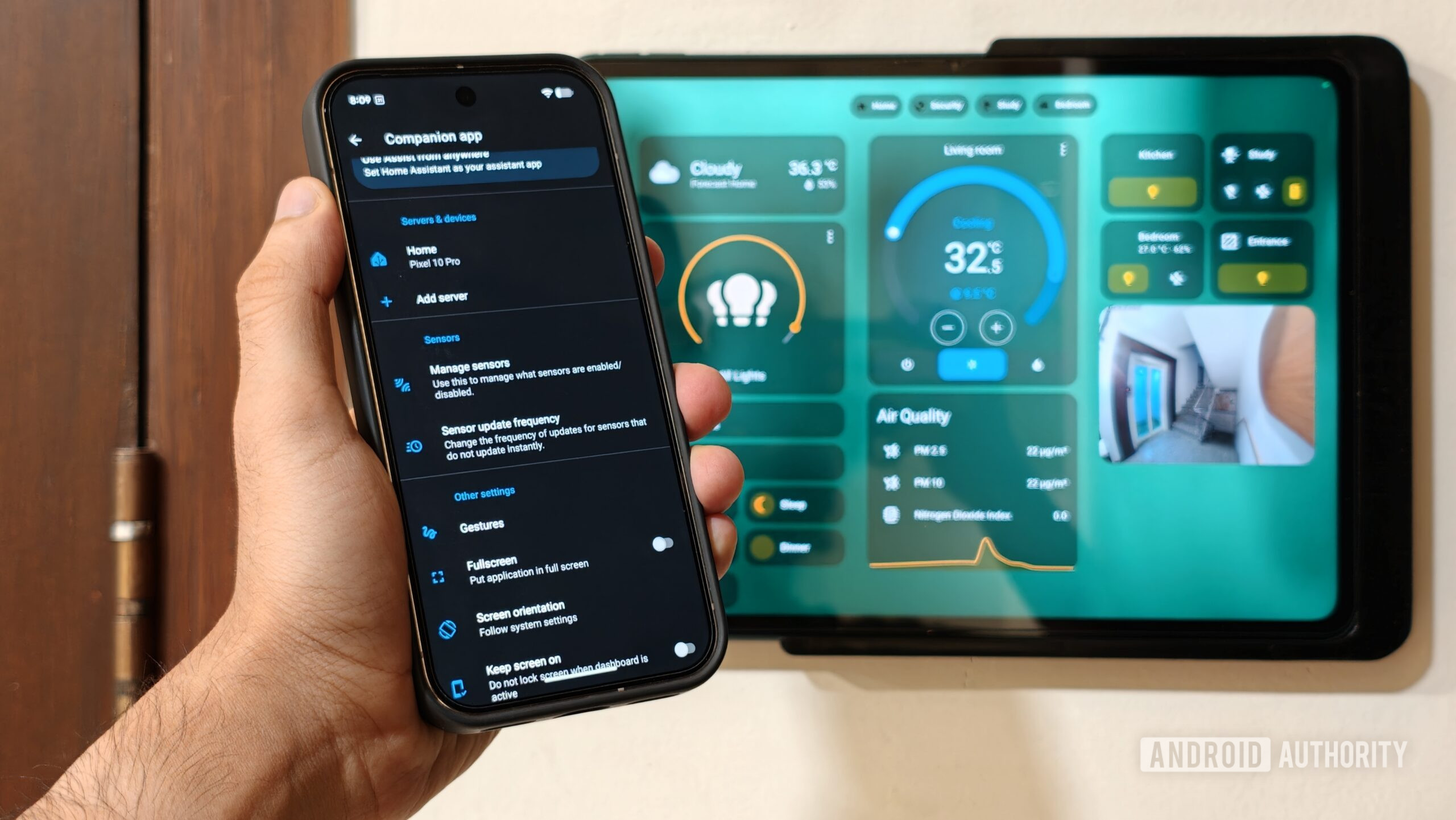
My Pixel has become the absolute best companion for my smart home setup, serving as an exceptionally capable trigger for whole-home automations. Here’s how I use it.
What’s the most useful smart home automation that you use?
64 votes
Presence detection based triggers.
47%
Securely locking my home using bedtime routines.
8%
I don’t use much more than smart lighting and speakers.
42%
I’ve only automated home security.
3%
Smartphone-based presence detection
Dhruv Bhutani / Android Authority
One of the biggest hurdles in any smart home setup is presence detection, which tells your house whether you are actually at home or away. In the past, I tried various third-party apps and even BLE beacons, but they were a massive drain on my phone battery or simply not reliable enough to trigger on time. I wanted an easy way to make sure the lights were on when I entered my driveway, without having to run wiring for a motion sensor. The Home Assistant integration on my Pixel completely eliminates this frustration by offering background location tracking that is both accurate and battery-friendly.
Reliable presence detection is what finally made my smart home feel truly smart.
The system uses a combination of regular GPS geofencing and local Wi-Fi connection states to pinpoint exactly where I am. The moment my Pixel disconnects from my home wireless network and crosses a set perimeter, the house automatically enters an away mode. The air purifier in my study switches off, and so do the lights. Additionally, the security system is triggered.
When I return home, the process reverses seamlessly. I’ve even set up an automation to check the time and trigger lights when I come back home if it is getting dark. It is a completely hands-free experience that requires zero interaction on my part.
Turning device hardware sensors into smart home triggers
Dhruv Bhutani / Android Authority
What really separates the Home Assistant companion experience from basic platforms like Google Home or Apple Home is the sheer volume of internal device data you can share with your server. The mobile app exposes dozens of hardware sensors from my Pixel straight to my smart home dashboard. This includes everything from the current battery percentage and device orientation to whether I’m listening to music on my phone. Instead of just using my phone to control my lights, the phone’s physical state becomes the trigger for complex home automations.
Trigger whole home automations based on what your phone is up to.
My absolute favorite automation handles my nightly bedtime routine and relies entirely on my phone’s charging sensor. Every night when I place my Pixel onto its bedside charger after 10 p.m., Home Assistant immediately senses the state change from discharging to wireless charging. This single action triggers a series of events throughout my entire house. All nonessential electronics are switched off, my speaker starts playing white noise, and the security system is armed. All of that without getting into a screaming match with Google Home. That alone was worth the hassle of setting it all up.
Easy controls at your fingertips
Dhruv Bhutani / Android Authority
Of course, even the best automated systems aren’t foolproof. There will be times when you just want to turn on a specific fan or switch on a light without waiting for an automated trigger to kick in. This is another area where Android, in general — and my Pixel, in particular — shines, letting you bring your most important smart home controls directly into the interface. I rely heavily on a combination of custom Quick Settings tiles and interactive home screen widgets to manage my home with minimal friction.
Quick settings tiles bring the best of my smart home right into Android.
By swiping down from the top of my screen, I can instantly access my Quick Settings shade, where I have mapped specific tiles for my most frequent household actions. I have a tile dedicated to setting a particular scene in my bedroom for when I’m watching TV. Another tile lets me toggle the office ceiling fan on or off instantly.
For more complex controls, you can utilize the native Android widgets on the home screen. These widgets use Google’s Material You design language and look like a natural extension of the phone’s operating system, while offering one-tap access to a plethora of smart home automations. I use them to monitor the current ambient temperature of my NAS.
A smart home is only as smart as its integrations
Dhruv Bhutani / Android Authority
While the project initially kicked off as a way to reduce reliance on other devices in my smart home setup, living with it has shown me that the true power of a smart home lies in devices communicating with each other.
A smart home works best when your devices talk to each other.
The integration between my Pixel and Home Assistant has turned a collection of isolated smart gadgets into a cohesive network of triggers and toggles. The beauty of this open ecosystem is that you do not actually need to own a specific device to accomplish the same results. Any modern Android phone running the Home Assistant companion app can tap into the exact same background sensors and quick-access tools to build a highly personalized automated environment.
It saves me time, reduces daily friction, and makes my automated home work like the perfect blend of proactive and reactive systems I was looking for. All it took was pairing my Pixel with my smart home.
Google Pixel 10 Pro XLGoogle Pixel 10 Pro XL
Excellent build quality • Improved camera flexibility • Smooth-as-ever software
Ultimate power from the Pixel 10 line
The most powerful option from the Pixel 10 line is the Google Pixel 10 Pro XL. With a 6.8-inch display, Tensor G5 shipset, 16GB of RAM, UFS 4.0 storage options, a powerful triple camera setup, and a battery in excess of 5,000mAh, you should be able to power through any task in your day.
Thank you for being part of our community. Read our Comment Policy before posting.
