


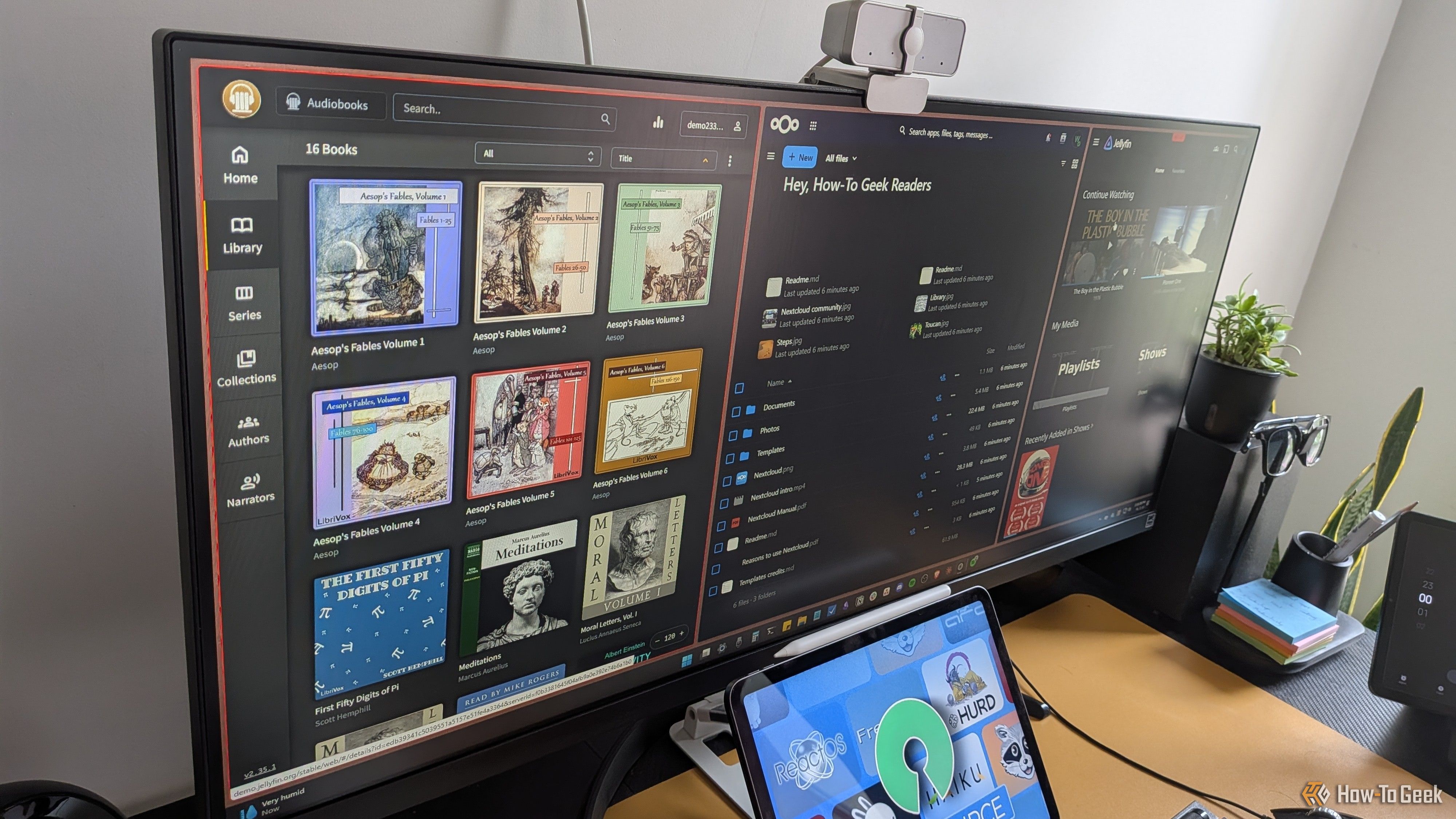
Open-source apps have gotten remarkably good over the years—good enough to serve as viable replacements for many paid services. As a result, the team here at How-To Geek has started canceling some of our paid subscriptions and replacing them with open-source, self-hosted alternatives. Here are three such apps that proved worth the switch and have earned a permanent place in our workflow.
Jellyfin
Self-host your movies and music
Jellyfin is essentially the free, open-source alternative to Plex. If you’re unfamiliar with Plex, think of it as a way to self-host your own personal Netflix-style media server. You install Jellyfin on a system, point it to one or more folders containing your media—movies, TV shows, and music—and it turns them into your own private streaming service. You don’t need to bother about subscriptions, lifetime passes, or features locked behind a paywall.
That pricing model is a big part of why Jellyfin is having a moment right now. Plex recently bumped its Lifetime Plex Pass from $250 to $750, which feels like a push to funnel new users toward its $7 monthly plan. The thing is, many of those “premium” features—like hardware transcoding, intro skipping, and sharing your media with friends and family—are available for free with Jellyfin. Granted, some will argue that Plex looks more polished than Jellyfin—and I’d agree—but that polish isn’t worth the premium they’re asking.
If you’re interested in getting started, my colleague Nick Lewis has a quick guide on turning an old Windows 10 laptop into a Jellyfin server. Andy Betts also regularly covers Jellyfin tips and tricks. For example, if you’re a Plex user thinking about switching, he has a guide on using Plexyfin to make the migration easier.
It’s worth emphasizing that Jellyfin (and Plex) are not replacements for Netflix. They don’t provide content—you bring your own. In my case, I’ve ripped a few 4K Blu-rays and hosted them on Jellyfin for friends and family to stream. But I still keep my subscription to Prime and Netflix for anything that isn’t in my collection.
Related
4 things I regret after replacing Netflix with Jellyfin
It isn’t all rainbows and unicorns in the home media server world.
Audiobookshelf
Create your own personal Audible
Audiobookshelf is essentially Jellyfin for audiobooks. It’s a self-hosted server for managing your audiobook library, tracking listening progress, pulling in cover art and metadata, and even detecting chapter markers automatically.
Patrick Campanale—our team’s go-to for homelab advice—ditched Audible for Audiobookshelf after getting frustrated with how Amazon quietly buried all his purchased audiobooks. And it makes sense if you mainly want to listen to your own library, since the app isn’t constantly trying to sell you something new.
I’ve followed suit myself and found Libation especially useful for migrating. It lets you download DRM-free copies of the audiobooks you already own in your Audible library. Another option worth considering is creating your own audiobooks. If you own ebooks or PDFs, modern AI-powered text-to-speech tools like ElevenLabs can turn them into audiobooks surprisingly well.
That said, Adam Davidson on our team found a completely different use for Audiobookshelf. He originally set out to build a podcast server on a Raspberry Pi using Podgrab, but Podgrab had no clean way to delete old episodes. So he switched to Audiobookshelf instead, since it handles podcast RSS feeds just as well, complete with rules for how many episodes to keep and when to automatically delete older ones. For playback, he uses the AudioBooth app, which connects to Audiobookshelf so he can download episodes and listen offline.
Related
Stop speeding up podcasts and audiobooks
What’s the hurry?
Nextcloud
Your one-stop solution for replacing Google’s ecosystem
Nextcloud isn’t just one app—it’s an entire suite. At its core, it works like a Google Drive-style file sync tool, but it also handles calendars, contacts, notes, document editing, and even photo management if you want to go all in. In short, most of what Google’s ecosystem offers, Nextcloud has its own version of—and it all runs on your own server.
Last year, JT McGinty from our team went all-in on this after switching to Linux. He replaced Google Drive with Nextcloud Files, swapped out Google Photos for Nextcloud Photos paired with community plugins like Recognize and Memories for facial recognition, and even replaced Google Docs using the ONLYOFFICE integration to edit documents and spreadsheets directly in the browser. He also kept Nextcloud Notes for quick Markdown-based notes and routed his email through the Mail app for a unified interface.
It’s a complete replacement for Google Drive and for me as well—but only for personal use. I still rely on Google for work because it remains the industry standard, and you can’t realistically reshape an existing company’s workflows around your preferences. Plus, most of my professional work ends up published online anyway, so privacy isn’t a major concern there.
That said, if you decide to use Nextcloud, treat it as a productivity tool—not a backup solution. If your home server fails and that’s the only place you keep your files, then they’re gone as well. That’s the tradeoff: Nextcloud gives you ownership and control, but not the same built-in redundancy as Google. That’s why you should follow a proper 3-2-1-1-0 backup strategy for anything important.
OS
Windows, ChromeOS, macOS, Linux, iOS, iPadOS, Android
Brand
Developer(s)
Free trial
Yes
A great cloud storage solution for anyone who needs collaboration and sharing tools, but who doesn’t need zero-knowledge encryption.
And that’s just the tip of the iceberg
These are just three of the hundreds of open-source, self-hosted apps out there. We’re constantly testing new ones, replacing the apps we use every day to see if these alternatives are actually good enough. If you’re serious about going all-in on FOSS, check out our list of free, open-source software that can replace Microsoft, Google, and big tech.
