

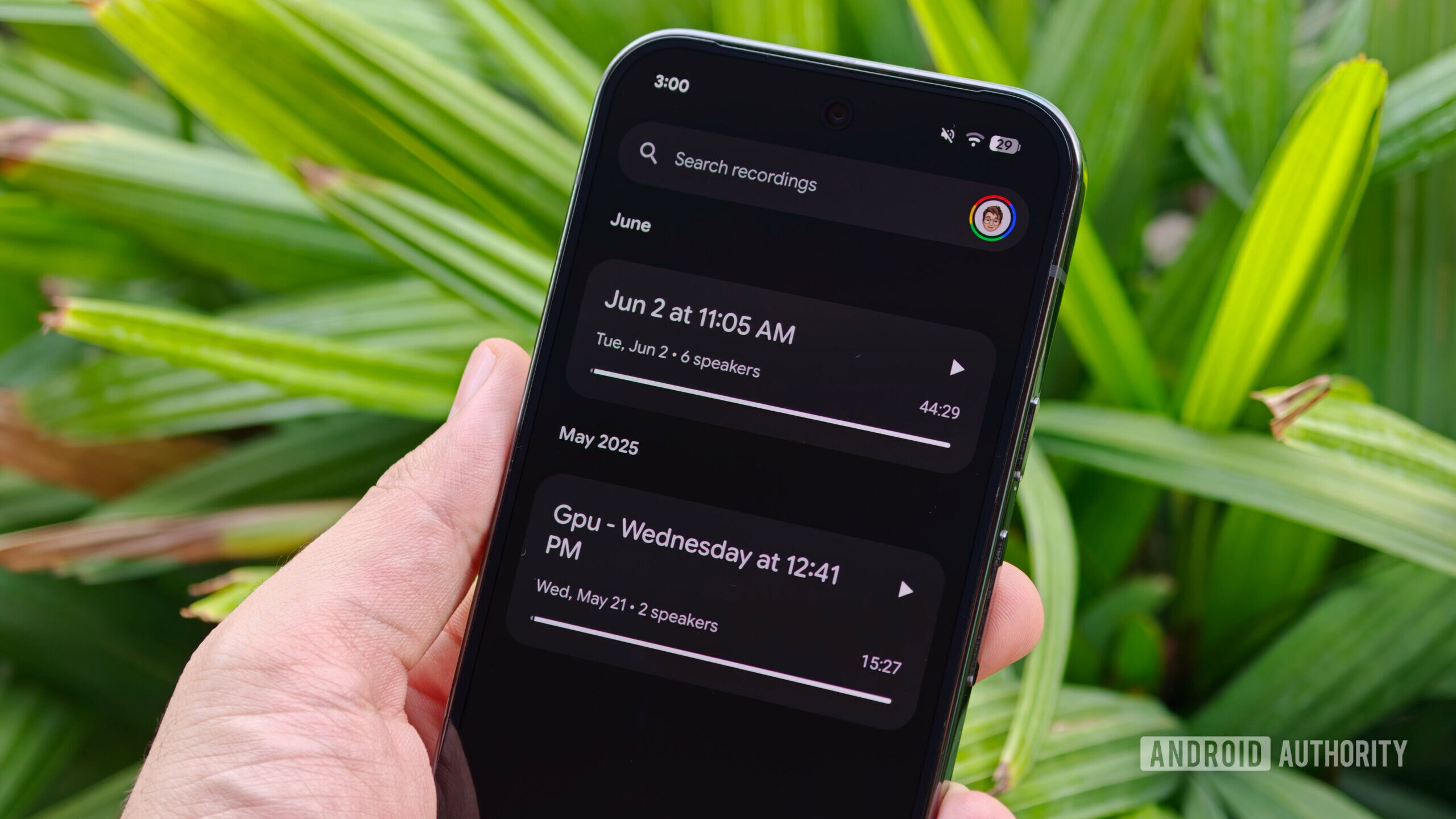
Sanuj Bhatia / Android Authority
As bearish as I’ve been on AI tools lately — partly because they’re coming after my bread and butter — one category I’ve consistently relied on is AI note-taking tools. I’ve been using these online notetaker tools for online meetings and media briefings for the past year or so. And honestly, they’ve been incredibly useful. When you’re attending multiple briefings every week, it’s impossible to remember every detail, quote, and specification off the top of your head.
The problem, though, is that AI infrastructure isn’t cheap, and running these services is a high cost for the companies that provide them. As these tools have become more advanced, subscription prices have gone up.
Over the past few months, however, I’ve heard from several fellow journalists that Google’s Pixel Recorder app is surprisingly capable and can deliver at least part of the experience offered by dedicated AI note-taking services. After using it extensively myself, including during my recent trip to Taipei for Computex 2026, I’ve actually ended up canceling my AI note-taking subscription altogether.
Would you trust your phone to replace a dedicated AI note-taking service?
2 votes
Yes, already do
50%
Maybe, depending on features
0%
No, I need meeting bots
50%
I don’t use either
0%
Google Pixel’s Recorder app is much smarter than people take it to be
Ryan Haines / Android Authority
With the launch of the Pixel 9 series in 2024, Google revamped the Recorder app on Pixel phones, adding support for on-device Gemini Nano with multimodality. What this meant was that the Recorder app wasn’t only able to record audio, but also analyze it and generate live transcripts with on-the-fly punctuation and grammar corrections.
This means the app gives you a live transcription of whatever is being said whenever it is recording. Not only that, but thanks to Gemini, the Recorder app can also label multiple speakers if you’re attending a meeting with a lot of people. This makes it much easier to skim through who said what and jump between different parts of a conversation later on.
Plus, the best part of this tool, in my opinion, is that you can see all recordings and transcripts in the recorder’s web app. Just by going to recorder.google.com and signing in with the same Google account, you can access all the recordings and transcripts from your desktop device directly.
Mishaal Rahman / Android Authority
This has been incredibly useful for me. As someone who spends most of the day working from a laptop, pulling quotes and information from a media briefing is much easier than constantly reaching for my phone and hunting through recordings.
I do wish Google would add AI-generated summaries directly at the top of transcripts in the web version, but as a workaround, you can export the transcript as a text file and use Google Docs or Gemini to summarize it.
For a free app that comes pre-installed on Pixel phones, Recorder is remarkably capable.
Of course, accuracy is one of the most important factors in any AI-powered note-taking tool. And while I wouldn’t say Recorder is quite as accurate as some cloud-based AI transcription services, it’s still surprisingly good.
I used Pixel Recorder to record a nearly hour-long meeting during Computex 2026, and the transcript was almost entirely usable. There were very few moments when I had to stop and figure out what was actually being said.
Pixel’s Recorder app feels safer than most AI note-taking tools
Sanuj Bhatia / Android Authority
The best part of using my Pixel as a dedicated recorder is that all of this works on-device. The phone uses an on-device Gemini model to process the audio (and transcribe it into text), which means data never leaves your phone, and any meeting you record stays on the device unless you explicitly choose to share it.
This eliminates a lot of the compromises that come with traditional AI note-taking tools. Adding a third-party bot to a meeting is convenient, but it’s not always the most private option. Plus, when you’re dealing with embargoed briefings and NDAs like I often am, having everything processed locally provides some extra peace of mind.
Most services work by uploading your meeting audio to cloud servers where it gets processed, transcribed, summarized, and stored. That’s not necessarily a bad thing, but it does mean you’re relying on another company to handle potentially sensitive conversations.
Don’t want to miss the best from Android Authority?
It’s not perfect, but it might be one of the best free AI tools Google has made
Sanuj Bhatia / Android Authority
Of course, the Pixel Recorder app is still a workaround, and it doesn’t do everything a proper AI note taker can — the most obvious being that it can’t join the meeting virtually. In this scenario, you need to keep your Pixel near the speaker or device playing the meeting audio so it can record and transcribe it. There’s also no team collaboration or shared workspace functionality. That said, for what the app does, it works surprisingly well and can save you a few dollars every month.
I think the reason the Recorder app doesn’t get much attention is that Google doesn’t market it the same way it markets Gemini Live or Circle to Search. But having used this feature for more than a month now, I genuinely think Recorder is one of the most underrated Pixel features available today.
It’s not a complete replacement for every AI note-taking service on the market. If your workflow depends on bots joining meetings on your behalf or collaboration features, you’ll probably still want a dedicated platform.
But if all you really need is reliable recordings, searchable transcripts, and a quick way to revisit important conversations, Google’s free Recorder app gets surprisingly close to what many paid AI note-taking services offer. For me, it got close enough that I stopped paying for one.
Thank you for being part of our community. Read our Comment Policy before posting.
