

Allison Murray/ZDNET
Follow ZDNET: Add us as a preferred source on Google.
ZDNET key takeaways
- You can protect your data and pipeline during a CRM switch.
- There are five best practices to follow when migrating to a new CRM.
- A lot of time goes into the migration, but done right, it’s worth the peace of mind.
Switching your CRM feels straightforward until you’re neck-deep in mismatched fields, duplicate contacts, and a sales team that can’t log a call. I’ve seen businesses treat a CRM migration like a simple data export, only to spend months untangling the fallout.
Also: The best CRM software 2026: Expert tested and reviewed
That confidence tends to disappear fast. According to one analysis by Vantage Point, up to 40% of CRM migrations encounter significant problems, from data integrity failures to field mappings that silently corrupt your reporting. But those problems are preventable. The five practices below won’t eliminate every headache, but they’ll keep the serious ones from derailing your rollout.
1. Audit your existing data before you move anything
The single biggest mistake I see in CRM migrations is treating the move as a copy-paste exercise. If your current system holds stale records, you’ll just be moving that mess into a new home.
Start by running a full audit of your existing data. Research consistently shows that over 70% of CRM records become inaccurate within a year, and most organizations discover they’re carrying between 10% and 30% duplicate records once they actually look. Those duplicates don’t just bloat your new system; they skew forecasting, break automated workflows, and create awkward moments when two reps call the same prospect in the same week.
Also: How to audit what ChatGPT knows about you – and reclaim your data privacy
Your audit should flag three things: duplicate records, incomplete records missing critical fields like email or company name, and outdated contacts that haven’t had any activity in years. Use this as an opportunity to decide what’s worth carrying forward. Migrating everything isn’t always the right call, and the cost of migration scales with data volume, so cutting dead weight upfront can save you real money.
2. Build a detailed field mapping document
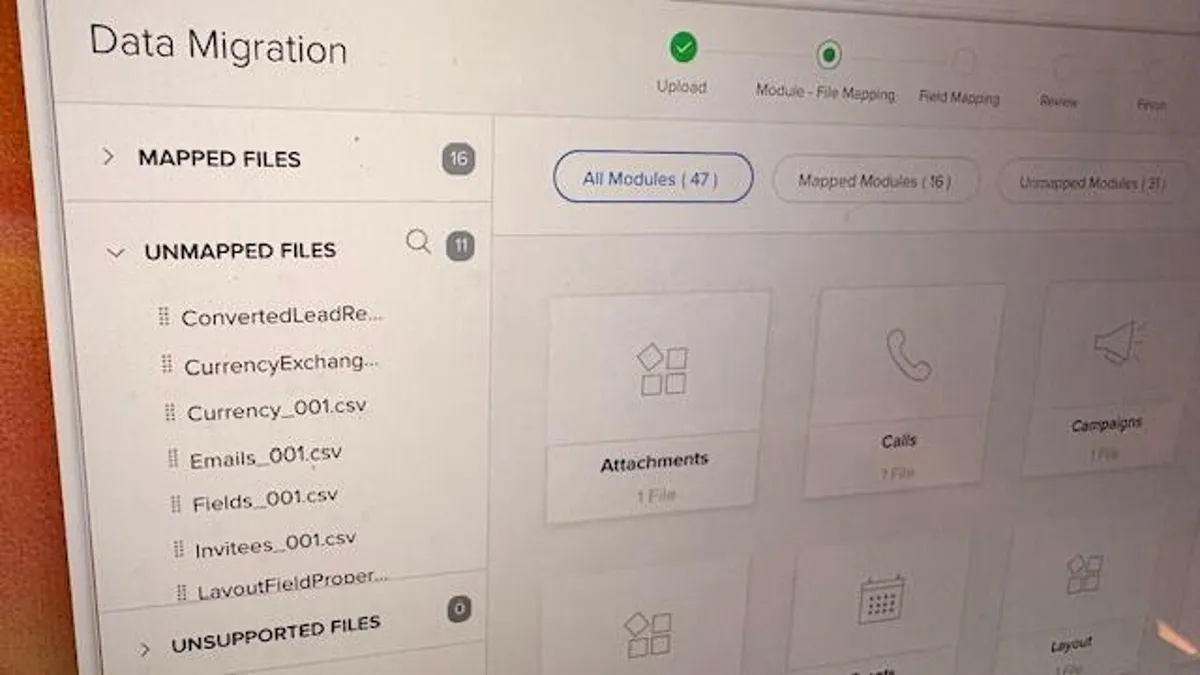
Field mapping is where CRM migrations quietly fall apart. Data leaves your old system looking fine, lands in the new one in the wrong place, and nobody notices until a sales rep can’t find three months of deal notes.
A field mapping document is a plain reference that shows how every field in your current CRM translates to a field in the new one. Each field from the legacy system needs a corresponding field in the new CRM, including custom fields your team built for specific campaigns or processes. Don’t assume the names match: a field labeled “Company name” in your old system might map to “Account name” in the new one, and getting that wrong means relationship data between records breaks entirely.
Also: Best small business CRM software
Pay extra attention to fields that need transformation, not just transfer. A free-text industry field in your old CRM might need to become a structured picklist in the new one. A single “Full name” field might need to split into separate first and last name fields. These transformations require deliberate rules, not guesswork. Documenting them before migration starts gives you a clear audit trail if something goes wrong.
3. Run a test migration before going live
No matter how careful your planning, the first full migration will surface problems you didn’t anticipate. A test migration on a small, representative dataset lets you catch those problems without involving your entire contact database.
Pick a slice of data that covers a range of record types: a few accounts, associated contacts, some open deals, and a sample of historical activity. Run the test migration into a staging environment rather than your live system. Then check whether contact records, pipeline stages, activity histories, and reporting outputs all look right. If your deal notes didn’t come across, or your pipeline stages mapped to the wrong phase, you want to find that in a test, not on day one of your rollout.
The test migration also helps you calibrate your timeline. For mid-sized organizations, a full CRM migration typically takes 10 to 20 weeks from planning through go-live, and that range widens if data complexity is high. Running a test early gives you a realistic sense of what your full timeline actually looks like, rather than an optimistic guess.
4. Lock down roles and permissions before data goes live
Access management is one of the most overlooked steps in a CRM migration. Teams spend weeks perfecting data quality and field mapping, then push everything live with permissions that either lock people out of records they need or give the entire company visibility into deal data that should stay with specific teams.
Also: What is digital transformation? Everything you need to know about how technology is changing business
Before go-live, define your permission structure from scratch rather than copying it from your old system. Your old CRM’s permission model may have been built incrementally over years and reflects organizational structures that no longer exist. A new system is a clean opportunity to set it up intentionally. The standard migration order is to move users and roles first, before accounts, contacts, or deals, so the structure exists before the data lands in it.
Involve your data owners in this step. Every major data object, like accounts, deals, and contacts, should have a business owner who signs off on who can view, edit, and delete records. This isn’t just a security exercise; it’s how you prevent a newly onboarded rep from accidentally bulk-editing 500 contact records on their first day.
5. Train your team before go-live, not after
Even a technically clean migration can stall if the people using the new system don’t know how it works. Launching first and training later is a reliable way to breed frustration, force reps back to spreadsheets, and end up with a CRM nobody trusts.
Also: Salesforce vs HubSpot: Which is the better business CRM?
Training before go-live doesn’t have to mean formal sessions for everyone. The priority is making sure each team member understands the workflows specific to their role: how to log a call, update a deal stage, create a contact. Focus the training on what changed from the old system, since most people adapt faster when they understand what’s different rather than learning everything from scratch.
Plan for a short period after launch where someone on your team is available to answer questions quickly. Post-migration issues rarely involve catastrophic data loss when the earlier steps are handled well; they’re mostly small confusions that snowball if they go unanswered. Checking in with the team in the first few weeks to ask what’s working and what feels awkward is a practical habit that pays off quickly.
The bottom line
CRM migrations done carefully cost time upfront. But done carelessly, they cost far more on the back end, in data clean-up, team frustration, and pipeline blind spots that take months to notice. Auditing your data, mapping fields precisely, running test migrations, managing access deliberately, and training your team before launch may sound like a lot of work, but they’ll make it recoverable when things don’t go exactly according to plan.
