

Grammarly gets a lot of hate, but it has been my designated spelling and grammar assistant for over a decade now. For at least five years, I have been paying Grammarly about $120 per year for its premium plan. For what it’s worth, Grammarly Premium delivers on many fronts, and I can access it on all my devices.
However, like everyone, I have that itch to find affordable alternatives. Though I have considered many Grammarly alternatives, most of those cloud-based subscriptions were equally, if not more, expensive. LanguageTool Server, a self-hosted version of the popular grammar checker, sounded quite refreshing, though.
A fully-fledged grammar checker that I can run on my device for free? That sounded awesome, so I decided to rely on self-hosted LanguageTool while keeping my Grammarly Premium subscription!
Related
I stopped paying for Grammarly once I found out there’s a free open-source alternative
I thought Grammarly was essential. It wasn’t.
The pitch was convincing
LanguageTool Server was everything I could have asked for — on paper, at least. I had used LanguageTool’s cloud-based text correction service and apps before, and they were pretty reliable. Therefore, when I signed up for this self-hosting project, I was expecting more or less the same experience, of course, without a hefty monthly subscription plan.
I knew the self-hosted version didn’t pack AI-based rules, but I wasn’t sad to miss them, either.
I also figured I could benefit from offline text correction, rather than worrying about messing with suggestions when the connection is wobbly. All these were based on the idea that LanguageTool’s core functionality is open source. By that logic, I should have had almost the same experience even when the server was being run locally.
Given how LanguageTool has made its browser extensions subscription-only, I also thought the self-hosted setup would let me continue using the grammar checker on Arc and elsewhere. In short, I was really expecting LanguageTool Server to replace Grammarly Premium.
The server setup was super smooth, but the cracks were visible
There were too many asterisks
Setting up LanguageTool Server on my Mac was easier than I imagined, largely thanks to Homebrew. Windows PC users may need some more time to get it done, though. I had to enter the following command on Terminal, and the server was installed in a few seconds.
brew install languagetool
After the setup was done, another brew command was needed to start the server:
brew services start languagetool
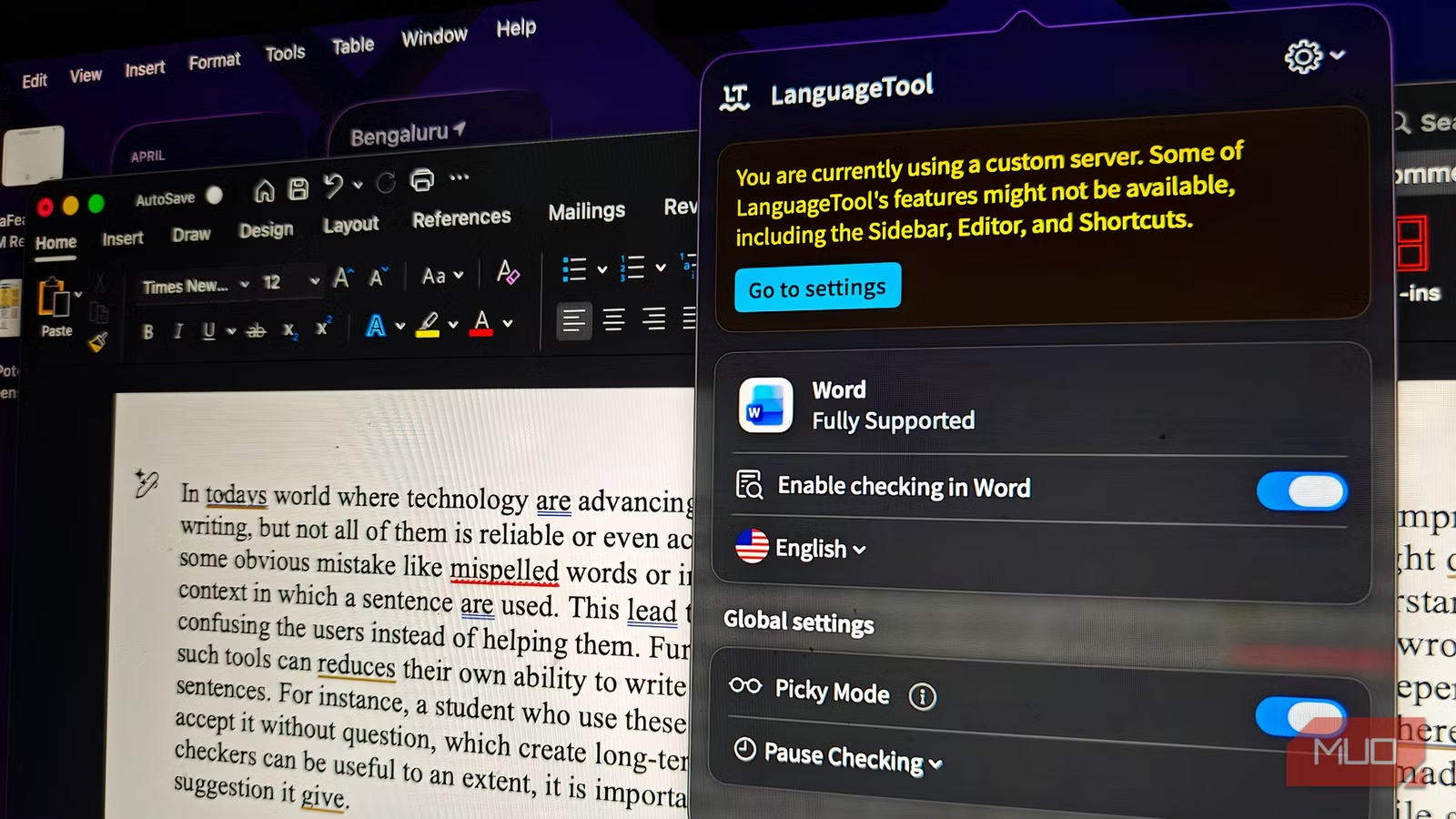
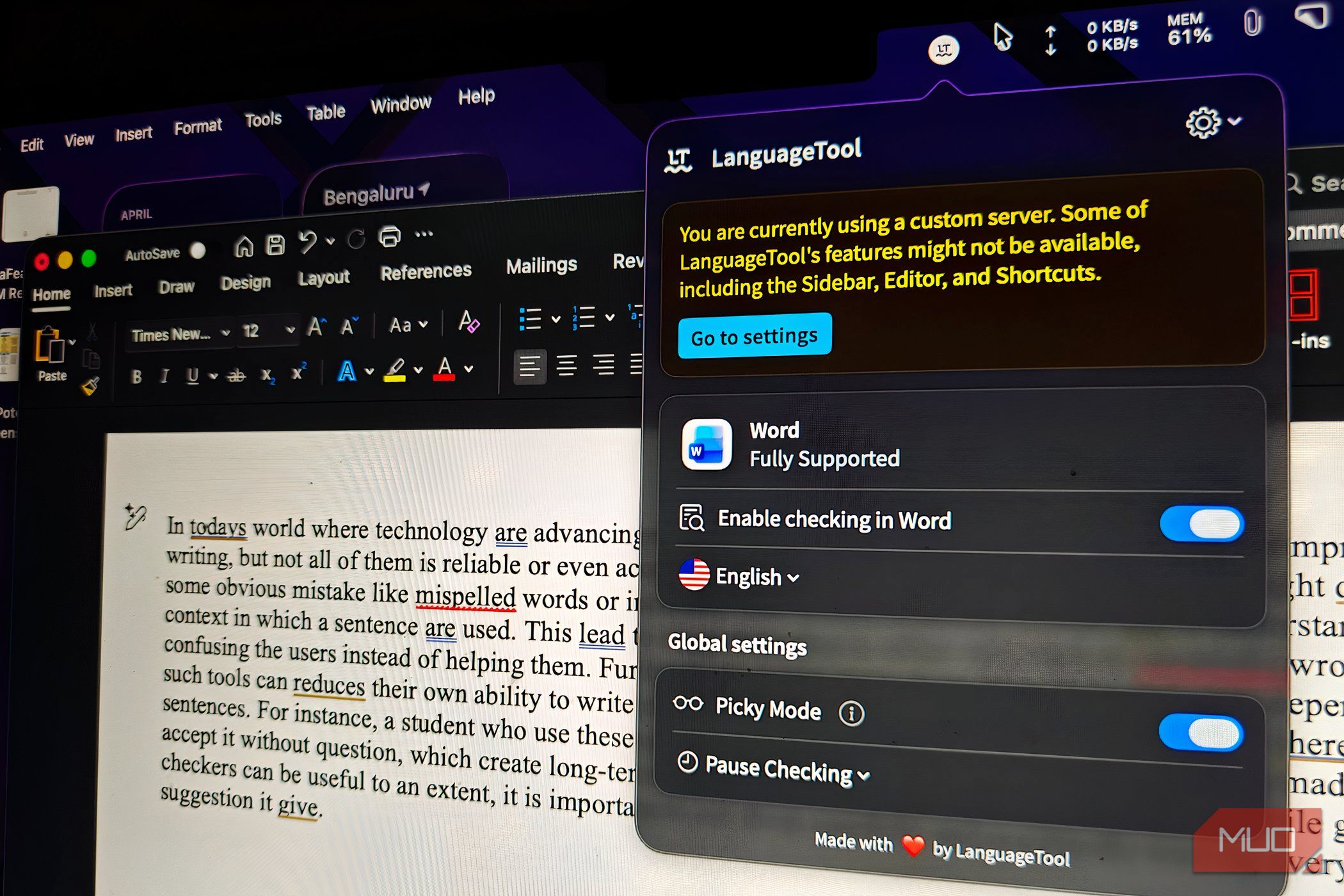
Once this part was done, I tried connecting the LanguageTool desktop app to the custom server — though this feature is not officially supported in the standard desktop client. At this point, the LanguageTool app shifted from the cloud-based server to the self-hosted one. I could make the same change to the browser extension as well. In a few seconds, I was using the free, self-hosted version of LanguageTool instead of a $120/year subscription.
You can optionally install fastText models on macOS or Linux to improve language detection across multiple languages, though LanguageTool still works without it. This option, however, is unavailable on Windows.
A few bottlenecks were visible from the start, though. For one, setting up LanguageTool Server on Windows seems Herculean. Even then, the Windows desktop app cannot directly connect to a self-hosted server, so your best option is using the browser extension or editor integrations that accept custom endpoints.
OS
Windows, macOS, Linux
Developer
LanguageTool
Price model
Free
LanguageTool Server is the self-hosted version of LanguageTool, the grammar checker app.
The spelling and grammar suggestions were inconsistent
That’s a problem when you are paid to write
The happiness of setting up LanguageTool Server, motivated by the savings I could have, didn’t last for long, though. As someone who’s paid to write, I cannot let grammar errors slip into my write-ups. With Grammarly, it felt easy not to let that happen, but LanguageTool Server struggled quite a bit in this department.
The first thing I noticed was how LanguageTool Server ignored some major grammar errors. I wanted to double-check whether this was a one-time scenario, but the grammar suggestions remained inconsistent and unreliable throughout the experience. It consistently ignored issues with subject-verb agreement and punctuation.
I also compared LanguageTool Server’s error detection with that of the free Grammarly plan. Using the same text, Grammarly found around 20 errors, whereas LanguageTool Server detected only 10. This disparity is undoubtedly a problem for anyone who wants to trust their grammar checker.
In its defense, LanguageTool did a decent job of correcting spelling errors. Yet, it failed to recognize many proper nouns that Grammarly does seamlessly. So, every time I wrote about a product or a place, I had to add it to the dictionary to avoid further annoying suggestions.
Its desktop experience lacked features I had taken for granted
Turns out “self-hosted” is a polite way of saying “you’re on your own, pal”
Even more annoying than inconsistent grammar suggestions was the lack of some necessary features. The moment I shifted from the cloud-based server to a self-hosted LanguageTool server, the desktop application felt half-baked. Some of the core features that make a grammar checker effective were locked behind a Log In/Sign Up button and didn’t work with a custom server.
For instance, the sidebar where you get to see the suggestion in detail was out of the picture. You also lose access to its Editor functionality and handy shortcuts. The LanguageTool app also makes it clear that it wants you to shift to the cloud plan. In comparison, the much-praised LanguageTool browser extension worked far better. Still, I also found that it continued to use the cloud-based server even after I had chosen the self-hosted server as the designated option.
Overall, choosing the self-hosted LanguageTool Server option felt like being abandoned by the grammar assistant app.
LanguageTool Server isn’t fully bad, but it can’t replace Grammarly
As you may have understood by now, my attempt with the self-hosted LanguageTool was far from successful. Unsurprisingly, I had to go crawling back to my Grammarly Premium subscription for a more stable option, despite what it is doing with AI features. For what it’s worth, I could have survived with LanguageTool Server if the only issue was some convenience-oriented features. However, when a grammar checker doesn’t properly check grammar, that is a definite no-go for me!
Related
Grammarly’s New Feature Can Predict If You’ll Fail Your Paper
Might as well know you’re in trouble before you even hand it in.
