

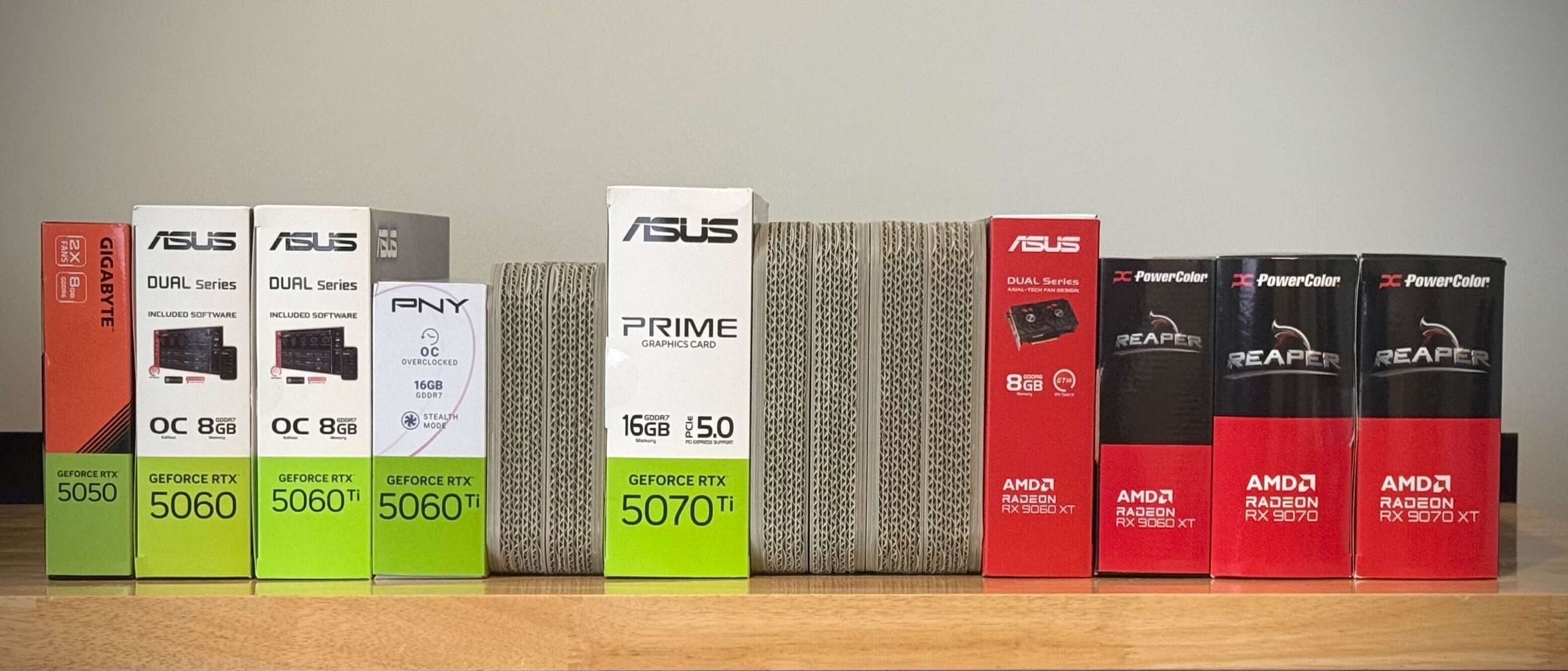
As we prepare to embark on a new round of testing for our GPU Hierarchy, we want to give Tom’s Hardware Premium subscribers a deep dive into our thinking and methods as results from this testing begin to feed into our Bench database, as well as a test plan that will show you what data to expect and when. This article will help you interpret our game testing results and understand why we test the way we do.
Our task for the first half of this year has sadly been made easier by the fact that neither Nvidia nor AMD nor Intel introduced new discrete gaming graphics cards at CES 2026. Historically, we would have expected an RTX 50 Super-series mid-cycle refresh from Nvidia at the very least, but the insatiable maw of AI demand has apparently dashed any launch plans for new consumer GPUs in favor of data center AI accelerators with incomparably higher margins.
You may like
Upscaling and framegen matter more than ever, but we’re leaving them out
The biggest question we had to wrestle with when devising our 2026 test plan was whether to include upscaling in the GPU Hierarchy by default. Upscalers are no longer a crutch that trades visual fidelity for a large performance boost, as they once were. Especially with the advent of Nvidia’s DLSS version 4.5 release, we are closer than ever to one of the few unconditional wins of the AI era: free performance, lower fixed resource usage, and better-than-native image quality.
For all that, we’ve still decided against enabling DLSS, FSR, and XeSS for our testing. We’re trying to exclude as many variables as possible (like CPU scaling) from what is meant to be a direct performance comparison between graphics cards. Not every upscaler produces the same output image quality, not every game implements every upscaler from every vendor, and not every card can run the same upscaling models.
Even as DLSS 4.5 generates impeccable output frames, AMD’s FSR 4 can’t match its image quality, and FSR 4 only officially runs on certain Radeons. Older cards can only take advantage of FSR 3.x and earlier, which are cross-compatible across graphics cards from any vendor but don’t benefit from AI-enhanced architectures. Intel’s XeSS uses AI models of various fidelity in both its Arc-friendly and cross-vendor approaches, but its image quality also isn’t on par with DLSS, and it’s not in every game.
With all that in mind, even if we test Nvidia, AMD, and Intel graphics cards at the same input resolution before upscaling, we’re getting “Nvidia frames,” “AMD frames,” and “Intel frames” out the other end, which adds a layer of undesirable complexity to our analysis.
We want the GPU Hierarchy and Bench to be as clean and simple a representation of comparative performance between graphics cards as possible, so we’re excluding the variables introduced by upscaling from our data.
We are living in a new world for competitive analysis versus years past, though. Just because a graphics card produces a low frame rate in our hierarchy, that no longer means that it’s irredeemably slow and that upgrading to a newer card is the only way to get around it. In the upscaling era, it might be possible to enable DLSS, FSR, or XeSS and boost a card’s performance to a playable level with minimal or even positive impacts on image quality.
You may like
That said, if a card has an extremely low baseline frame rate in the GPU Hierarchy, upscaling isn’t going to magically transform it into a speed demon. Doubling or tripling a low frame rate can still result in only a borderline level of performance on the other end. Really old or really slow cards might not even have enough spare compute resources to run an upscaler in addition to the basic render loop at all.
Frame generation is the other modern marvel of gaming performance, but we’re also excluding it from our hierarchy data. Unlike with upscaling, turning on framegen has real costs. It usually introduces a large input latency penalty, and if that penalty is large enough to exceed an acceptable threshold, it has to be compensated for elsewhere, whether through changing upscaling or quality settings, and that in turn can compromise image quality.
In short, just because a card is producing a large number of output frames with framegen enabled, it doesn’t mean it’s providing a playable or enjoyable experience. We view frame generation as a cherry on top of an already solid gaming experience, not a fundamental method of achieving good baseline performance, and so it has no place in our hierarchy testing.
Our benchmarking approach: eyes on monitor, hands on mouse and keyboard
With limited exceptions, we rely on our own custom benchmark sequences captured directly from gameplay using Nvidia’s FrameView utility rather than scripted benchmarks. Sitting back and watching a non-interactive, disembodied camera float through a scene at a fixed rate of motion might be perfectly repeatable, but that doesn’t capture how it “feels” to play a given game on a given graphics card and system. That’s a function of low input latency and smooth frame delivery. To meaningfully comment on those matters requires trained eyes on a monitor and hands on the mouse and keyboard, full stop.
Furthermore, a scripted benchmark might not even be representative of performance in a title’s core gameplay activity, whether that’s running across a battlefield and shooting bad guys, driving around the Nurburgring, or scrolling across a map in a 4X title. Those activities might be more boring than a free camera swooping through a scripted battle, but if that’s what the player is going to experience directly, that’s what we want to measure.
Limiting ourselves to games with built-in benchmarks also ties our hands in the event that a major title doesn’t have one. We don’t want to let that stand in the way of commenting on performance from a hit or influential title.
This is by far the most time- and labor-intensive way to benchmark gaming performance, but it means you can trust that all of the output of our cards under test has been evaluated by expert human eyes, not just generated blindly from an automated run, transferred from a log file into a spreadsheet, and regurgitated without further inquiry. When we say a graphics card is fast, smooth, and responsive, we know it and mean it.
We choose in-game benchmark sequences of about 60 seconds in length based on our years of experience as members of the media and as part of game testing labs at large GPU companies. We want a scene to show as many elements of a game’s eye candy as possible, from shadows and reflections to complex geometry to objects and terrain near and far. Blank walls occupying the entire viewport need not apply.
We try to spend enough time playing each game we choose to test to understand what constitutes a light, average, and demanding scene for performance, and choose scenes that are representative of the key experience a player is likely to see, rather than a worst-case scenario that might only represent a small portion of a game’s playtime.
In the event we find a performance or rendering issue with a popular game on certain hardware, we can also hold GPU vendors’ feet to the fire to make sure that it’s flagged and fixed. This used to be a rare occurrence, but as more and more corporate resources get dedicated to AI accelerators and software development at GPU vendors that might have formerly been dedicated to gaming drivers and QA, we want to keep an eagle eye out.
Picking the lineup
Choosing the games that make up the overall performance picture for our hierarchy involves a lot of trade-offs. We’d love to test every single game on the market on every graphics card that still works with modern PCs, but we only have so much time.
First and foremost, we want to make sure that we’re testing titles that gamers are actually playing right now and would likely motivate a purchase or upgrade.
To guide our title choices, we first turn to publicly available statistics like Steam Charts to see which games have the largest player bases and which ones are sustaining their popularity over time. We also consider the general buzz from the games press and gaming community.
If a game is a technical tour-de-force that helps us exercise particular architectural features or resources of a graphics card, whether that’s from a particularly demanding ray-tracing implementation or a hunger for VRAM, we might include it despite its relative popularity, but we try not to let those editors’ picks dominate our lineup.
Most of today’s games are built atop engines that support DirectX 12. A handful of popular titles still rely on DirectX 11 and Vulkan, but we don’t go out of our way to include a disproportionate number of those titles compared to how frequently game studios choose to target those APIs with their projects.
Similarly, more and more of today’s biggest games are built on Unreal Engine 5, but as long as player stats suggest it makes sense to do so, we try to include a diverse set of engines to see whether certain GPU architectures handle the demands of one engine better than another. Overall, Unreal Engine 5 games make up a little less than half of our test suite, and we feel like that’s a fair mix given the current state of the market.
We’re continuing to split our performance results between raster-only tests and those with RT enabled. The bulk of our data will continue to come from those raster-only tests, but we’ve already gotten a glimpse at some 2026 releases, such as Pragmata, that deploy RT to gorgeous effect, and we’ll likely rotate out some older RT titles and include new ones as the year progresses.
Our first-half 2026 results for the GPU Hierarchy will include data from the following raster games, at a minimum:
Swipe to scroll horizontally
Title
Engine
Graphics API
Why it’s here
Counter-Strike 2
Source
DX11
One of the world’s most popular PC games, period
Apex Legends
Proprietary
DX11
Another wildly popular esports title
Fortnite
Unreal Engine 5
DX12
A freemium cultural phenomenon
Marvel Rivals
Unreal Engine 5
DX12
Another popular freemium title
ARC Raiders
Unreal Engine 5
DX12
A breakout hit game with a huge and loyal player base
Alan Wake II
Northlight
DX12
A visual feast that eats graphics cards alive
Black Myth Wukong
Unreal Engine 5
DX12
A beauty of a game that pushes hardware to the limits
Marvel’s Spider-Man 2
Proprietary
DX12
A demanding PlayStation port with impressive RT effects on tap
Stalker 2
Unreal Engine 5
DX12
A PC-crushing walk through the Chernobyl Exclusion Zone
Cyberpunk 2077
REDEngine
DX12
One of the biggest PC games of all time and a technical proving ground
Clair Obscur Expedition 33
Unreal Engine 5
DX12
One of the most acclaimed games of all time
Microsoft Flight Simulator 2024
Proprietary
DX12
Beautiful visuals powered by an extraordinarily demanding engine
Assassin’s Creed Shadows
Ubisoft Anvil
DX12
The latest in a long line of breathtaking open-world adventures
In addition, we will include the following games in our tests of ray-traced game performance at a minimum:
Swipe to scroll horizontally
Title
Engine
Graphics API
Why it’s here
Grand Theft Auto V Enhanced
Proprietary
DX12
An all-time classic with a fresh coat of RT-enhanced eye candy
Doom: The Dark Ages
Row 1 – Cell 1 Row 1 – Cell 2
A thoroughly modern title that requires RT to run at all
Indiana Jones and the Great Circle
Row 2 – Cell 1 Row 2 – Cell 2
Another modern title that requires an RT-capable GPU
Cyberpunk 2077
REDengine
DX12
Row 3 – Cell 3
Marvel’s Spider-Man 2
Proprietary
DX12
Row 4 – Cell 3
Black Myth Wukong
Unreal Engine 5
DX12
Row 5 – Cell 3
Alan Wake II
Northlight
DX12
Row 6 – Cell 3
Assassin’s Creed Shadows
Ubisoft Anvil
DX12
Row 7 – Cell 3
Our test setup: still AMD, still X3D
Our test PC for 2026 continues to use AMD’s Ryzen 7 9800X3D CPU paired with 32GB of DDR5-6000 RAM as a foundation. This setup is widely considered to be the sweet spot for modern gaming performance, and the recent release of the slightly warmed-over Ryzen 7 9850X3D does little to change that.
Swipe to scroll horizontallyHeader Cell – Column 0
Tom’s Hardware 2026 GPU Test Bench
CPU
AMD Ryzen 7 9800X3D
RAM
G.Skill Trident Z5 32GB (2x16GB) DDR5-6000
Motherboard
Asus TUF Gaming X670E-Plus Wifi
SSD
Inland Performance Plus 4TB PCIe 4.0 NVMe SSD
CPU heatsink
Thermalright Phantom Spirit 120 SE
Power supply
MSI MPG Ai1600TS
AMD’s 3D V-Cache parts continue to smoke any competing CPU for gaming, and as a means of reducing CPU bottlenecks to the greatest extent possible, the 9800X3D will continue to be our platform of choice until a demonstrably superior alternative arrives.
Since our last round of GPU reviews and hierarchy testing, we’ve upgraded our system’s power supply to MSI’s MPG Ai1600TS 1600W.
(Image credit: Tom’s Hardware)
This 80 Plus Titanium unit offers a fully digital topology, two 12V-2×6 connectors, and enough output to comfortably power both our test system and any graphics card attached to it, up to and including MSI’s own RTX 5090 Lightning Z with its up-to-1000W TGP.
The MPG Ai1600TS can also measure per-pin current on each of its 12V-2×6 connectors and report those amperages to monitoring software to warn of any possible imbalances that could threaten a power connector meltdown. It’s a beast of a PSU that’s up to the job of powering practically any consumer graphics card we can hook up to it.
As a bonus, thanks to its massive capacity, this PSU frequently operates in fanless mode even under gaming loads, meaning that its fan won’t contaminate our graphics card noise measurements when we do need to take them.
On the operating system and software side, we test games using a frozen version of Windows 11 and standardize on one graphics driver version from each vendor to ensure as little variance as possible over the course of our test plan, which spans over a month.
We can’t stop games from automatically updating during that time, but not every update causes major changes in performance. In the event a title does receive an update, we’ll spot-check our existing results to make sure that subsequent data isn’t drastically different from earlier runs. We’ll conduct retesting as necessary if we see major performance changes between updates that would materially affect our conclusions.
(Image credit: Future)
In addition to raw performance, we measure per-game power consumption using Nvidia’s Power Capture and Analysis Tool (PCAT). The PCAT monitors PCI Express six- or eight-pin and 12V-2×6 power connector current, as well as PCI Express slot power, and integrates with Nvidia’s FrameView performance measurement utility to provide fine-grained power usage and efficiency information alongside each captured frame’s worth of data.
The PCAT is important because power usage differs across games, and even within a game, the settings used can affect its power consumption drastically (with ray tracing or path tracing on versus off, for just one example).
Directly measuring power usage with the PCAT lets us present real-world usage and efficiency results, not just a vendor’s worst-case board power rating.
We don’t usually perform noise or thermal camera analysis as part of our hierarchy testing, but we are fully equipped to perform both of these tests when necessary.
Our test plan
For 2026, our GPU Hierarchy will initially include the current generation of products from each vendor, followed by two preceding generations. We’ll be testing these cards in waves, and data will be made available in the sequence outlined in the table below. We’ll update each card with a ✅ emoji in the table below as it’s added to Bench.
Swipe to scroll horizontally
Wave 1
Wave 2
Wave 3
Nvidia
Nvidia
Nvidia
RTX 5090
RTX 4090
RTX 3090 Ti
RTX 5080
RTX 4080 Super
RTX 3090
RTX 5070 Ti
RTX 4080
RTX 3080 Ti
RTX 5070
RTX 4070 Ti Super
RTX 3080
RTX 5060 Ti 16GB
RTX 4070 Ti
RTX 3070 Ti
RTX 5060 Ti 8GB
RTX 4070 Super
RTX 3070
RTX 5060
RTX 4070
RTX 3060 Ti
RTX 5050
RTX 4060 Ti 16GB
RTX 3060 12GB
Row 9 – Cell 0
RTX 4060 Ti 8GB
RTX 3050
AMD
RTX 4060
Row 10 – Cell 2
RX 9070 XT
Row 11 – Cell 1
AMD
RX 9070
AMD
RX 6950 XT
RX 9060 XT 16GB
RX 7900 XTX
RX 6900 XT
RX 9060
RX 7900 XT
RX 6800 XT
Row 15 – Cell 0
RX 7800 XT
RX 6800
Intel
RX 7700 XT
RX 6750 XT
Arc B580
RX 7600 XT
RX 6700 XT
Arc B570
RX 7600
RX 6650 XT
Row 19 – Cell 0 Row 19 – Cell 1
RX 6600 XT
Row 20 – Cell 0
Intel
RX 6600
Row 21 – Cell 0
Arc A770 16GB
Row 21 – Cell 2 Row 22 – Cell 0
Arc A770 8GB
Row 22 – Cell 2 Row 23 – Cell 0
Arc A750
Row 23 – Cell 2 Row 24 – Cell 0
Arc A580
Row 24 – Cell 2 Row 25 – Cell 0
Arc A380
Row 25 – Cell 2
With only a couple of exceptions, we’re using “reference” versions of these cards that hew closely to manufacturer-specified power and frequency targets, which is in keeping with our mission to provide a baseline rather than a ceiling.
Testing hefty quad-slot versions of these cards with all of the thermal headroom that board partners can throw at them is a fun post-launch activity, but it’s not what we want for establishing a performance baseline.
What’s next
With all that out of the way, it’s time to get down to testing. All told, the waves of graphics cards above represent over a month of dedicated benchmarking time and untold thousands of data points to be collected. As we collect that data, it’ll begin appearing in Bench for your reference. Keep checking back on the table above to monitor our progress, and enjoy the results in Bench as part of your Tom’s Hardware Premium subscription. And do let us know if you have any questions or comments regarding our testing methods—we’ll be happy to answer them.
