

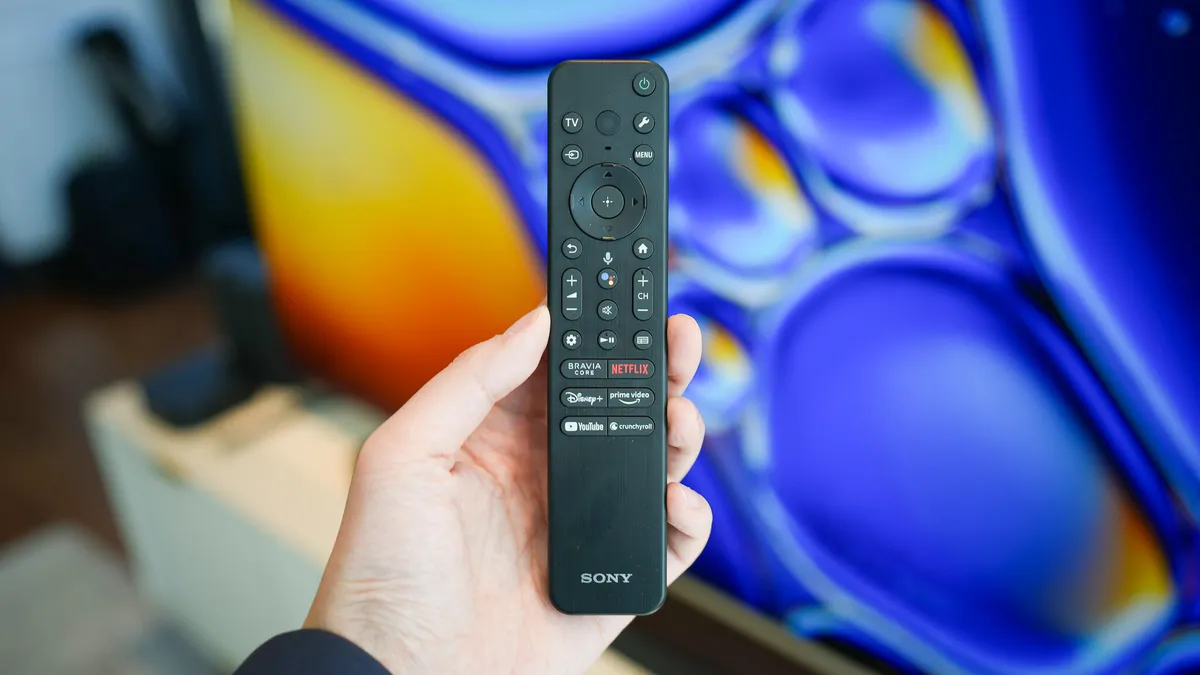
Kerry Wan/ZDNET
Follow ZDNET: Add us as a preferred source on Google.
ZDNET’s key takeaways
- Default motion smoothing causes the unnatural “soap opera effect.”
- Experts recommend turning off motion smoothing for most movies and shows.
- Motion smoothing improves fast-paced action like sports and gaming.
For many people, motion smoothing on TVs is only suitable for gaming and watching live sports; enthusiasts typically prefer to turn off the feature when watching anything else, as it can detract from the filmmaker’s original intent, making on-screen images appear artificial or hyper-realistic. This is what’s called the “soap opera effect.”
Also: Sony and TCL are teaming up to make your next TV, and it’s a bigger deal than you think
It’s a perfectly descriptive metaphor that probably requires no explanation. You can see it all too well: the cinematic film should not look like a daytime soap; you shouldn’t feel like you’re on the set with the actors. But it is appealing to feel like you’re in the stadium watching your team with thousands of fans. The soap opera effect makes sense for live sporting event broadcasts.
How to turn off motion smoothing (and why you should)
Another name for motion smoothing is “motion interpolation,” and it can go by many names depending on a TV’s manufacturer. Below is a quick guide indicating what to look for in your TV’s menu and how to turn off motion smoothing after you’ve had your fill of March Madness.
Also: 5 easy ways to instantly improve your soundbar’s audio (without spending a dime)
On most smart TVs, you can check the Picture settings for any feature that includes the word “motion.” Once you find it, here’s how to disable motion interpolation on various models.
Samsung TV
Kerry Wan/ZDNET
Motion smoothing on Samsung TVs is called “Auto Motion Plus.” As with almost every brand, start by pressing the gear button on your remote. Select All Settings, then go to Picture > More Picture Settings > Picture Clarity Settings > Auto Motion Plus.
LG TV
On LG TVs, the feature is called “TruMotion.” Press the gear button on your remote, then look for the icon with three dots near the bottom of the list (All Settings). Then select Picture Mode Settings > Picture Options > TruMotion.
Amazon Fire TV (Amazon, Toshiba)
On most Amazon TVs, it’s called “Action Smoothing.” Press the gear button on your remote, then follow this path: Display & Sounds > Advanced Settings > Action Smoothing.
Google TV (Sony, TCL, Hisense)
Maria Diaz/ZDNET
Motion smoothing on Google TV panels can vary a little among models, but generally, you’ll start with the remote’s gear button, and from Settings, go to Display & Sound > Picture > Advanced Settings. Under that list, the feature is labeled as the following for each brand:
- For a Sony TV, it’s called Motionflow.
- For a TCL, look for Action Smoothing.
- On a Hisense TV, two features affect interpolation: Motion Enhancement and Motion Clearness. They’re two different features that do slightly different things; be sure to disable both if you want motion smoothing completely turned off.
Also: I changed 6 settings on my Samsung TV to instantly improve the performance
Vizio TV
The motion smoothing feature on a Vizio TV is referred to as “Clear Action.” After pulling up Settings with the gear button, find Picture > Advanced Picture > Clear Action.
Roku TV (Element, Hisense, RCA, Sharp, TCL)
Roku TVs are a bit different. First, you’ll need to open an input or app, then press the asterisk (*) button on your Roku remote. Select Picture Settings, then look for motion smoothing, whose name might vary. (For example, as with the Google TV OS, for a Roku TCL, it’s called Action Smoothing.) If you don’t see any motion-related features directly under Picture Settings, then scroll down to Advanced or Expert Picture Settings to look for motion smoothing options on that menu.
The one reason to keep motion smoothing turned on
To be clear, there is a real reason to keep motion smoothing turned on, and that’s to improve the appearance of fast-moving images, such as panning across a basketball court during a fastbreak or seeing every tracer bullet fly past your HUD in Call of Duty. By adding additional frames to the video, motion smoothing reduces blur and creates a sharper, clearer image, like during rapid camera movements or fast-moving action scenes.
Also: 5 Chromecast features you’re not using enough on your TV (including a smart home buff)
Technically, it creates consistent image transitions by injecting interpolated frames between existing ones, effectively increasing frame rates from the standard 24 frames per second to 60 or even 120 FPS. For every other TV use case, you’re better off without the feature.
